Articles and guides
Let readers quote a passage with a link back to you.
 I Build Elementor.
A real button that copies the text a visitor has selected, optionally as a quote with the page title and address.
These are the actual published outputs of the widget. Select some text on this page, then press one of the buttons.
Content sets whether any selection or only text inside one element can be copied, quotation marks, the page title and address, a maximum length, and every label and message, including an optional icon. The Style tab covers the button in its Normal, Hover and Focus states, its dimmed look with nothing selected, and the hint and messages.
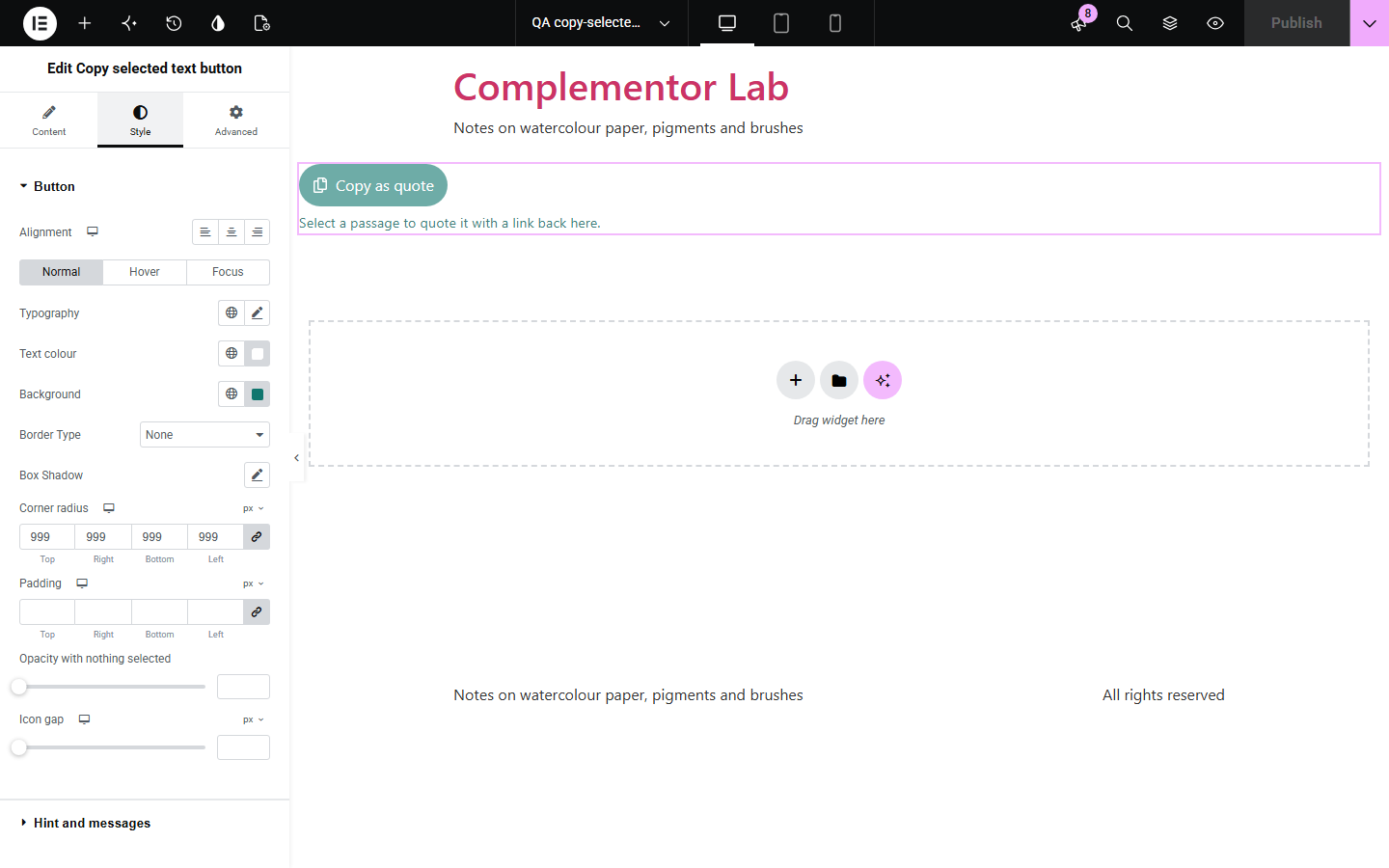
Readers who want to quote a recipe step, a policy clause or a lesson passage have to know the keyboard shortcut, and on phones the copy menu is fiddly. Copy selected text button gives them a clear button: select the text, press it, and the passage is on the clipboard, tidied and optionally in quotation marks with the page title and address so the source travels with it. Nothing is sent anywhere.
Let readers quote a passage with a link back to you.
Copy one step or ingredient list in a tap.
Help customers quote the exact clause in a message.
Start with Complementor installed and your license connected. Enable this module in the WordPress library, then configure it in Elementor.
Install Complementor, connect your license and enable Copy selected text button in the Complementor library.
Add the widget near the text readers will quote.
Choose whether to add quotation marks and the page address.
Optionally limit copying to one element by its CSS ID.
Style it, select some text and press the button.
Configure the settings available for this module to suit the page you are building.
Copies the visitor's selection.
Page-wide or one element only.
Optional quotation marks.
Optional page title and address.
Optional maximum length.
Clear success and fallback messages.
Compare the existing Elementor workflow with this Complementor module before choosing your setup.
Work, but many visitors do not know them, and phones hide the copy menu.
Copy a set text, not the passage the reader chose.
Complementor uses classic Elementor APIs. Atomic-native controls are not implemented. Check your theme, cache and integrations on a staging site before release.
Check these settings if the published page behaves differently from the editor.
Nothing is selected, or the selection is outside the element you chose.
The browser blocked copying. The tip explains how to copy with the keyboard.
It was longer than the maximum length you set.
Only the page address is added, without query strings or #anchors, so tracking codes are not passed on.
No. It works with the free version of Elementor.
No. It goes only to the visitor's clipboard.
Yes. Select text with the keyboard, Tab to the button and press Enter.
Yes. Give the section a CSS ID and choose Only text inside one element.
Yes. Without it the button is hidden, and you can show a message instead.
This module is included with all 1007 current Complementor solutions. Choose your production website allowance; every plan includes the same modules.
Renews at $29 USD each year.
Renews at $49 USD each year.
Renews at $99 USD each year.
Applicable taxes extra. Annual subscriptions renew automatically unless canceled in your customer account. Elementor Pro is required for Exclude current post. Read the terms and 14-day technical-issue refund policy.