Blogs and guides
Let readers share clean links to articles.
 I Build Elementor.
Give visitors a button that copies this page's link without tracking parameters such as utm_source or fbclid, with a fallback when copying is blocked.
These are the actual published outputs of the widget. Add ?utm_source=test to this page's address, reload, and press a button; the copied link leaves it out.
Content sets which address is copied, whether tracking parameters or every parameter is removed, extra names to remove, whether the part after # is kept, whether the address is shown, and every label and message. The Style tab covers the button, the address field and the message.
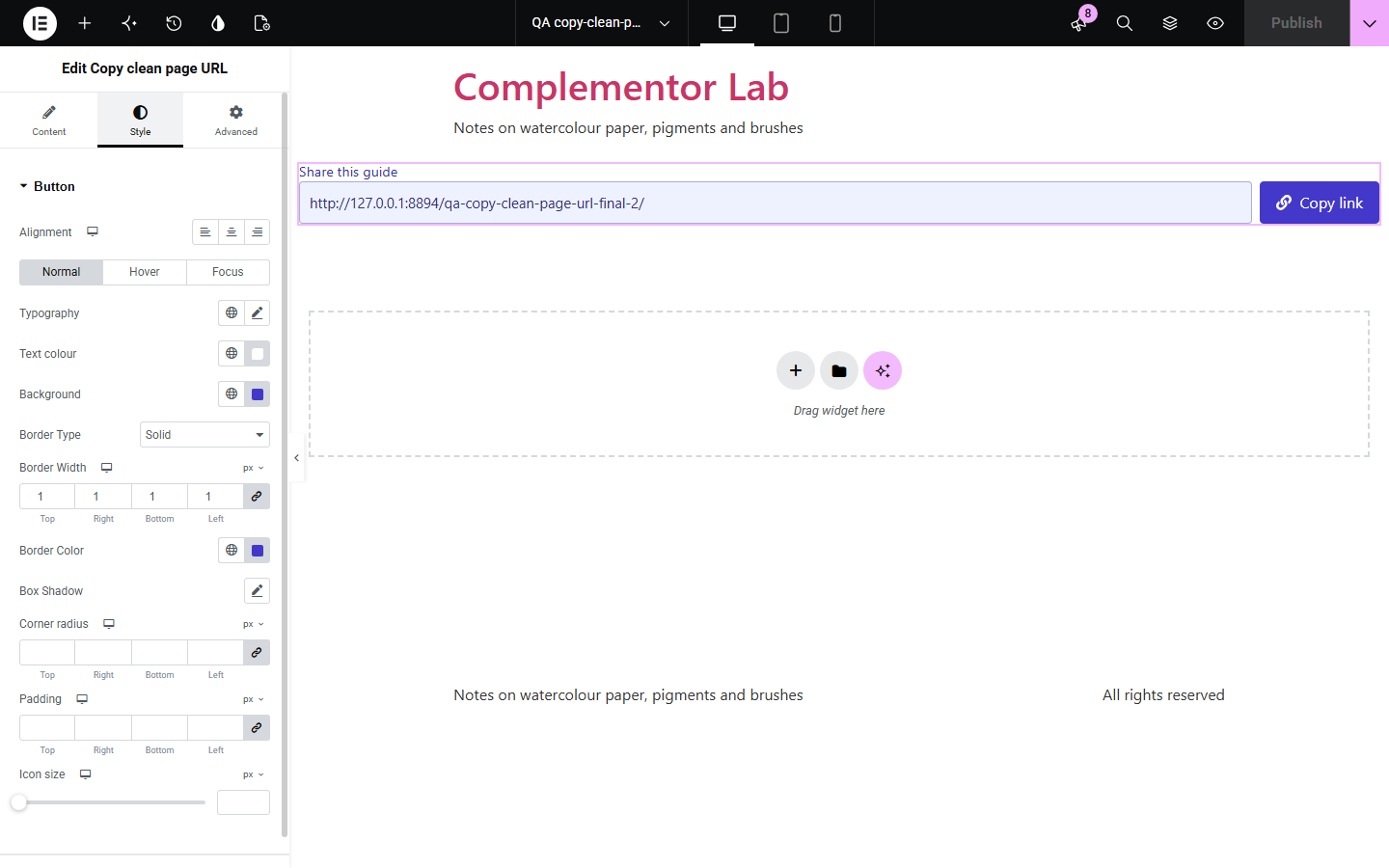
Visitors who arrive from a newsletter or an advert carry long tracking parameters in the address bar, and when they share the page those parameters go with it, which muddles your analytics and makes links look untrustworthy. Copy clean page URL adds a button that copies the page link without utm_source, fbclid, gclid and similar, while keeping parameters that change the page. If the browser blocks copying, the link is shown selected so it can be copied by hand.
Let readers share clean links to articles.
Share product links without advert tracking.
Stop email tracking codes spreading through shared links.
Start with Complementor installed and your license connected. Enable this module in the WordPress library, then configure it in Elementor.
Install Complementor, connect your license and enable Copy clean page URL in the Complementor library.
Add the widget to a page or a template.
Choose what to remove and whether to keep the part after #.
Set the button text, icon and messages.
Style the button and test it with ?utm_source=test in the address.
Configure the settings available for this module to suit the page you are building.
Removes utm_ and other trackers.
Keeps parameters that change the page.
Option to remove every parameter.
Browser or canonical address.
Clipboard fallback and manual copy.
Copied message announced.
Compare the existing Elementor workflow with this Complementor module before choosing your setup.
Copies every tracking parameter along with the link.
Share to one network but do not give a clean link to paste anywhere.
Complementor uses classic Elementor APIs. Atomic-native controls are not implemented. Check your theme, cache and integrations on a staging site before release.
Check these settings if the published page behaves differently from the editor.
It changes which page is shown. Choose Every parameter after the ? to remove it too.
Only known trackers are removed. Add its name under Also remove these parameters.
The browser blocked copying. Press Ctrl+C or Cmd+C to copy the selected link.
The part after # is removed by default. Turn on Keep the part after #.
No. It works with the free version of Elementor.
Anything starting with utm_, plus gclid, fbclid, msclkid and other common ad, analytics and email trackers.
No. It only copies a cleaned link; the address bar stays as it is.
Yes. It is a real button, and the copied or blocked message is announced to screen readers.
Yes. Without it a short note points to the browser's address bar.
This module is included with all 1007 current Complementor solutions. Choose your production website allowance; every plan includes the same modules.
Renews at $29 USD each year.
Renews at $49 USD each year.
Renews at $99 USD each year.
Applicable taxes extra. Annual subscriptions renew automatically unless canceled in your customer account. Elementor Pro is required for Exclude current post. Read the terms and 14-day technical-issue refund policy.