Health and science articles
Show the studies and official guidance a post relies on.
 I Build Elementor.
List the books, articles and websites behind a post as tidy citations, with linked titles, sorting, numbering and a hanging indent.
These are the actual published outputs of the widget, built from sample entries. The links point to example addresses.
Entries holds the sources: title, creator, year, publisher, reference and an optional link for the title. Format chooses the citation style, the order, numbering, hanging indent, new-tab links and stacked or inline layout. Heading and text adds a heading, text before and after each entry and a message when there are no entries. The Style tab covers entry typography and surface, title, link and number colours, the heading and an optional icon.
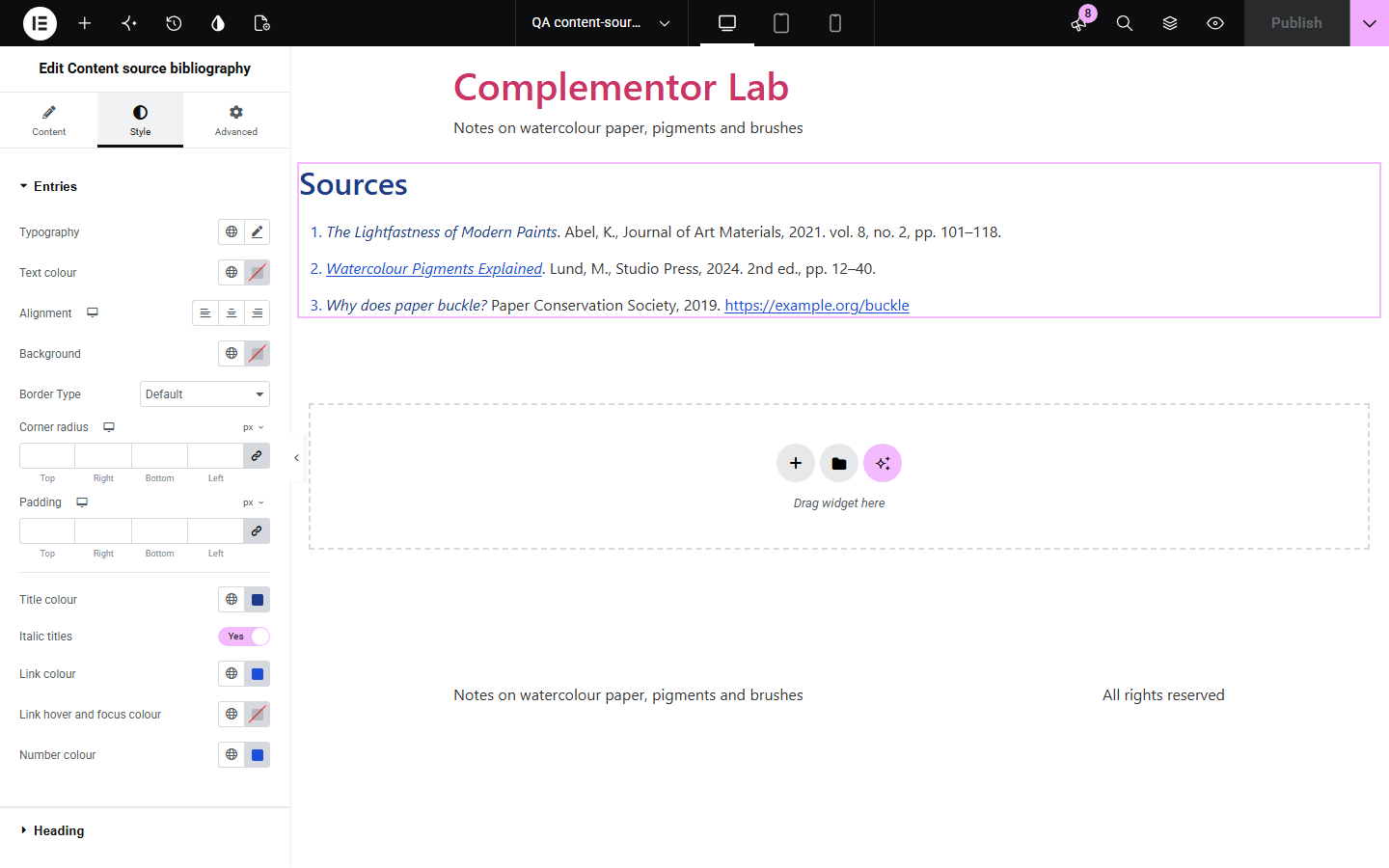
Readers trust articles that show where their facts come from, but a hand-typed source list in a text widget drifts out of shape: names, years and titles in a different order on every line, links without underlines and no indent. Content source bibliography turns structured entries into one consistent list of citations you can sort, number and style.
Show the studies and official guidance a post relies on.
Credit the books and manuals behind your instructions.
Give students a numbered reading list with links.
Start with Complementor installed and your license connected. Enable this module in the WordPress library, then configure it in Elementor.
Install Complementor, connect your license and enable Content source bibliography in the Complementor library.
Add the widget below your article, for example in a single post template or on the page itself.
In Entries, add each source with its title, creator, year, publisher, reference and optional link.
In Format, choose the citation style, the order and whether to number the entries; add a heading in Heading and text.
Style the entries, links and heading on the Style tab, then check the list on a phone.
Configure the settings available for this module to suit the page you are building.
Up to 40 entries, each with title, creator, year, publisher, reference and a link for the title.
Three citation styles: Creator (Year). Title., Title first, or labelled parts.
Order as entered, by creator or title A to Z, or by year either way.
A numbered list, or an unnumbered list with a hanging indent.
Titles in a cite element, italic by default; web addresses in Reference become links.
Only http and https links are used, optionally opening in a new tab.
Optional heading with its own tag, typography and colour.
Compare the existing Elementor workflow with this Complementor module before choosing your setup.
Fine for a short, hand-formatted list; it has no fields, sorting or consistent citation layout.
Better when you need numbered in-text references linked to notes, or certified styles such as APA.
Complementor uses classic Elementor APIs. Atomic-native controls are not implemented. Check your theme, cache and integrations on a staging site before release.
Check these settings if the published page behaves differently from the editor.
There are no entries, or every entry is empty. Add sources under Entries, or set Text when there are no entries.
Only addresses starting with http:// or https:// become links; addresses with a user name and password are shown as text.
Entries without a title, creator, publisher or reference are skipped, and only the first 40 are shown.
Lists now default to the Creator (Year) style. Choose Labelled parts under Citation style for the earlier layout.
No. It works with the free version of Elementor.
No. It gives a simple, consistent layout; it does not certify any formal citation style.
Yes. Turn on Number the entries under Format.
No. Entries are plain text; tags are removed and everything is escaped.
No. It shows what you type and makes no network requests.
This module is included with all 1007 current Complementor solutions. Choose your production website allowance; every plan includes the same modules.
Renews at $29 USD each year.
Renews at $49 USD each year.
Renews at $99 USD each year.
Applicable taxes extra. Annual subscriptions renew automatically unless canceled in your customer account. Elementor Pro is required for Exclude current post. Read the terms and 14-day technical-issue refund policy.