Freelancers and studios
Let clients save your details straight from your contact page.
 I Build Elementor.
Show your public business details on a page with a button that saves them to the visitor's phone or computer as a contact card (vCard).
These are the actual published outputs of the widget for a sample watercolour studio: the full card, a styled version, a compact card, a button on its own, and what happens before a name is entered.
Content › Contact details holds the name, company, job title, public phone, email, website and address. Include in card switches company, phone, email, website and address on or off. Download sets the button label and an optional icon. Display shows or hides the visible summary and links its phone, email and website. The Style tab covers the summary and name typography, text and link colours, link underline and spacing, the button with its states, border, radius and padding, and the icon.
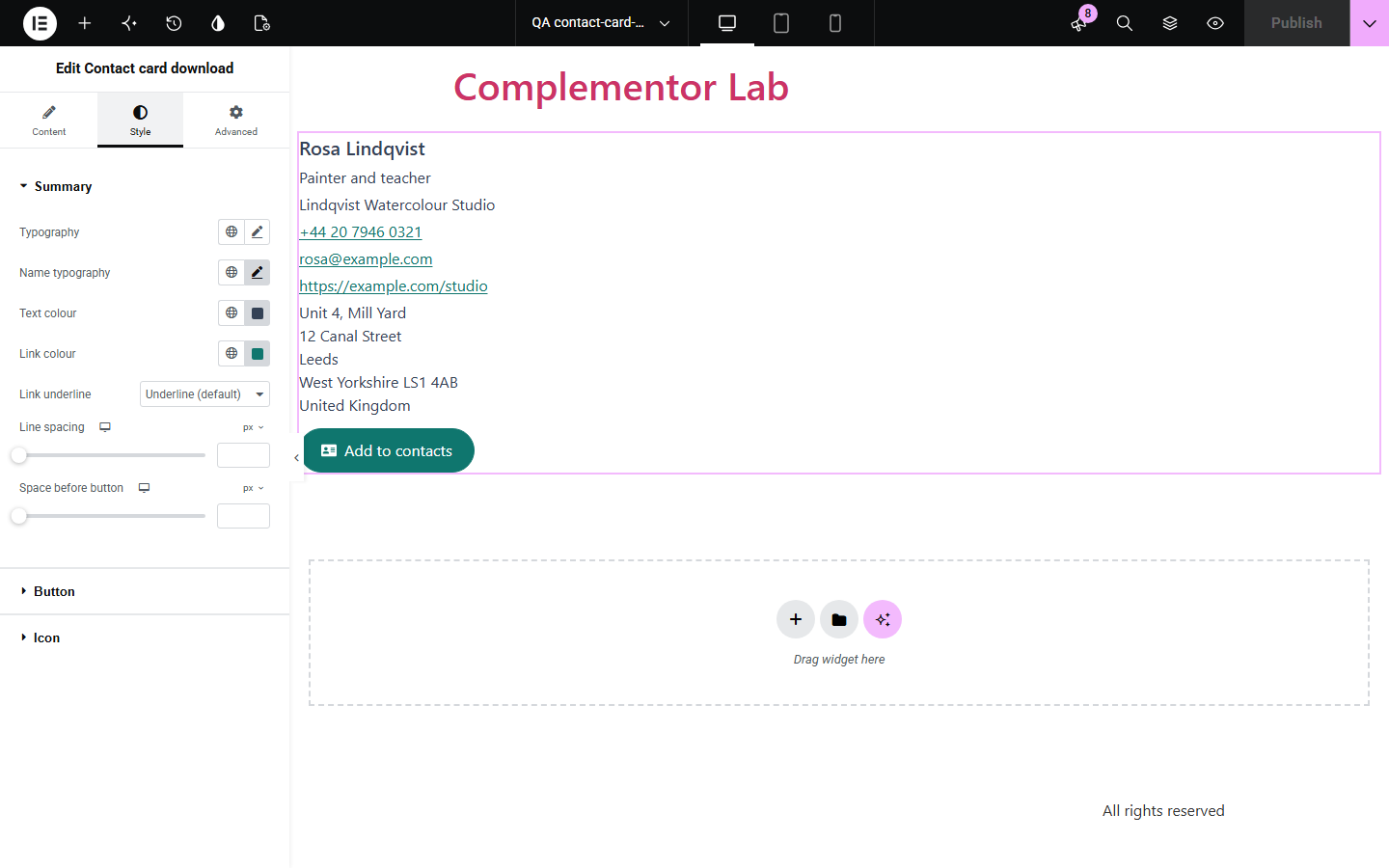
Visitors who want to keep your details have to copy your name, phone, email and address one field at a time. Contact card download shows the details you enter and offers a button that saves exactly the same details as a standard vCard file that phones and address books open directly.
Let clients save your details straight from your contact page.
Give each team member a save contact button next to their profile.
Visitors scanning your page on a phone can add you to their contacts in one tap.
Start with Complementor installed and your license connected. Enable this module in the WordPress library, then configure it in Elementor.
Install Complementor, connect your license and enable Contact card download in the Complementor library.
Add the widget to a contact, team or about page.
Enter the public details you want people to keep.
Switch off any parts you do not want in the card, and set the button text.
Publish, press the button on your phone and check the contact it creates.
Configure the settings available for this module to suit the page you are building.
Name, company, job title, phone, email, website and a multi-line address.
Each part can be left out of the card and the summary.
A standard vCard 4.0 file named after the person, ready for phone and computer address books.
Visible summary with linked phone, email and website, or the button on its own.
Invalid phone numbers, emails or web addresses are left out, with a note in the editor.
Style: summary and name typography, colours, link underline, spacing, button states, border, radius, padding and icon.
Compare the existing Elementor workflow with this Complementor module before choosing your setup.
Plain text means visitors copy each field by hand. The vCard saves every field at once.
A hand-made file goes out of date when your details change. This widget builds the card from the same details shown on the page.
Complementor uses classic Elementor APIs. Atomic-native controls are not implemented. Check your theme, cache and integrations on a staging site before release.
Check these settings if the published page behaves differently from the editor.
No first or last name is set, or the address has neither a street nor a city. The editor explains which.
It contains letters or too few or too many digits. Use digits with an optional +, spaces, brackets, dots or dashes.
Enter the full address starting with https:// or http://.
Phones and computers offer to add a new contact with the saved details.
No. It works with the free version of Elementor.
No. Only the details you type into the widget are used, so nothing private is exposed.
Yes. The summary is real text with an address element, links are underlined, and the button names the person whose card it saves.
A vCard 4.0 file with a .vcf extension, the standard format for contact cards.
Yes. Turn off Show contact summary.
This module is included with all 1007 current Complementor solutions. Choose your production website allowance; every plan includes the same modules.
Renews at $29 USD each year.
Renews at $49 USD each year.
Renews at $99 USD each year.
Applicable taxes extra. Annual subscriptions renew automatically unless canceled in your customer account. Elementor Pro is required for Exclude current post. Read the terms and 14-day technical-issue refund policy.