Brand and style guides
Show which brand colour pairs are readable together.
 I Build Elementor.
Let visitors enter or pick two colours and see their WCAG contrast ratio with a pass or fail for each accessibility level.
These are the actual published outputs of the widget: black on white, white on a blue button with pass and fail icons, and the borderline grey #767676 listed against every criterion. Type a colour or use the picker.
Content › Colours sets the starting foreground and background. Behaviour picks the WCAG criterion to report or lists every one. Display sets the sample text, labels, pass and fail words, the messages for missing or unsupported colours, and optional pass and fail icons. The Style tab covers the field layout, input states, ratio typography, result, pass and fail colours, icon size and the sample.
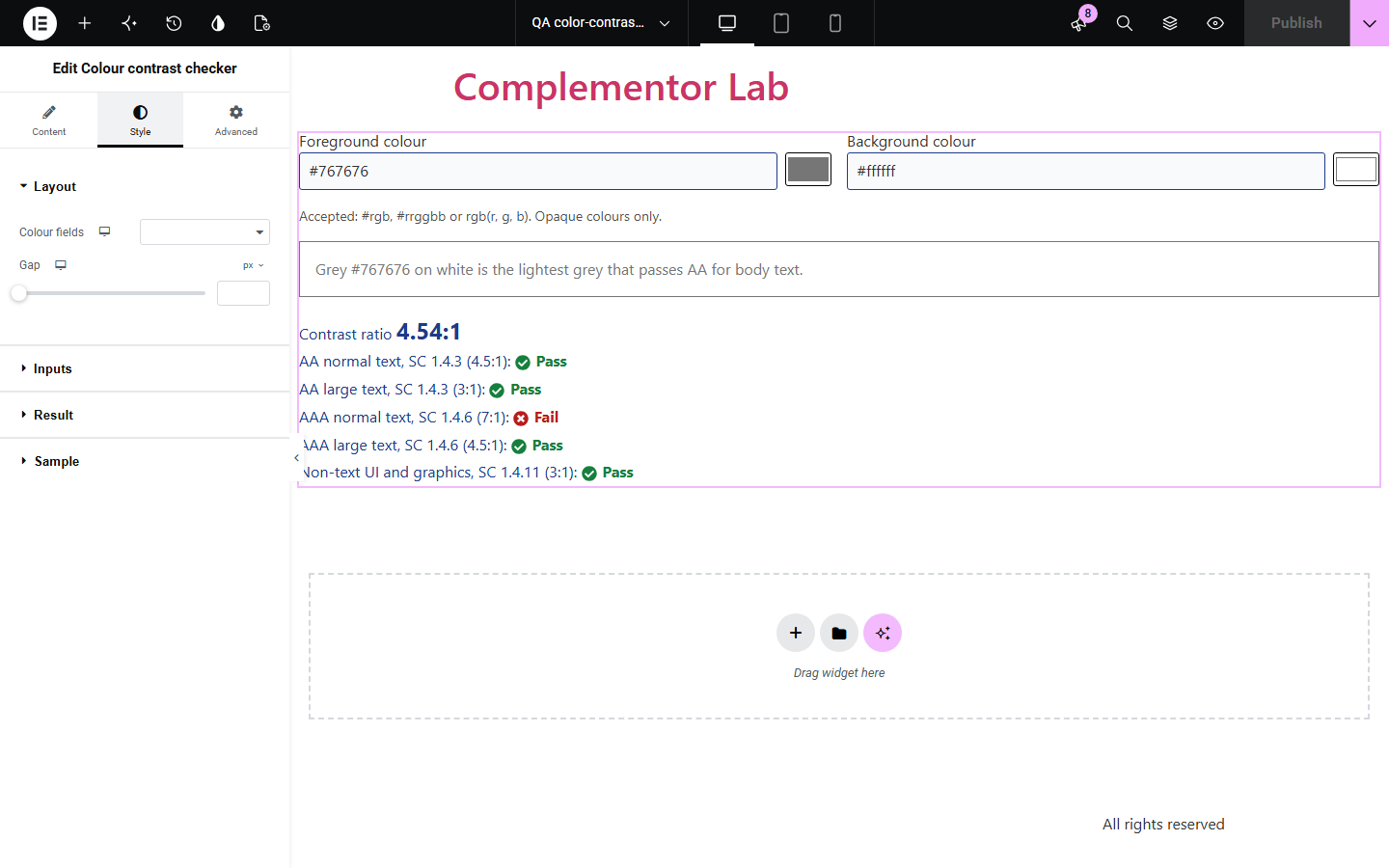
Designers, developers and clients often need to know whether two colours are readable together, and leaving your site for a separate tool breaks the flow of a guide or style page. Colour contrast checker computes the WCAG 2.x contrast ratio on your page, never rounds a ratio up past a threshold, and shows which levels pass.
Show which brand colour pairs are readable together.
Let readers test the colours your guide talks about.
Offer a small, useful tool to visitors.
Start with Complementor installed and your license connected. Enable this module in the WordPress library, then configure it in Elementor.
Install Complementor, connect your license and enable Colour contrast checker in the Complementor library.
Add the widget and set the starting foreground and background colours.
Choose the criterion to report, or list every criterion.
Optionally add sample text and pass and fail icons.
Publish and try other colours on the page.
Configure the settings available for this module to suit the page you are building.
WCAG 2.x contrast ratio for two opaque colours.
Text fields and colour pickers for both colours.
AA and AAA for normal and large text, plus non-text UI (SC 1.4.11).
Ratios truncated so a colour pair never appears to pass when it misses.
Clear messages for missing or unsupported colours.
Style: fields, input states, ratio, pass and fail colours, icons, sample.
Compare the existing Elementor workflow with this Complementor module before choosing your setup.
They work but take visitors away. This keeps the check next to your content.
A static image only covers one pair. Visitors can test their own colours here.
Complementor uses classic Elementor APIs. Atomic-native controls are not implemented. Check your theme, cache and integrations on a staging site before release.
Check these settings if the published page behaves differently from the editor.
Only opaque #rgb, #rrggbb and rgb() values are checked. Transparency, colour names and hsl are not guessed.
WCAG thresholds are exact, so the ratio is truncated rather than rounded up to 4.5.
Turn on List every criterion in Behaviour.
No. It checks the two colours entered; it does not scan the page.
No. It works with the free version of Elementor.
WCAG 2.x relative luminance and the (L1 + 0.05) / (L2 + 0.05) contrast ratio.
Yes. Fields and pickers are labelled, invalid entries are flagged, and results are announced.
No. It reports WCAG 2.x ratios only.
The starting colours are checked on the server; changing them needs JavaScript.
This module is included with all 1007 current Complementor solutions. Choose your production website allowance; every plan includes the same modules.
Renews at $29 USD each year.
Renews at $49 USD each year.
Renews at $99 USD each year.
Applicable taxes extra. Annual subscriptions renew automatically unless canceled in your customer account. Elementor Pro is required for Exclude current post. Read the terms and 14-day technical-issue refund policy.