Tutorials and documentation
Show configuration, PHP or CSS snippets readers can copy without stray line numbers.
 I Build Elementor.
Show code snippets as literal, escaped text in a styled, keyboard-scrollable block with optional line numbers and a language label.
These are the actual published outputs of the widget: the default block, a dark theme with line numbers, HTML shown literally, long lines wrapped, and a snippet shortened to a line limit.
Content › Source holds the code and a visible language label. Behaviour sets line wrapping, a maximum number of lines, the shortened note and the empty-code message. Display sets the region's accessible name, a language class for your own tools, an optional icon and line numbers with a starting number. The Style tab covers code typography, tab size, maximum height, padding, radius, Normal, Hover and Focus colours and borders, line number colour and width, the language label and the notes.
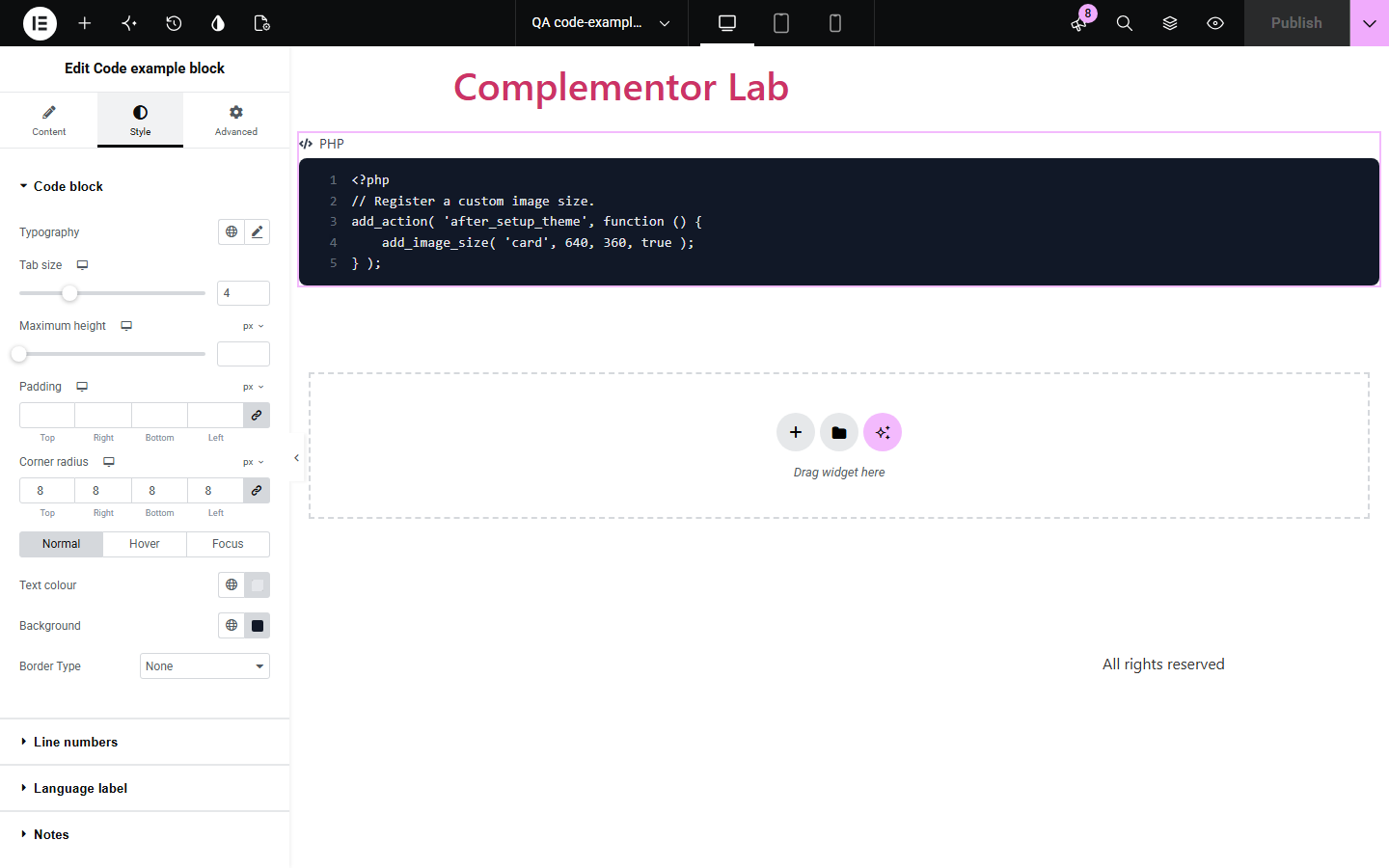
Pasting code into a text widget can break the page: HTML runs, entities collapse and whitespace disappears. Code example block prints your snippet exactly as typed inside a proper pre and code element, with a language label, optional line numbers that are never copied, and a scrollable region keyboard users can reach.
Show configuration, PHP or CSS snippets readers can copy without stray line numbers.
Embed command lines and examples that keep their exact spacing and characters.
Share short code fixes with clear labels and wrapping on mobile.
Start with Complementor installed and your license connected. Enable this module in the WordPress library, then configure it in Elementor.
Install Complementor, connect your license and enable Code example block in the Complementor library.
Drag the widget onto a page and paste your code into Content › Source › Code.
Type a language label such as PHP or CSS, and optionally a language class for your own highlighter.
Choose wrapping, line numbers and a maximum height for long snippets.
Style the block, publish, and tab to the block to check it scrolls with the keyboard.
Configure the settings available for this module to suit the page you are building.
Code shown exactly as typed; HTML, scripts and shortcodes are displayed, never run.
Visible language label and an optional language-xxx class on the code element.
Wrap long lines, or scroll sideways in a keyboard-focusable, named region.
Optional line numbers with a starting number; they are never selected or copied.
Line and character limits with an editable shortened note, and an empty-code message.
Style: typography, tab size, maximum height, padding, radius, Normal/Hover/Focus colours and border, line numbers, label and notes.
Compare the existing Elementor workflow with this Complementor module before choosing your setup.
Elementor Pro's Code Highlight adds syntax colouring and a copy button using a script. Use it when you need highlighting; use this widget for a lightweight, script-free block in Elementor without Pro.
The block editor's Code block shows preformatted text in posts. This widget brings the same idea into Elementor layouts with labels, line numbers and Elementor styling.
Complementor uses classic Elementor APIs. Atomic-native controls are not implemented. Check your theme, cache and integrations on a staging site before release.
Check these settings if the published page behaves differently from the editor.
The widget does not highlight code. Add a language class and your own highlighter, or use Elementor Pro's Code Highlight.
It is longer than Maximum lines shown, or longer than the hard limits of 1,000 lines and 20,000 characters. The note shows how many lines are displayed.
Wrap long lines is off by default to keep code exact. Turn it on, or keep scrolling; the block can be scrolled with the keyboard.
The code is empty. The empty message shows only in the editor unless you turn on Show empty message on the live page.
No. Everything is escaped and shown as text, including scripts and shortcodes.
No. It works with the free version of Elementor.
No. They are drawn by CSS, so selecting and copying takes only the code.
No. It is rendered on the server with a small stylesheet only.
Yes. The scroll area is a named, focusable region, so keyboard users can reach and scroll it.
This module is included with all 1007 current Complementor solutions. Choose your production website allowance; every plan includes the same modules.
Renews at $29 USD each year.
Renews at $49 USD each year.
Renews at $99 USD each year.
Applicable taxes extra. Annual subscriptions renew automatically unless canceled in your customer account. Elementor Pro is required for Exclude current post. Read the terms and 14-day technical-issue refund policy.