Bios and profiles
Help people write a profile that fits the space on your site.
 I Build Elementor.
Add a text field with a live character counter, remaining count and status, with a soft budget or a hard limit.
These are the actual published outputs of the widget: the default 280-character message field, a short bio with a hard 120-character limit, and a headline that starts over its budget. Type in any field to try it.
Content › Budget sets the number of characters, how they are counted and whether the limit is soft or hard. Field sets single or multi-line, rows, placeholder, starting text and an optional form field name. Labels and status text sets the label, counter, remaining and over texts, the status words and the counting note. The Style tab covers layout and spacing, the label, the field with Normal and Focus states, border, radius and padding, and the counter and status colours.
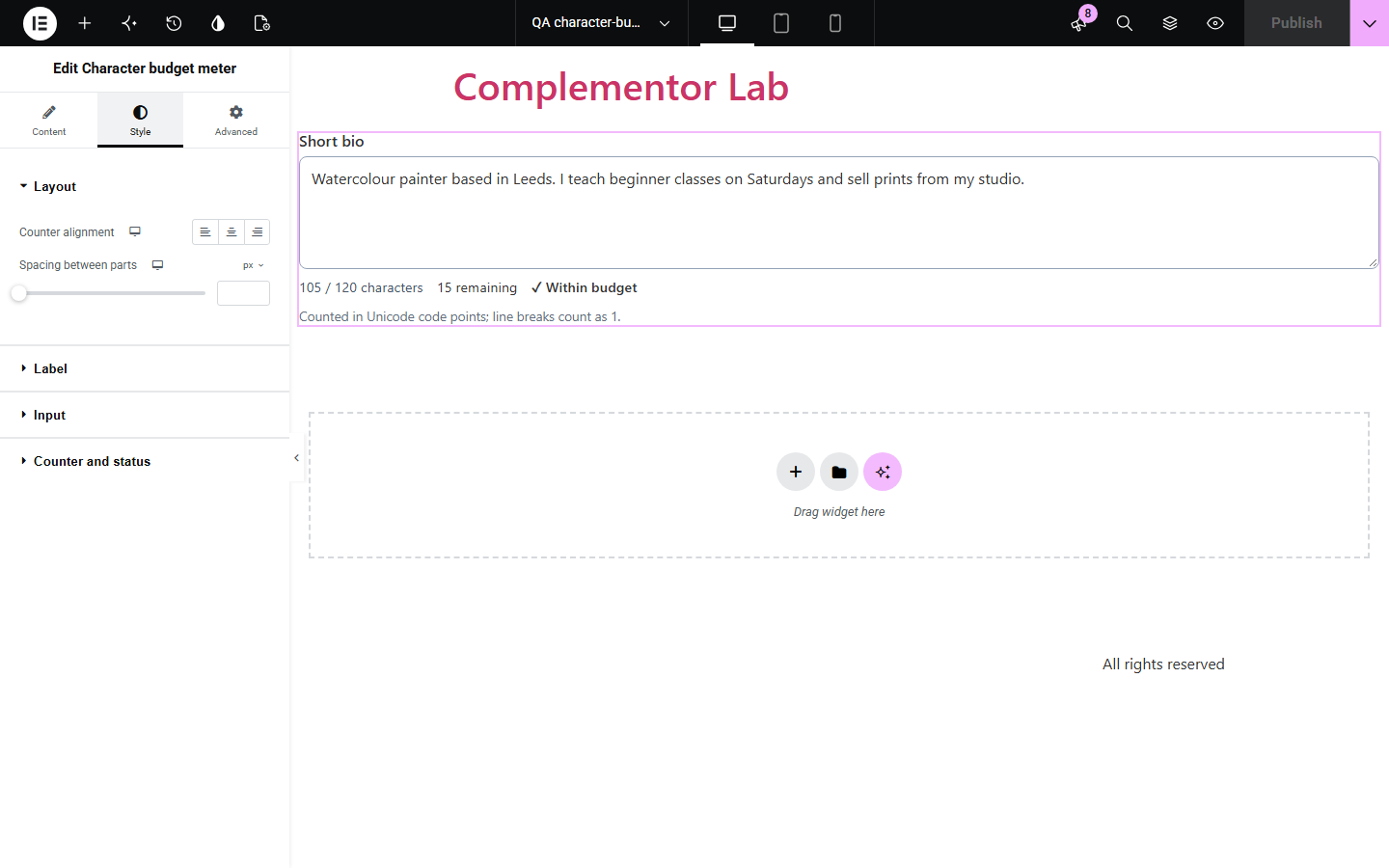
Writing to a length, such as a bio, headline or social post, is guesswork without a counter, and a hard cut-off with no warning loses words. Character budget meter adds a field with a live count, the characters remaining and a clear status that changes near and over the budget, announced politely to screen reader users.
Help people write a profile that fits the space on your site.
Write to a platform's length before copying the text out.
Give a field a name and place the widget inside your form to submit the text.
Start with Complementor installed and your license connected. Enable this module in the WordPress library, then configure it in Elementor.
Install Complementor, connect your license and enable Character budget meter in the Complementor library.
Add the widget and set the character budget.
Choose a soft budget that allows going over, or a hard limit that cuts extra text.
Set the field label, placeholder and any starting text.
Publish and type into the field to check the counter.
Configure the settings available for this module to suit the page you are building.
Character budget from 1 to 1,000,000, soft or hard.
Counts Unicode code points or UTF-16 units, with line breaks as one.
Live counter, remaining or over count, and a status that changes at 90% and over.
Hard limit cuts pasted or typed text at the budget and says so.
Single or multi-line field, placeholder, starting text and optional form field name.
Style: label, field states, border, radius, padding, counter and status colours.
Compare the existing Elementor workflow with this Complementor module before choosing your setup.
maxlength silently stops typing with no count or warning, and counts emoji differently in each browser. This widget shows the count and explains the limit.
Pro form fields have no visible counter. This widget adds one in the free version.
Complementor uses classic Elementor APIs. Atomic-native controls are not implemented. Check your theme, cache and integrations on a staging site before release.
Check these settings if the published page behaves differently from the editor.
The budget is not a whole number from 1 to 1,000,000. The editor shows a note when the counter is off.
Under the UTF-16 counting policy some emoji use two units. Choose Unicode code points to count each as 1.
The limit is hard, so text beyond the budget is removed and a message says so. Choose a soft budget to allow going over.
No. Nothing is submitted unless you give the field a name and place it inside your own form.
No. It works with the free version of Elementor.
Yes. The field has a label and is described by the counter, changes are announced politely after a pause, and over-budget text marks the field invalid.
Yes. Spaces count as characters and every line break counts as one.
Yes. Counting waits until the input method finishes composing each word.
Yes. The counter, remaining, over and status texts are all editable, with {used}, {budget}, {remaining} and {over}.
This module is included with all 1007 current Complementor solutions. Choose your production website allowance; every plan includes the same modules.
Renews at $29 USD each year.
Renews at $49 USD each year.
Renews at $99 USD each year.
Applicable taxes extra. Annual subscriptions renew automatically unless canceled in your customer account. Elementor Pro is required for Exclude current post. Read the terms and 14-day technical-issue refund policy.