Classes and workshops
Help students remember the date and what to bring.
 I Build Elementor.
Add a button that downloads your event as a calendar file (.ics) with the right time zone, so visitors can add it to Google, Apple or Outlook calendars.
These are the actual published outputs of the widget for sample studio events: a Saturday class, the same class with a styled button, and a two-day festival. Each button downloads a real .ics file.
Content › Event sets the title, timed or all-day, start and end, the event's time zone, a default length when no end is set, location and description. Display sets the button text and an optional icon. The Style tab covers the button's typography, colours, Normal, Hover and Focus states, border, radius and padding, and the icon position, gap and size.
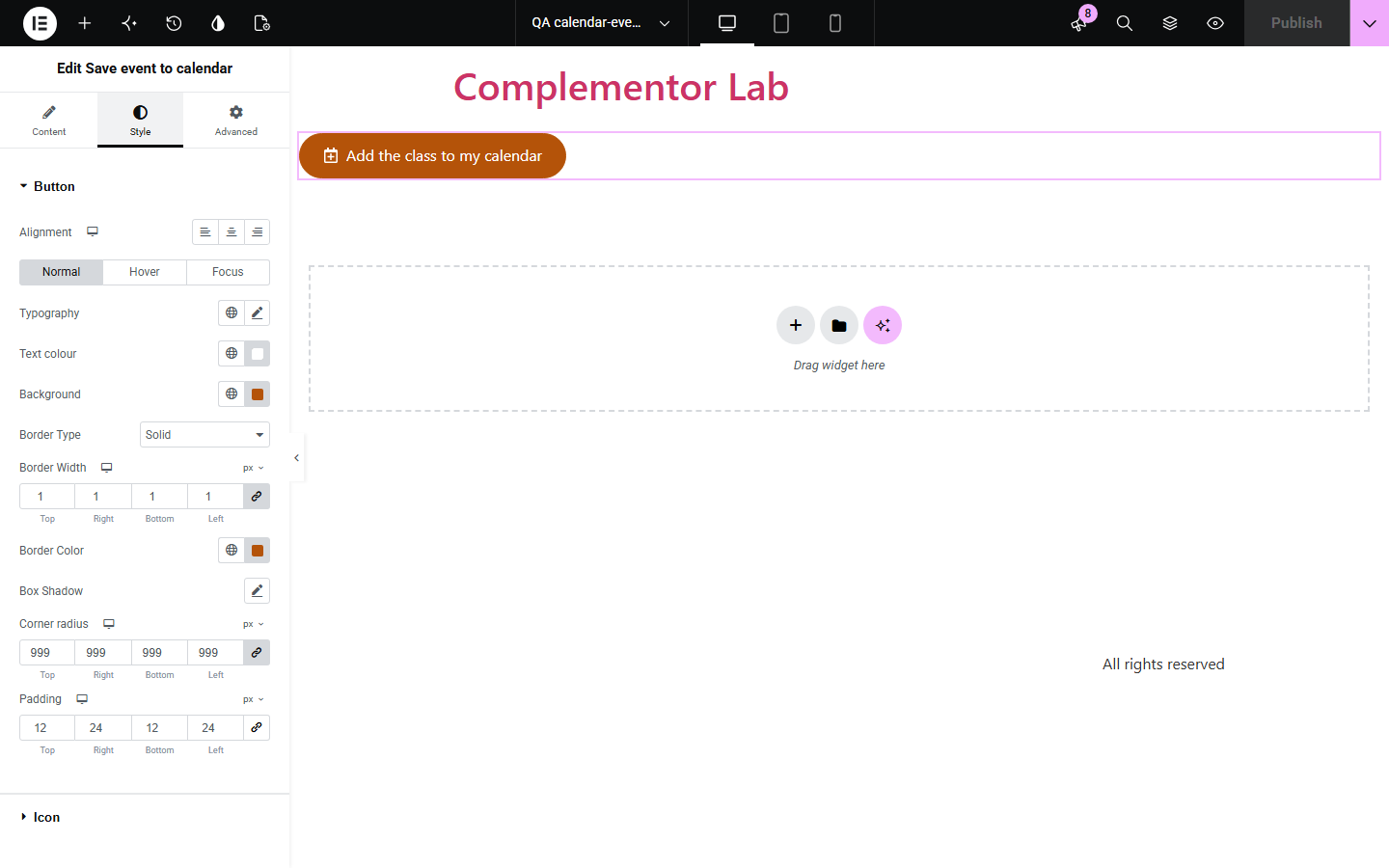
Visitors who mean to attend your event often forget because adding it to their calendar means copying the date, time and place by hand. Save event to calendar adds one button that downloads a standard calendar file with the title, time, location and notes, converted correctly from the event's time zone.
Help students remember the date and what to bring.
Give international attendees a time that lands correctly in their calendar.
Let visitors save multi-day events with one tap.
Start with Complementor installed and your license connected. Enable this module in the WordPress library, then configure it in Elementor.
Install Complementor, connect your license and enable Save event to calendar in the Complementor library.
Add the widget to your event page and enter the event title.
Choose timed or all-day and set the start and end in the event's own time zone.
Add the location and a short description.
Publish, press the button and open the file in your calendar app.
Configure the settings available for this module to suit the page you are building.
Timed events in any time zone, converted to universal time in the file.
All-day and multi-day events saved as dates.
Default length when no end time is set.
Title, location and description with correct escaping.
Download named after the event, ready for Google, Apple and Outlook calendars.
Style: button typography, colours, states, border, radius, padding and icon.
Compare the existing Elementor workflow with this Complementor module before choosing your setup.
Full event plugins manage listings and tickets. This widget only adds a calendar button for one event you describe.
A hand-made file must be redone when details change. This widget builds it from the event details each time.
Complementor uses classic Elementor APIs. Atomic-native controls are not implemented. Check your theme, cache and integrations on a staging site before release.
Check these settings if the published page behaves differently from the editor.
The title or start is missing, or the end is not after the start. The editor shows which.
Check the event time zone matches the city where the event happens; daylight saving is applied automatically.
Calendar files store the day after the last day as the end; calendar apps show the right days.
Yes. Phones offer to add the event to the built-in calendar.
No. It works with the free version of Elementor.
Any calendar that opens .ics files, including Google Calendar, Apple Calendar and Outlook.
Yes. The link names the event and the file type for screen readers and has a visible focus outline.
Yes. Location and description are added to the event.
Yes. You enter the time in the event's zone and the file stores the exact moment.
This module is included with all 1007 current Complementor solutions. Choose your production website allowance; every plan includes the same modules.
Renews at $29 USD each year.
Renews at $49 USD each year.
Renews at $99 USD each year.
Applicable taxes extra. Annual subscriptions renew automatically unless canceled in your customer account. Elementor Pro is required for Exclude current post. Read the terms and 14-day technical-issue refund policy.