Multilingual sites
Explain why a visitor sees a particular language version.
 I Build Elementor.
Show visitors the languages their browser asks for, named in words and in order, and whether this site's language is among them.
These are the actual published outputs of the widget, showing your own browser's languages.
Content sets whether names are in the site language or each language's own, how many languages are listed, whether codes, the comparison line and a Copy button are shown, and every wording. The Style tab covers the list, codes, comparison line, box and Copy button.
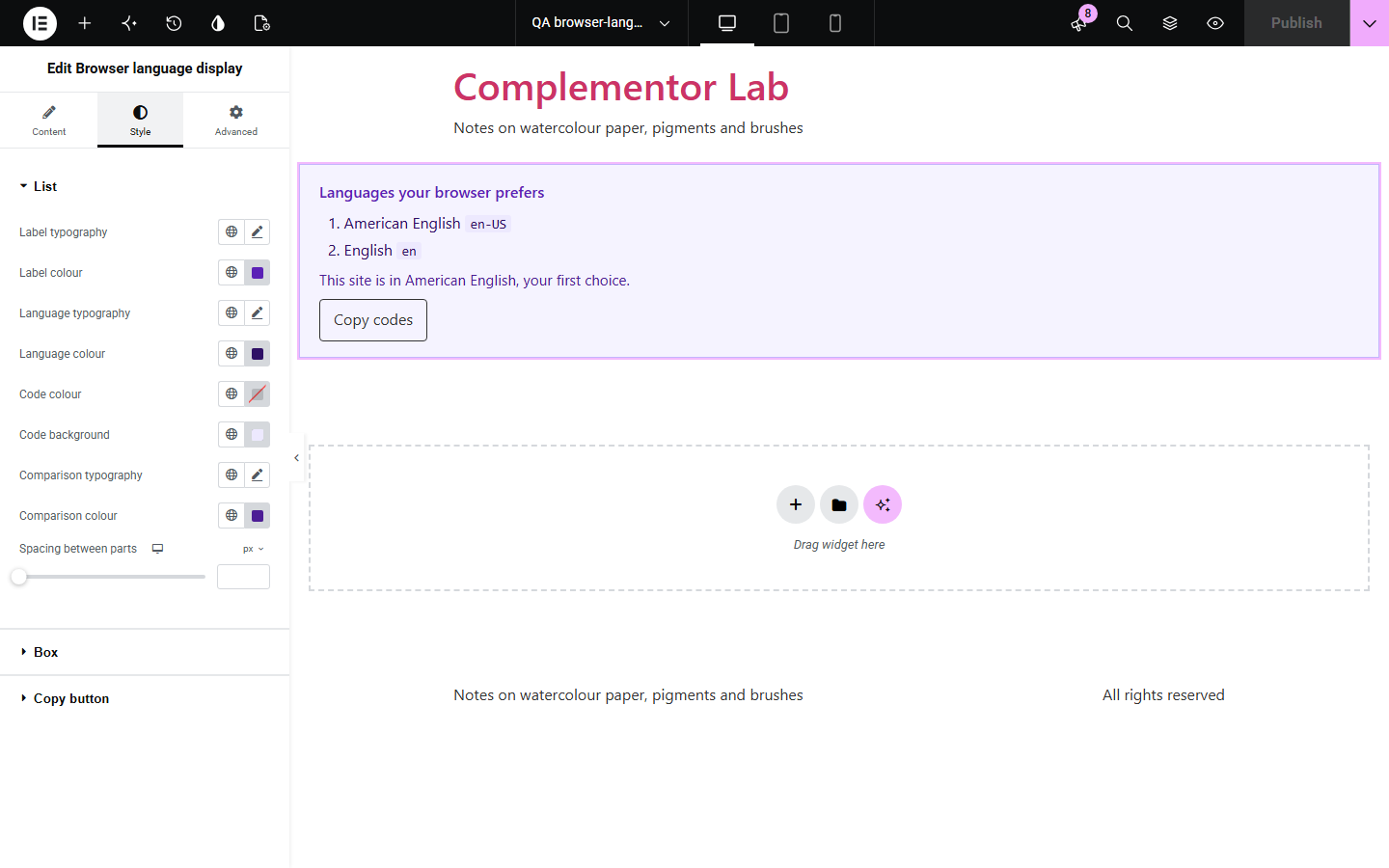
Visitors often do not know which languages their browser asks websites for, and that list decides which version of many sites they see. Translation services, language schools and multilingual shops can use it to explain a page's language or to help with support. Browser language display lists the visitor's preferred languages in order, names them in words, and says whether your site's language is among them. Nothing is translated, stored or sent.
Explain why a visitor sees a particular language version.
Show learners what their browser asks for.
Let customers copy their language codes into a request.
Start with Complementor installed and your license connected. Enable this module in the WordPress library, then configure it in Elementor.
Install Complementor, connect your license and enable Browser language display in the Complementor library.
Add the widget to a page.
Choose how languages are named and how many are listed.
Edit the comparison wording if you like.
Style it and check it in your own browser.
Configure the settings available for this module to suit the page you are building.
Languages in order of preference.
Names in the site language or their own.
Optional language codes.
Comparison with the site language.
Optional Copy codes button.
Updates if browser settings change.
Compare the existing Elementor workflow with this Complementor module before choosing your setup.
Hidden away and worded differently in every browser.
Show raw codes and take visitors off your page.
Complementor uses classic Elementor APIs. Atomic-native controls are not implemented. Check your theme, cache and integrations on a staging site before release.
Check these settings if the published page behaves differently from the editor.
Some browsers report a single language. Visitors can add more in their browser's language settings.
The browser could not name that code, so it is shown as it is.
The Site Language in WordPress Settings > General.
No. It only shows the list; it does not translate or redirect.
No. It works with the free version of Elementor.
No. The list is read in the visitor's browser and shown only to them.
Yes. Choose In each language, for example Deutsch and français.
Yes. It is an ordered list, and names in other languages carry the right lang attribute.
Yes. Without it a short message is shown instead.
This module is included with all 1007 current Complementor solutions. Choose your production website allowance; every plan includes the same modules.
Renews at $29 USD each year.
Renews at $49 USD each year.
Renews at $99 USD each year.
Applicable taxes extra. Annual subscriptions renew automatically unless canceled in your customer account. Elementor Pro is required for Exclude current post. Read the terms and 14-day technical-issue refund policy.