Product pages
Details, delivery and questions as tabs.
 I Build Elementor.
Turn sections already on the page into accessible tabs, with the open tab kept in the address for bookmarks.
Each example below is the actual published output of the Bookmarkable section tabs widget.
Content holds the tabs (text and section ID), the name of the tab list, the direction and what the Back button does. The Style tab covers the tabs in their normal, hover and selected states, the lines, padding and spacing.
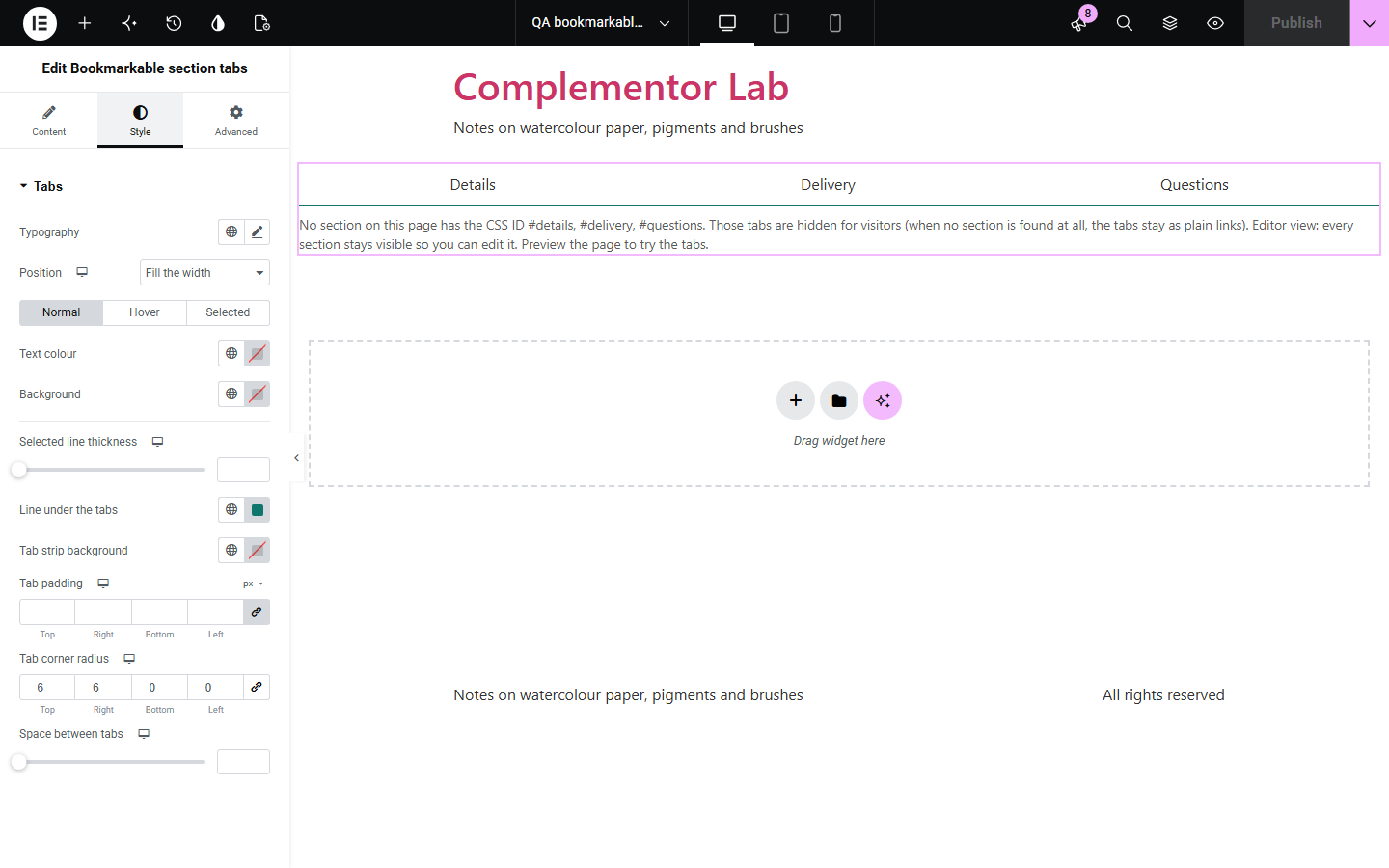
Tabs hide content behind clicks, and most tab widgets give each tab no address of its own, so nobody can link to the delivery tab or bookmark the questions. Bookmarkable section tabs turns sections you have already built into tabs that follow the WAI-ARIA pattern, keep the open tab in the address, and fall back to plain links without JavaScript.
Details, delivery and questions as tabs.
Link straight to the right tab from an email.
Shorten the page without hiding content from search.
Start with Complementor installed and your license connected. Enable this module in the WordPress library, then configure it in Elementor.
Install Complementor, connect your license and enable Bookmarkable section tabs in the Complementor library.
Add the widget to the page.
Give each section a CSS ID under Advanced > CSS ID.
Place the widget above the sections and add a tab for each.
Style the tabs.
Configure the settings available for this module to suit the page you are building.
WAI-ARIA tabs pattern.
Arrow keys, Home and End.
Address for each tab.
Opens from links and bookmarks.
Row or column.
Plain links without JavaScript.
Compare the existing Elementor workflow with this Complementor module before choosing your setup.
Content lives inside the widget, and tabs have no address of their own.
More clicks and more pages to keep up to date.
Complementor uses classic Elementor APIs. Atomic-native controls are not implemented. Check your theme, cache and integrations on a staging site before release.
Check these settings if the published page behaves differently from the editor.
No section on the page has its CSS ID. The editor lists the missing IDs.
So you can edit them. Preview the page to try the tabs.
Choose “Goes back to the previous tab” under Browser Back button.
Yes. Use the page address with #section-id.
No. It works with the free version of Elementor.
Yes. Each tab’s address is the page address with # and the section’s CSS ID.
The tabs are plain links and every section stays visible.
Yes. It follows the WAI-ARIA tabs pattern with roles, selected state, arrow keys, Home and End.
No. It shows and hides them in the browser and adds tab roles; your content stays as built.
This module is included with all 1007 current Complementor solutions. Choose your production website allowance; every plan includes the same modules.
Renews at $29 USD each year.
Renews at $49 USD each year.
Renews at $99 USD each year.
Applicable taxes extra. Annual subscriptions renew automatically unless canceled in your customer account. Elementor Pro is required for Exclude current post. Read the terms and 14-day technical-issue refund policy.