Articles
Quote an expert with their source.
 I Build Elementor.
Add a quotation with its speaker, role, source and year in proper blockquote and figcaption markup, with a quotation mark and photo, as a bar, centred or card.
These are the actual published widgets in each look.
Quotation sets the words, the speaker and their role, a photo, the source title, address and year, the look, the quotation mark, whether the attribution sits below or beside the quotation and the gap, text before and after the words, text when there is no quotation, the quotation tag and an icon. The Style tab covers the box’s text, colour, alignment, background, border, radius and padding, the icon, and the quotation, speaker, role and source and accent colours and typography with photo size.
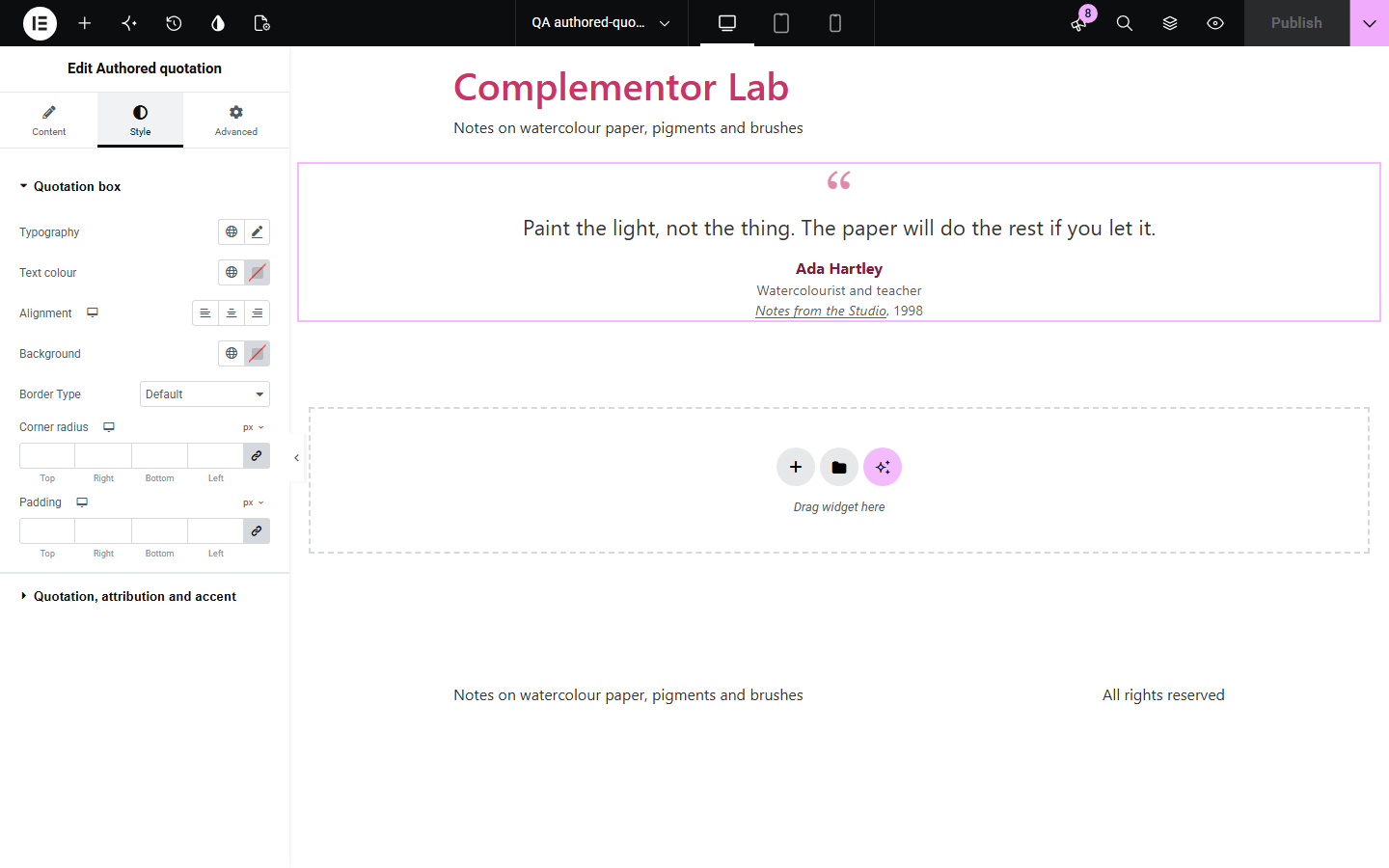
A quotation is only useful when readers can see who said it and where, and Elementor’s text editor leaves attribution and citation markup to hand-written HTML. This widget puts the words in a blockquote with the source address as its cite, and the speaker, their role, the linked source title and the year in a figure caption, with a decorative quotation mark or icon and an optional photo, in a side bar, centred or card look.
Quote an expert with their source.
A founder’s words with their role.
A customer’s words with their photo.
Start with Complementor installed and your license connected. Enable this module in the WordPress library, then configure it in Elementor.
Install Elementor and Complementor, connect your license and enable Authored quotation in the Complementor library.
Add the widget to an article, about page or landing page.
Type the quotation and the speaker’s name and role.
Add the source title, address and year if you have them.
Choose a look and style the accent.
Configure the settings available for this module to suit the page you are building.
The quotation in a blockquote, with line breaks kept.
Speaker, role and an optional photo.
Source title linked to its address, and the year.
The source address as the blockquote’s cite.
A decorative quotation mark or icon.
Side bar, centred or card looks.
Compare the existing Elementor workflow with this Complementor module before choosing your setup.
Hand-picked posts in reading order.
Files to download.
Complementor uses classic Elementor APIs. Atomic-native controls are not implemented. Check your theme, cache and integrations on a staging site before release.
Check these settings if the published page behaves differently from the editor.
The address is empty or does not start with http or https.
Remove the marks from your quotation, or turn off the decorative mark.
The image is attached to private or password-protected content.
No. It works with the free version of Elementor.
No. It shows what you type; check your sources.
Yes. It uses figure, blockquote with cite, figcaption and cite for the source.
Yes. Choose beside under attribution position.
Yes. The decorative mark and icon are hidden from screen readers and the source link has a visible focus outline.
This module is included with all 1007 current Complementor solutions. Choose your production website allowance; every plan includes the same modules.
Renews at $29 USD each year.
Renews at $49 USD each year.
Renews at $99 USD each year.
Applicable taxes extra. Annual subscriptions renew automatically unless canceled in your customer account. Elementor Pro is required for Exclude current post. Read the terms and 14-day technical-issue refund policy.