Podcast episode pages
Publish each episode with its full transcript right under the player.
 I Build Elementor.
Play a Media Library audio file in a native player with its transcript in an accessible show/hide panel underneath.
These are the actual published outputs of the widget with a 17-second sample clip: the default player and closed transcript, an open styled transcript, a minimal version, a clip whose transcript is not ready yet, and a widget with no audio chosen.
Content › Audio source picks a Media Library audio file, an optional title, a message for when the audio is unavailable and browser fallback text. Transcript holds the transcript, the disclosure label and an optional note when there is none. Behaviour opens the transcript by default and shows a 'Transcript for' line. Display sets the title and its tag and an optional disclosure icon that turns when open. The Style tab covers player width and alignment, spacing, title, the 'Transcript for' line, the disclosure label's Normal, Hover and Focus states, the icon, the transcript panel and notes.
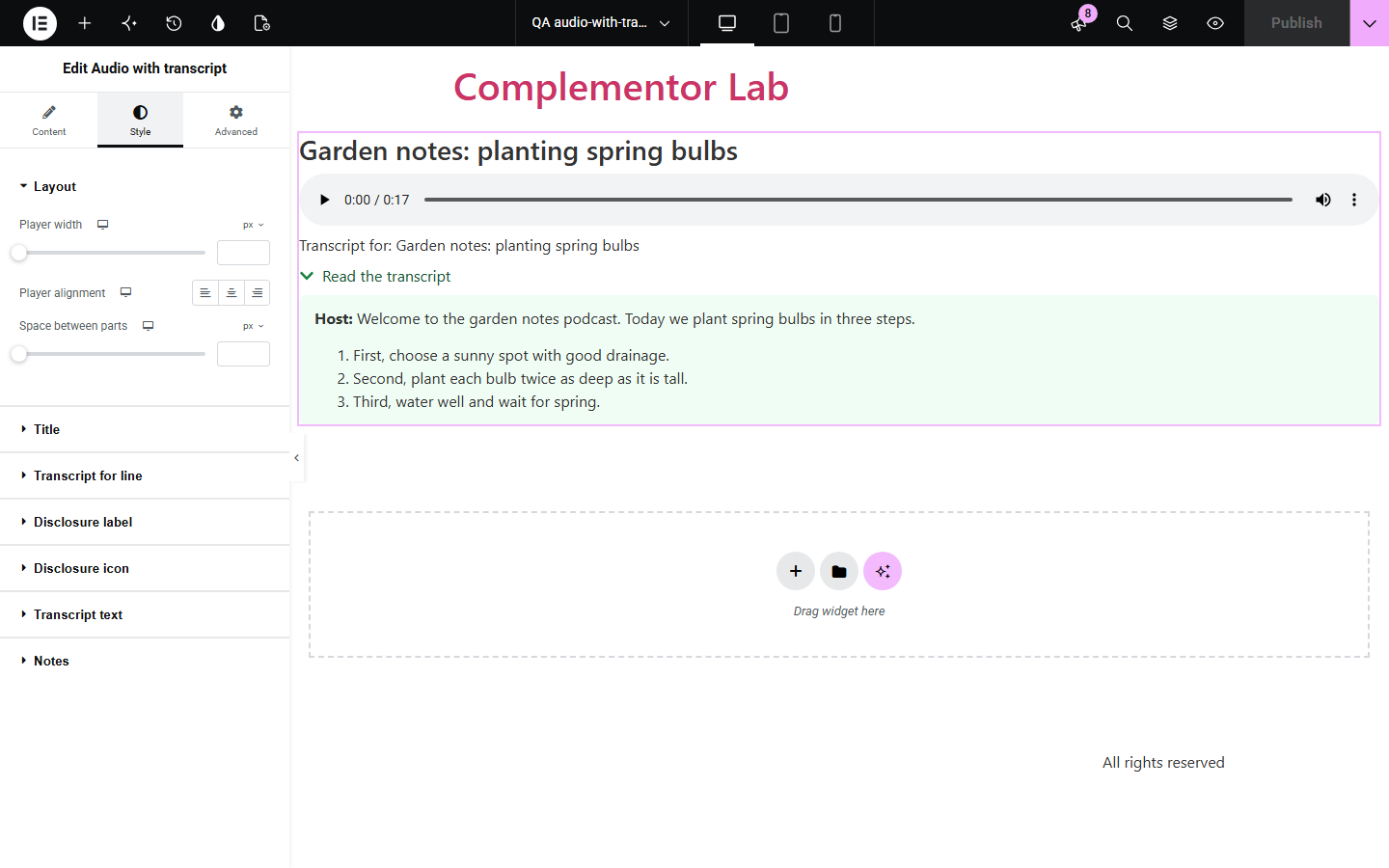
Podcasts, interviews and lessons need a transcript for deaf and hard-of-hearing visitors, for people who cannot play sound, and for search engines, but placing a player and a transcript separately leaves them unconnected. Audio with transcript puts a native audio player and your transcript together, linked for screen readers, with the transcript in a native show/hide panel.
Publish each episode with its full transcript right under the player.
Give students a transcript they can read, search and quote.
Meet transcript expectations for audio content without extra plugins.
Start with Complementor installed and your license connected. Enable this module in the WordPress library, then configure it in Elementor.
Install Complementor, connect your license and enable Audio with transcript in the Complementor library.
Upload the audio file (MP3, OGG, WAV or M4A) to the Media Library.
Add the widget, choose the file in Content › Audio source and paste or write the transcript.
Decide whether the transcript starts open and whether to show the 'Transcript for' line.
Style the player area and transcript, publish, and play the clip while reading along.
Configure the settings available for this module to suit the page you are building.
One audio file from the Media Library, played in the browser's native player; external URLs are not accepted.
Transcript written in the editor; bold, lists, links, headings and tables are kept, scripts and frames removed.
Native show/hide disclosure, closed or open by default, with your own label.
Optional 'Transcript for' line that links the player and transcript for screen readers.
Title from the file or your own text, with a choice of heading tag; optional disclosure icon.
Style: player width and alignment, spacing, title, label states, icon, transcript panel and notes.
Compare the existing Elementor workflow with this Complementor module before choosing your setup.
WordPress plays audio but leaves the transcript to separate text. This widget keeps the two together and connected.
Elementor's media widgets focus on video and galleries. This widget is built for a single audio file with a transcript.
Complementor uses classic Elementor APIs. Atomic-native controls are not implemented. Check your theme, cache and integrations on a staging site before release.
Check these settings if the published page behaves differently from the editor.
Choose a file from the Media Library. Files attached to a draft, private or password-protected post are not shown to visitors, and external URLs are not accepted.
Only text formatting, lists, links, headings, quotes and tables are kept. Scripts, frames, forms, media and inline styles are removed.
The transcript is empty. Add one, or set a note such as 'Transcript coming soon'.
No. The transcript is static text; it does not sync with the audio.
No. You write or paste the transcript yourself.
No. It works with the free version of Elementor.
Yes. It uses the native audio player and a native details disclosure, and the 'Transcript for' line describes the player for screen readers.
No. The player and the show/hide panel are built into the browser.
Any audio format the Media Library accepts and the visitor's browser can play, such as MP3, OGG or M4A.
This module is included with all 1007 current Complementor solutions. Choose your production website allowance; every plan includes the same modules.
Renews at $29 USD each year.
Renews at $49 USD each year.
Renews at $99 USD each year.
Applicable taxes extra. Annual subscriptions renew automatically unless canceled in your customer account. Elementor Pro is required for Exclude current post. Read the terms and 14-day technical-issue refund policy.