Download pages
Next to a PDF, link back to the course or article it belongs to.
 I Build Elementor.
Link a file from the Media Library back to the page or post it was uploaded to, such as "Back to Beginner watercolour course".
These are the actual published outputs of the widget with files from a sample site: a course PDF, a button-style link, an audio clip linked to its guide, and the fallback for an unattached image.
Content › Source uses the current attachment page or a file picked from the Media Library. Behaviour sets the fallback text for files with no public page and can open the link in a new tab. Display sets the link text, with {title} for the page title, and an optional icon. The Style tab covers underline, alignment, typography, colours, Normal, Hover and Focus states, border, radius and padding, icon position, size and gap, and the fallback text.
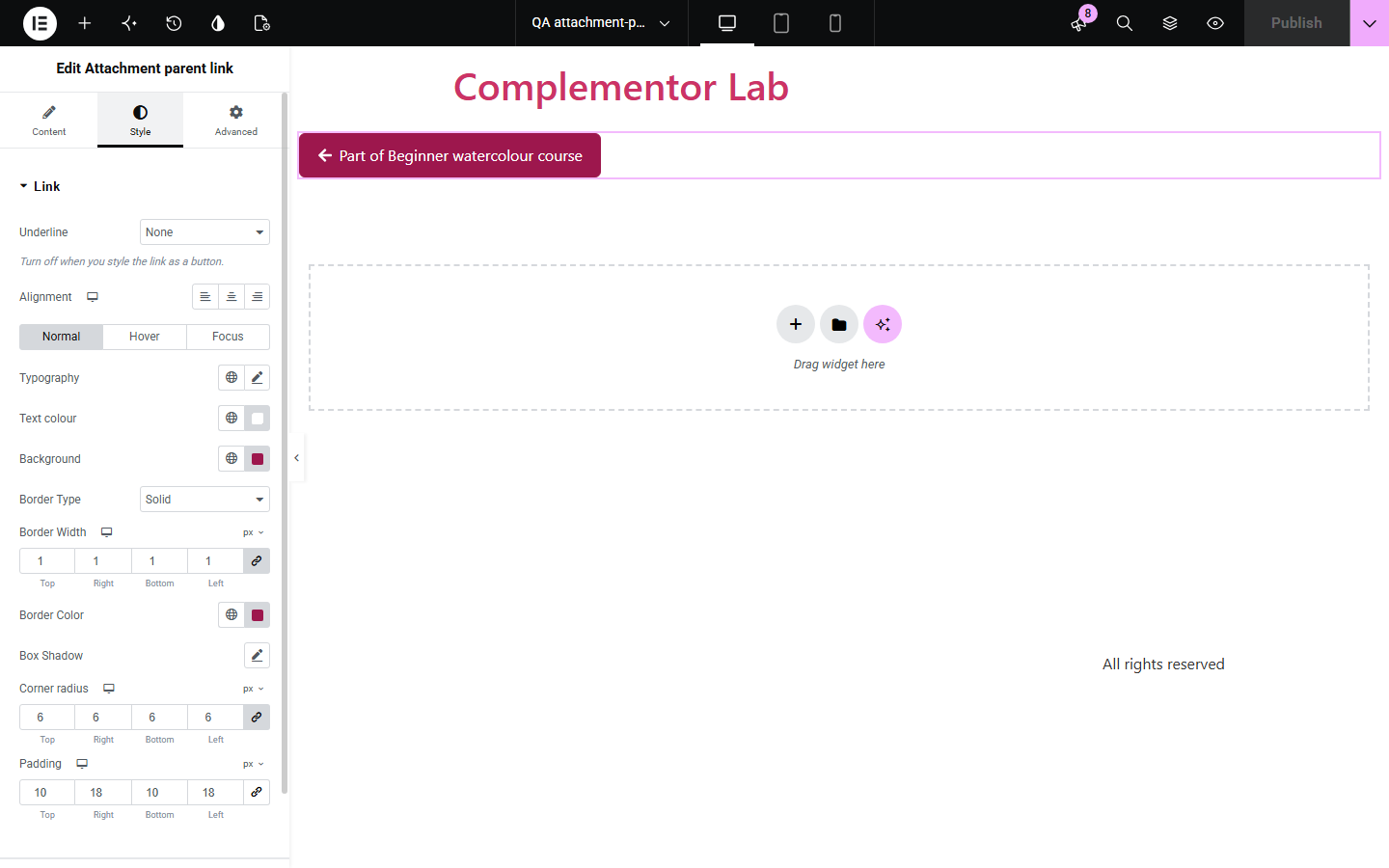
Files in the Media Library remember the page or post they were uploaded to, but visitors who reach a file listing or download page have no way back to that page. Attachment parent link reads the file's parent and links to it, only when that page is published and public, with your own text and a fallback for files that belong to no page.
Next to a PDF, link back to the course or article it belongs to.
Show where each image or audio clip was published.
On sites with attachment pages turned on, add a Back to link above the file.
Start with Complementor installed and your license connected. Enable this module in the WordPress library, then configure it in Elementor.
Install Complementor, connect your license and enable Attachment parent link in the Complementor library.
Upload the file from the page or post it belongs to, so WordPress records that page as its parent.
Add the widget where the file is offered and pick the file under Source.
Set the link text and the fallback text.
Style the link, publish, and click it to check it opens the right page.
Configure the settings available for this module to suit the page you are building.
Links a Media Library file to the page or post it was uploaded to.
Pick the file from a list, or use the current attachment page when attachment pages are on.
Only published, public, non-password-protected pages are linked.
Link text with {title}, a fallback text, and an optional new tab.
Optional icon before or after the text.
Style: underline, typography, colours, link states, border, radius, padding, icon and fallback text.
Compare the existing Elementor workflow with this Complementor module before choosing your setup.
Some themes print a parent link on attachment pages. Attachment pages are off by default since WordPress 6.4, so that link often never shows.
A hand-typed link breaks when the page moves or is unpublished. This widget follows the file's parent and hides the link when the page is not public.
Complementor uses classic Elementor APIs. Atomic-native controls are not implemented. Check your theme, cache and integrations on a staging site before release.
Check these settings if the published page behaves differently from the editor.
The file was not uploaded to a page, or its page is a draft, private or password-protected.
Attachment pages are off by default since WordPress 6.4, so their URLs go straight to the file. Pick the file under Source instead.
Use the Attach or Detach action in the Media Library list view.
No file is chosen, or the fallback text is empty for a file with no public page.
No. It works with the free version of Elementor.
Yes. Images, PDFs, audio, video and other Media Library files all keep their parent page.
Yes. The link names its page, a short custom text gets the page title added for screen readers, and focus is outlined.
No. Only published, public pages without a password are linked; everyone else sees the fallback.
Yes. Turn on Open in new tab.
This module is included with all 1007 current Complementor solutions. Choose your production website allowance; every plan includes the same modules.
Renews at $29 USD each year.
Renews at $49 USD each year.
Renews at $99 USD each year.
Applicable taxes extra. Annual subscriptions renew automatically unless canceled in your customer account. Elementor Pro is required for Exclude current post. Read the terms and 14-day technical-issue refund policy.