Image and video slots
Find the size that fits a hero, card or embed without stretching.
 I Build Elementor.
Let visitors fit any size into a box without stretching: the new size, scale, crop or space left, the simplified ratio and a preview.
These are the actual published widgets running in your browser; change a size to see the result update.
Sizes sets the starting original and box sizes, the starting mode, whether visitors can change it, common sizes, the unit and decimal places. Behaviour turns the preview, the CSS line and live updates on or off. Labels sets the heading and every label and button. The Style tab covers the layout, preview colours and height, fields, result panel and buttons.
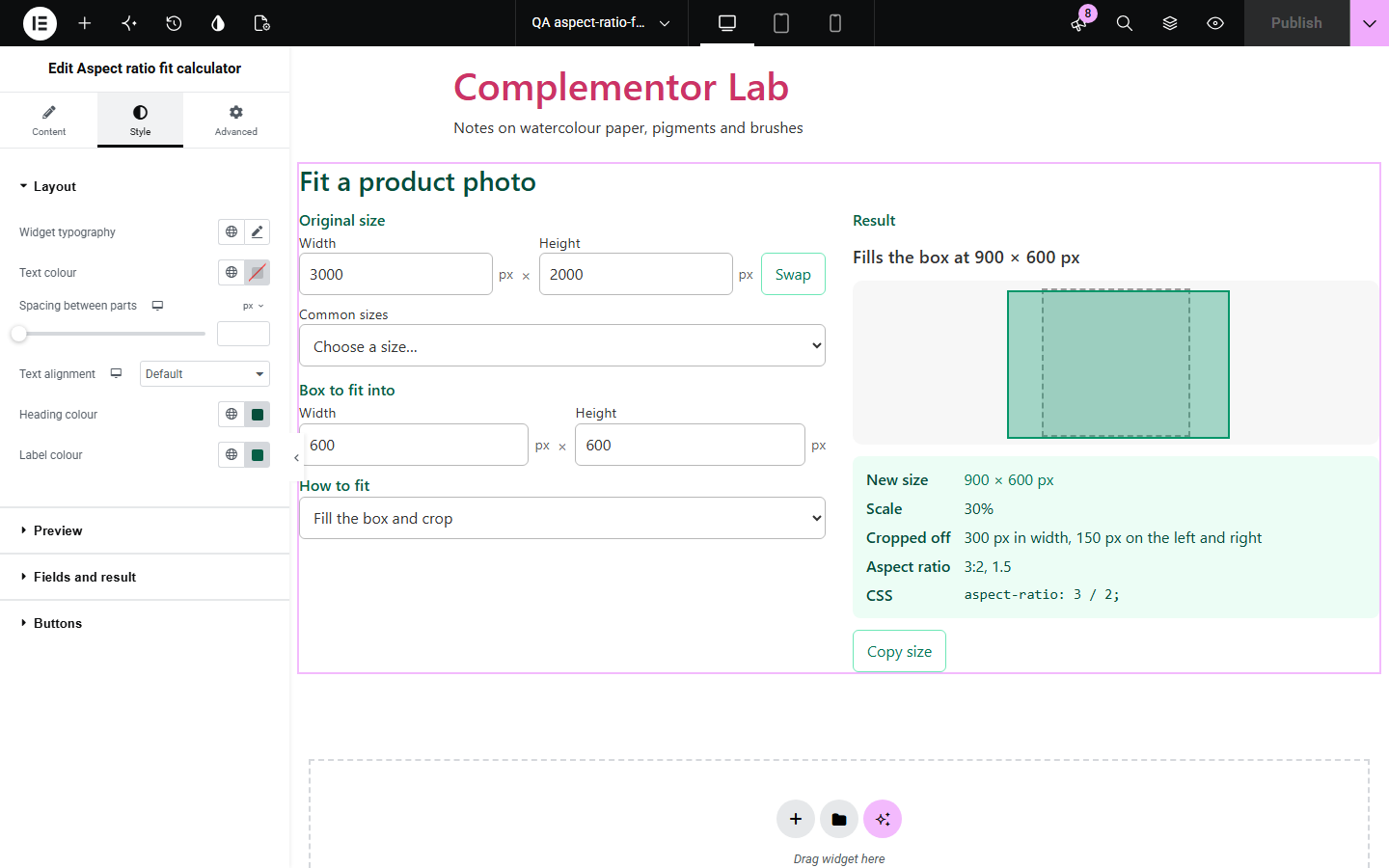
Resizing an image or video for a slot means working out the new size without stretching it: how big it can be inside the box, how much is cut off when it fills the box, or what height goes with a given width. Aspect ratio fit calculator does that maths as visitors type, with a preview of the result inside the box.
Find the size that fits a hero, card or embed without stretching.
Check 1:1, 4:5, 9:16 and share image sizes.
Fit artwork onto paper sizes in cm or inches.
Start with Complementor installed and your license connected. Enable this module in the WordPress library, then configure it in Elementor.
Install Complementor, connect your license and enable Aspect ratio fit calculator in the Complementor library.
Add the widget to a design, photography or print page.
Set the starting original size, such as 1920, 1080, and the box, such as 800, 600.
Choose the starting mode and whether visitors can change it, the unit and decimal places.
Style the preview and result panel, then check a size in the preview.
Configure the settings available for this module to suit the page you are building.
Fit inside the box, with the space left over at each side.
Fill the box and crop, with the amount cut from each side.
Set the width or the height and get the other side.
Scale as a percentage, the simplified ratio with the nearest common ratio, and its decimal.
The CSS aspect-ratio line, a proportional preview and Copy size.
Swap width and height, and common sizes such as 1920 × 1080 and 1080 × 1350.
Any unit, such as px, cm or in, with 0 to 3 decimal places.
Compare the existing Elementor workflow with this Complementor module before choosing your setup.
Fits images in the browser; this widget gives the numbers before you export.
Another Complementor design tool.
Complementor uses classic Elementor APIs. Atomic-native controls are not implemented. Check your theme, cache and integrations on a staging site before release.
Check these settings if the published page behaves differently from the editor.
Sizes are rounded to the set decimal places; the space or crop per side gets one more place, so 267 px is 133.5 px a side.
Sizes such as 1366 × 768 simplify to 683:384, within 1.5% of 16:9, so the nearest common ratio is shown too.
In set-the-width or set-the-height mode only that side matters, so the other is hidden.
Every size needs a positive number; empty or zero fields pause the result.
No. It works with the free version of Elementor.
No. Everything runs in the visitor’s browser.
Yes. A box larger than the original gives a scale above 100%.
Yes. Set the unit to cm and choose decimal places.
Yes. Turn off Let visitors change the mode.
This module is included with all 1007 current Complementor solutions. Choose your production website allowance; every plan includes the same modules.
Renews at $29 USD each year.
Renews at $49 USD each year.
Renews at $99 USD each year.
Applicable taxes extra. Annual subscriptions renew automatically unless canceled in your customer account. Elementor Pro is required for Exclude current post. Read the terms and 14-day technical-issue refund policy.