Blog posts and guides
Encourage readers to finish long posts by showing what is left.
 I Build Elementor.
Add a bar that fills as visitors scroll through your article, inline or fixed to the top or bottom of the window, with an optional percentage.
These are the actual published outputs of the widget measuring the sample article section directly below: the default thin bar and an indigo bar with the percentage. Scroll to watch them fill.
Content › Region measures this page's Elementor content or a container you choose by CSS ID. Behaviour sets whether progress runs from the top reaching the top of the window to the bottom reaching the bottom, or from entering to leaving the window. Display sets the spoken label, the percentage and the placement: inline, or fixed to the top or bottom with a layer setting. The Style tab covers the bar height, corner radius, track and fill colours, and the percentage text.
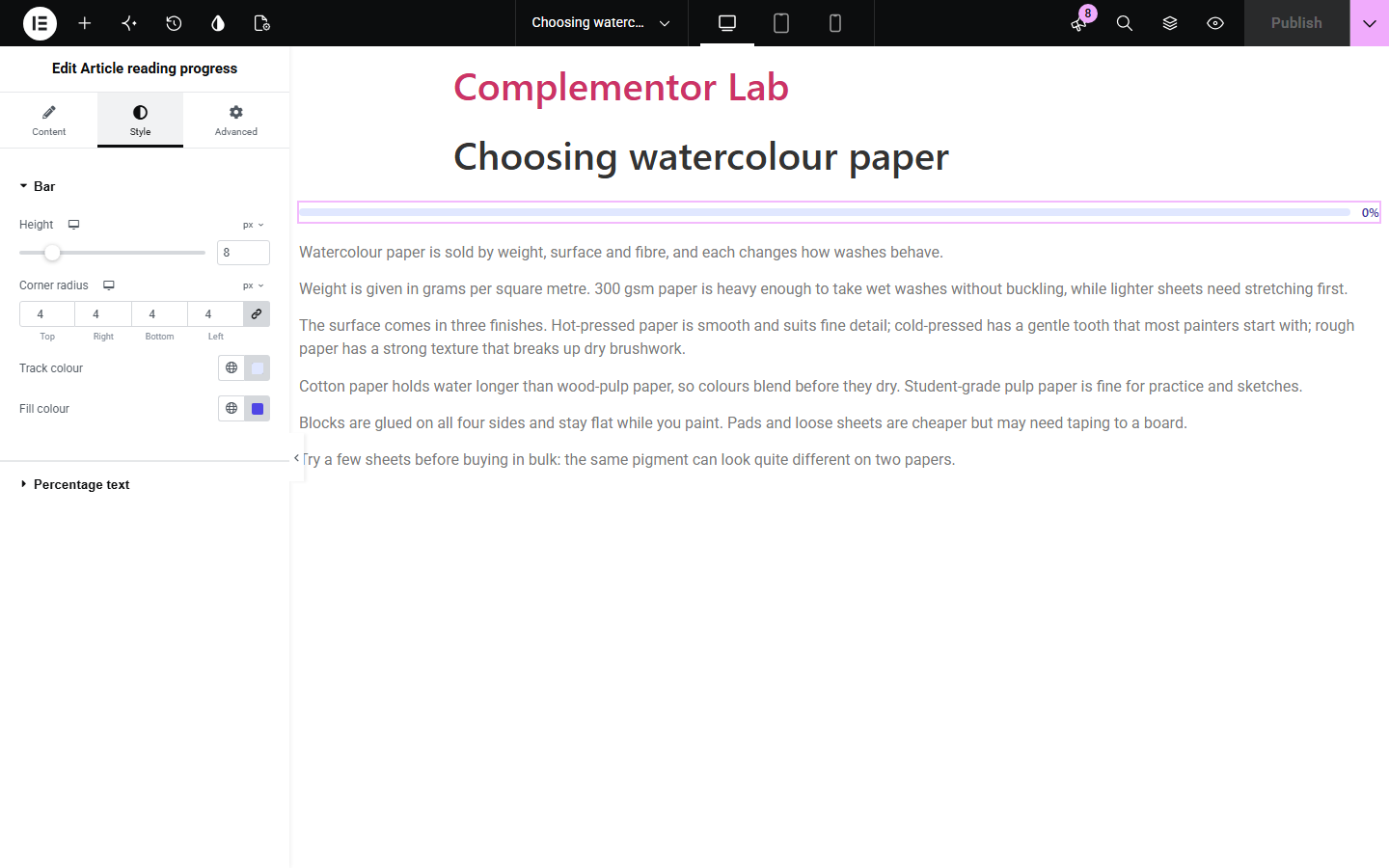
On a long article readers cannot tell how much is left, and many give up halfway. Article reading progress shows a bar that fills as they scroll through the article, measured on the article itself rather than the whole page, and reports the value to screen readers as a real progress bar.
Encourage readers to finish long posts by showing what is left.
Show progress through a long help article.
Give visitors a sense of length on a story-style page.
Start with Complementor installed and your license connected. Enable this module in the WordPress library, then configure it in Elementor.
Install Complementor, connect your license and enable Article reading progress in the Complementor library.
Add the widget to your article page or single post template.
Keep This page's Elementor content, or give the article container a CSS ID and choose it.
Choose inline, or fixed to the top or bottom of the window.
Style the bar, publish and scroll to check it fills to 100%.
Configure the settings available for this module to suit the page you are building.
Measures this page's content or one container you choose by CSS ID.
Two progress rules: fill the window, or enter to leave.
Inline, fixed top (below the WordPress toolbar) or fixed bottom.
Optional percentage text next to the bar.
A real progress bar for screen readers with its own label and value.
Style: height, radius, track and fill colours, percentage typography and colours.
Compare the existing Elementor workflow with this Complementor module before choosing your setup.
Most bars measure the whole page, including comments and footer. This one measures the article itself.
A table of contents shows the structure; a progress bar shows how far through it the reader is. They work well together.
Complementor uses classic Elementor APIs. Atomic-native controls are not implemented. Check your theme, cache and integrations on a staging site before release.
Check these settings if the published page behaves differently from the editor.
No element has the CSS ID you entered. The editor shows a note when the region is not found.
The measured region is shorter than the window. Choose the enter-to-leave rule, or measure a longer region.
Fixed bars are shown inline while editing so they do not cover the panel. They are fixed on the published page.
No. A top bar sits just below the toolbar when you are logged in.
No. It works with the free version of Elementor.
Yes. It is a progress bar with a label and a value in percent for screen readers.
No. One shared listener updates at most once per frame.
Yes. Give the post content container a CSS ID and measure that.
Yes. The fill does not animate when the visitor prefers reduced motion.
This module is included with all 1007 current Complementor solutions. Choose your production website allowance; every plan includes the same modules.
Renews at $29 USD each year.
Renews at $49 USD each year.
Renews at $99 USD each year.
Applicable taxes extra. Annual subscriptions renew automatically unless canceled in your customer account. Elementor Pro is required for Exclude current post. Read the terms and 14-day technical-issue refund policy.