Blog archive
Let readers page through older posts on the blog page.
 I Build Elementor.
Add numbered page links with Previous and Next to blog, category, tag, author and date archives built with Elementor.
These are the actual published outputs of the widget on page 3 of a sample category archive with seven pages: the default underlined links, centred boxes with icons, numbers only, and Newer and Older links only.
Content › Source explains which pages it works on and turns on search results. Behaviour switches Previous and Next and the numbered links, and sets how many pages show at each end and around the current page. Display sets the labels, the screen reader label and icons. The Style tab covers underline, alignment, typography, colours, Normal, Hover and Focus states, border, radius and padding, the current page colours, and spacing and icon size.
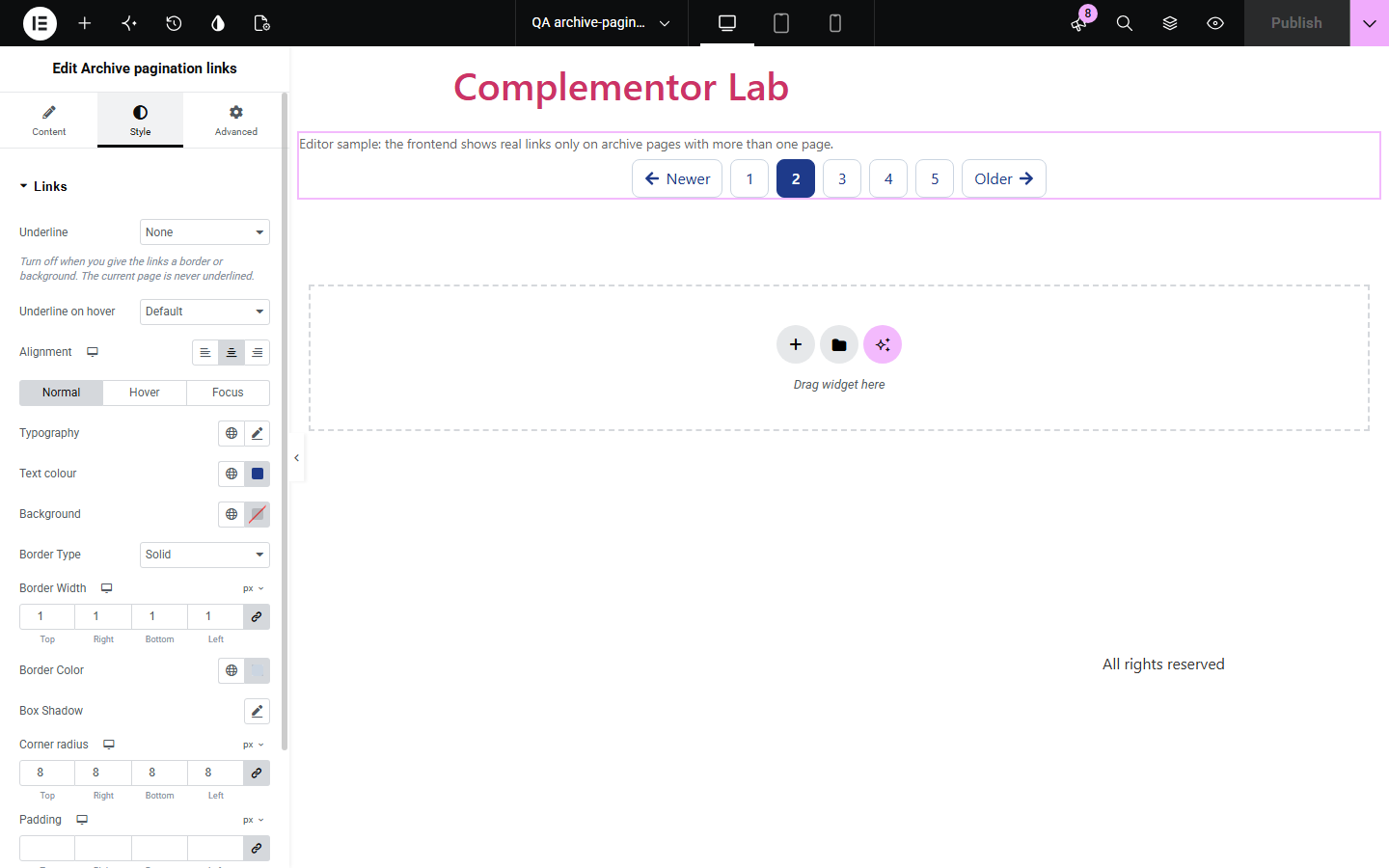
An archive that shows ten posts at a time needs a way to reach the rest, but a custom archive layout often loses the theme's page links. Archive pagination links reads the page's own WordPress query and prints numbered links with Previous and Next, so readers can move through every page of posts.
Let readers page through older posts on the blog page.
Add page links to topic archives built with an Elementor template.
Move through a year or month of posts page by page.
Start with Complementor installed and your license connected. Enable this module in the WordPress library, then configure it in Elementor.
Install Complementor, connect your license and enable Archive pagination links in the Complementor library.
Open the archive template that lists your posts, such as a blog or category template.
Add the widget below the post list.
Choose Previous and Next, numbered links and how many page numbers to show.
Style the links, publish, and open page 2 of an archive with more than one page.
Configure the settings available for this module to suit the page you are building.
Reads the page's own WordPress query on blog, category, tag, taxonomy, author, date and post type archives.
Optional on search results.
Previous and Next links with your own labels and icons.
Numbered links with 0 to 5 pages at each end and around the current page.
Nothing shown on pages with a single page of posts.
Style: underline, alignment, typography, colours, link states, border, radius, padding and current page colours.
Compare the existing Elementor workflow with this Complementor module before choosing your setup.
Elementor Pro widgets paginate their own post lists. Use their pagination there; use this widget for the page's main WordPress query.
Most themes print page links on their own archive templates. This widget is for archives where the theme's links are not shown.
Complementor uses classic Elementor APIs. Atomic-native controls are not implemented. Check your theme, cache and integrations on a staging site before release.
Check these settings if the published page behaves differently from the editor.
The archive has only one page of posts, or the page is not an archive. In the editor a sample is shown instead.
The widget paginates the page's main WordPress query, not a separate Elementor loop or custom query.
Search results are off by default. Turn on Also on search results in Source.
Only archive and search parameters are kept in the links; other URL parameters are left out on purpose.
No. It works with the free version of Elementor.
Yes. The links sit in a labelled navigation, each number is read as Page n, the current page has aria-current and focus is outlined.
Yes. It builds ?paged= links when pretty permalinks are off.
Yes. Turn off Numbered links and set your own labels.
No. Posts per page come from Settings › Reading or your archive template.
This module is included with all 1007 current Complementor solutions. Choose your production website allowance; every plan includes the same modules.
Renews at $29 USD each year.
Renews at $49 USD each year.
Renews at $99 USD each year.
Applicable taxes extra. Annual subscriptions renew automatically unless canceled in your customer account. Elementor Pro is required for Exclude current post. Read the terms and 14-day technical-issue refund policy.