Card headlines
A short headline, or the subtitle instead.
 I Build Elementor.
Show the first of up to three ACF Text or Textarea fields that is filled in on the post, then the excerpt or title, with line breaks kept and optional shortening.
These are the actual published widgets reading fields saved on the demo page.
Fallback chain picks up to three Text or Textarea fields in order and a last resort of the excerpt or title, with keeping line breaks, shortening to words, the editor-only source note, text before and after, text when all are empty, the HTML tag and an icon. The Style tab covers the text and surface, the line height and longest line, and the icon.
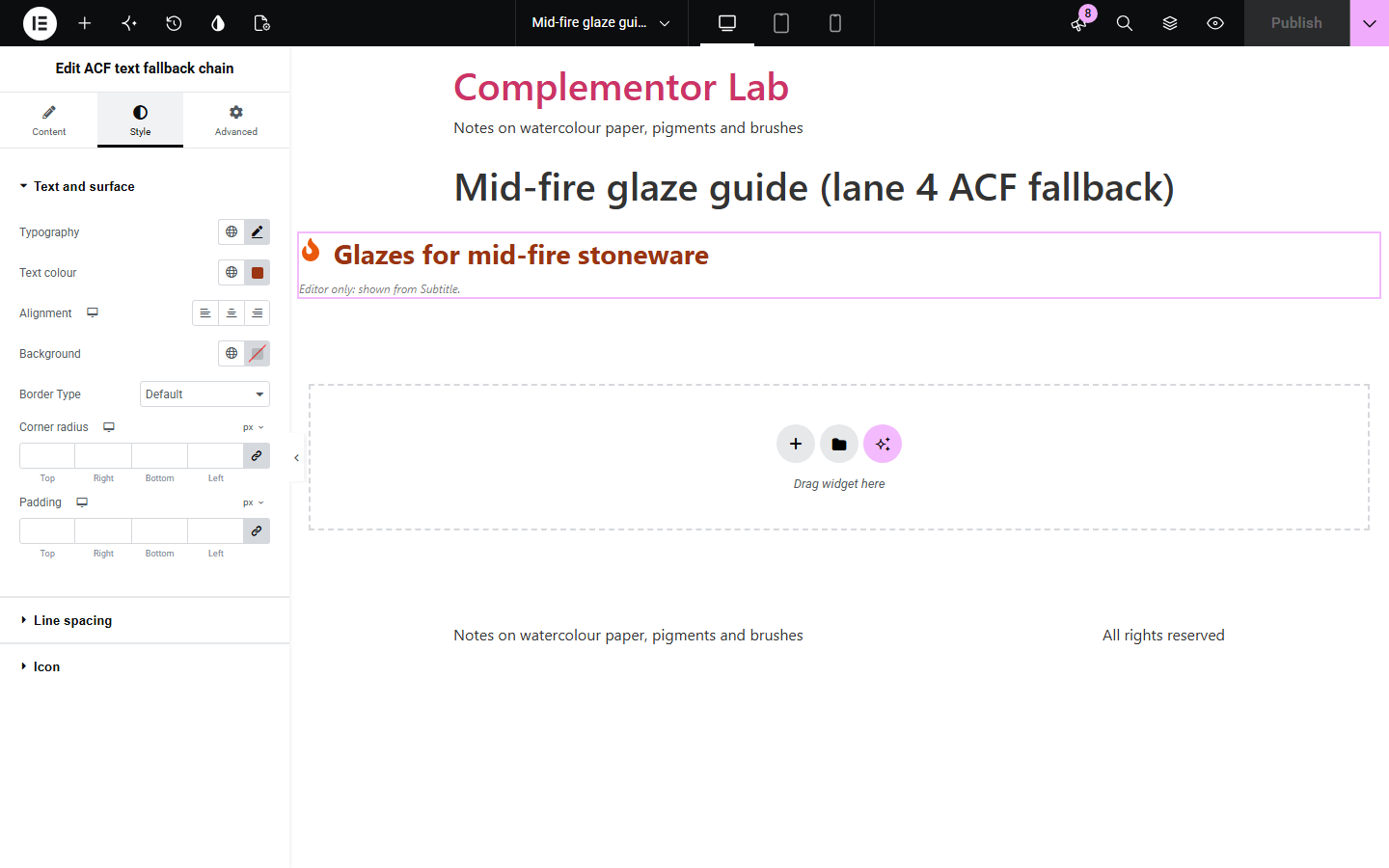
Templates for cards and posts often need a short line that not every post has: a card headline on some, only a subtitle or summary on others. This widget shows the first of up to three ACF Text or Textarea fields that has text on the current post, then optionally the post’s excerpt or title, keeping line breaks, shortening long text to a number of words, and saying in the editor which source it used.
A short headline, or the subtitle instead.
A summary field, or the excerpt.
Posts filled in at different times.
Start with Complementor installed and your license connected. Enable this module in the WordPress library, then configure it in Elementor.
Install Advanced Custom Fields and Complementor, connect your license and enable ACF text fallback chain in the Complementor library.
Add the widget to your post, page or card template.
Choose the fields in the order you prefer them.
Pick the excerpt or title as a last resort, if you like.
Choose the HTML tag and style it like the rest of your card.
Configure the settings available for this module to suit the page you are building.
Up to three Text or Textarea fields in order.
The excerpt or title as a last resort.
Blank fields and fields of spaces are skipped.
Line breaks kept from Textarea fields.
Shorten to a number of words.
An editor-only note of which source is shown.
Compare the existing Elementor workflow with this Complementor module before choosing your setup.
Several fields in one sentence.
A notice when two fields match.
Complementor uses classic Elementor APIs. Atomic-native controls are not implemented. Check your theme, cache and integrations on a staging site before release.
Check these settings if the published page behaves differently from the editor.
Every chosen field is empty on this post; pick the excerpt or title as a last resort or add text for that case.
It is blank or holds only spaces on this post.
Only an excerpt written for the post is used, not one made from the content.
No. It works with the free versions of Elementor and Advanced Custom Fields.
No. That note appears only in the Elementor editor.
It keeps line breaks and shows plain text; markup is removed.
Yes. Set a number of words; shortened text ends with an ellipsis.
Yes. It is plain text in the HTML tag you choose, and the icon is decorative.
This module is included with all 1007 current Complementor solutions. Choose your production website allowance; every plan includes the same modules.
Renews at $29 USD each year.
Renews at $49 USD each year.
Renews at $99 USD each year.
Applicable taxes extra. Annual subscriptions renew automatically unless canceled in your customer account. Elementor Pro is required for Exclude current post. Read the terms and 14-day technical-issue refund policy.