Product reviews
Show Excellent, Good or Needs work next to a review score.
 I Build Elementor.
Turn a score saved in an ACF Number or Range field into a coloured label such as “Excellent” or “Grade A”, from bands you define.
These are the actual published outputs of the widget on a sample post with a sample score.
Score and bands chooses the ACF Number or Range field and holds the bands (from, to, label and colour), the text template with {label}, {score}, {min} and {max}, the badge or text appearance, text before and after, a text for no score, the HTML tag and an icon. Style covers text and surface, badge fill strength and the icon.
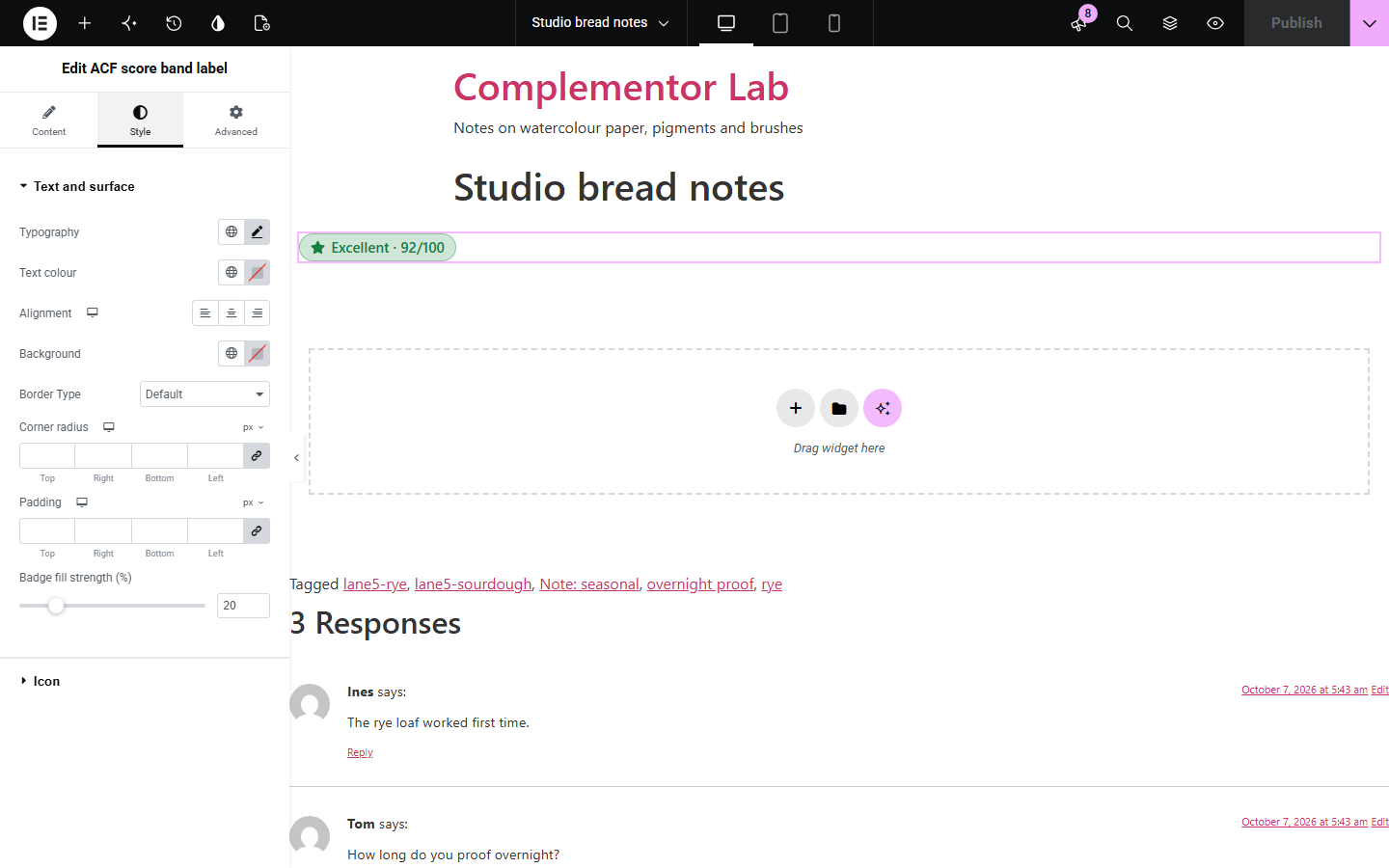
A review, test or audit score of 92 means little on its own; readers want to know whether that is good. ACF score band label reads the score from an ACF Number or Range field on the post and shows the label of the band it falls in — Needs work, Good, Excellent, or your own bands — each in its own colour, as a badge or as text, with the score alongside if you like.
Show Excellent, Good or Needs work next to a review score.
Turn a mark into a grade such as A, B or C.
Label an accessibility or performance score with a traffic-light colour.
Start with Complementor installed and your license connected. Enable this module in the WordPress library, then configure it in Elementor.
Install Complementor and ACF, connect your license and enable ACF score band label in the Complementor library.
Create an ACF Number or Range field for the score and fill it in on your posts.
Add the widget to a post or single post template and choose the field under Score and bands.
Edit the bands (from, to, label, colour) and the text template.
Choose badge or text appearance and style it under Style.
Configure the settings available for this module to suit the page you are building.
ACF Number or Range field, chosen from the post's field groups.
Bands with from, to, label and colour; three ready-made bands to start from.
Inclusive limits, first matching band wins, and scores between two bands take the lower band.
Text template with {label}, {score}, {min} and {max}, such as “Excellent · 92/100”.
Badge tinted in the band colour, text in the band colour, or plain text.
A text when there is no score or no band; otherwise nothing, with an editor note.
Text and surface styles, badge fill strength and an optional icon.
Compare the existing Elementor workflow with this Complementor module before choosing your setup.
Shows the score itself; prefer it when readers need only the number.
Collects and averages ratings; prefer it when visitors give the scores.
Complementor uses classic Elementor APIs. Atomic-native controls are not implemented. Check your theme, cache and integrations on a staging site before release.
Check these settings if the published page behaves differently from the editor.
It lists the ACF fields of the post being edited. In a template, preview it with a post that has the field group.
The post has no score, or no band covers it (for example 92 with bands up to 5). The editor says which.
The first matching band in the list.
A score between two bands takes the lower one. Use decimal limits such as 79.9 to change that.
No. It works with the free versions of Elementor and ACF.
Number and Range fields.
Yes. Each band has a colour used for the badge or the text.
Yes. Use {score} in the text template.
Up to 20.
This module is included with all 1007 current Complementor solutions. Choose your production website allowance; every plan includes the same modules.
Renews at $29 USD each year.
Renews at $49 USD each year.
Renews at $99 USD each year.
Applicable taxes extra. Annual subscriptions renew automatically unless canceled in your customer account. Elementor Pro is required for Exclude current post. Read the terms and 14-day technical-issue refund policy.