Medically or expertly reviewed articles
Show who reviewed the article, with their credentials in the biography and a link to everything else they have published.
 I Build Elementor.
Credit a reviewer, editor or contributor chosen in an ACF User field with their public name, biography and author archive link.
These are the actual published outputs of the widget for sample ACF User fields: the default card for a reviewer, a guest editor with a linked name and shortened biography, a styled card, and a multiple-selection field that is intentionally not shown.
Content › Source picks a top-level ACF User field that allows one user. Behaviour sets the archive link and its text, whether the name links to the archive, a biography word limit and fallback texts. Display shows or hides the biography, chooses the name's HTML tag and adds an optional link icon. The Style tab covers the Card, Name, Biography, Link (Normal, Hover, Focus) and Icon.
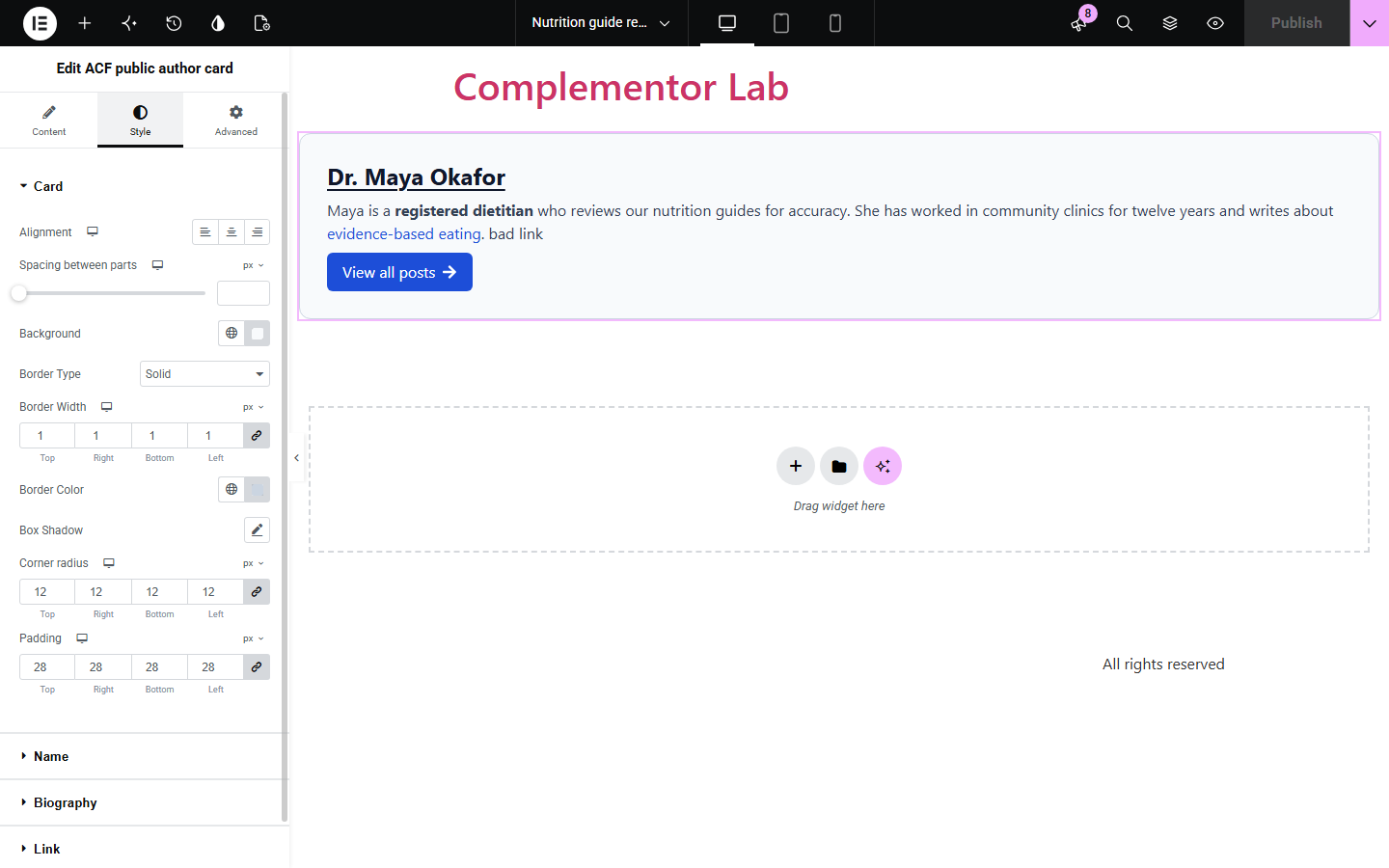
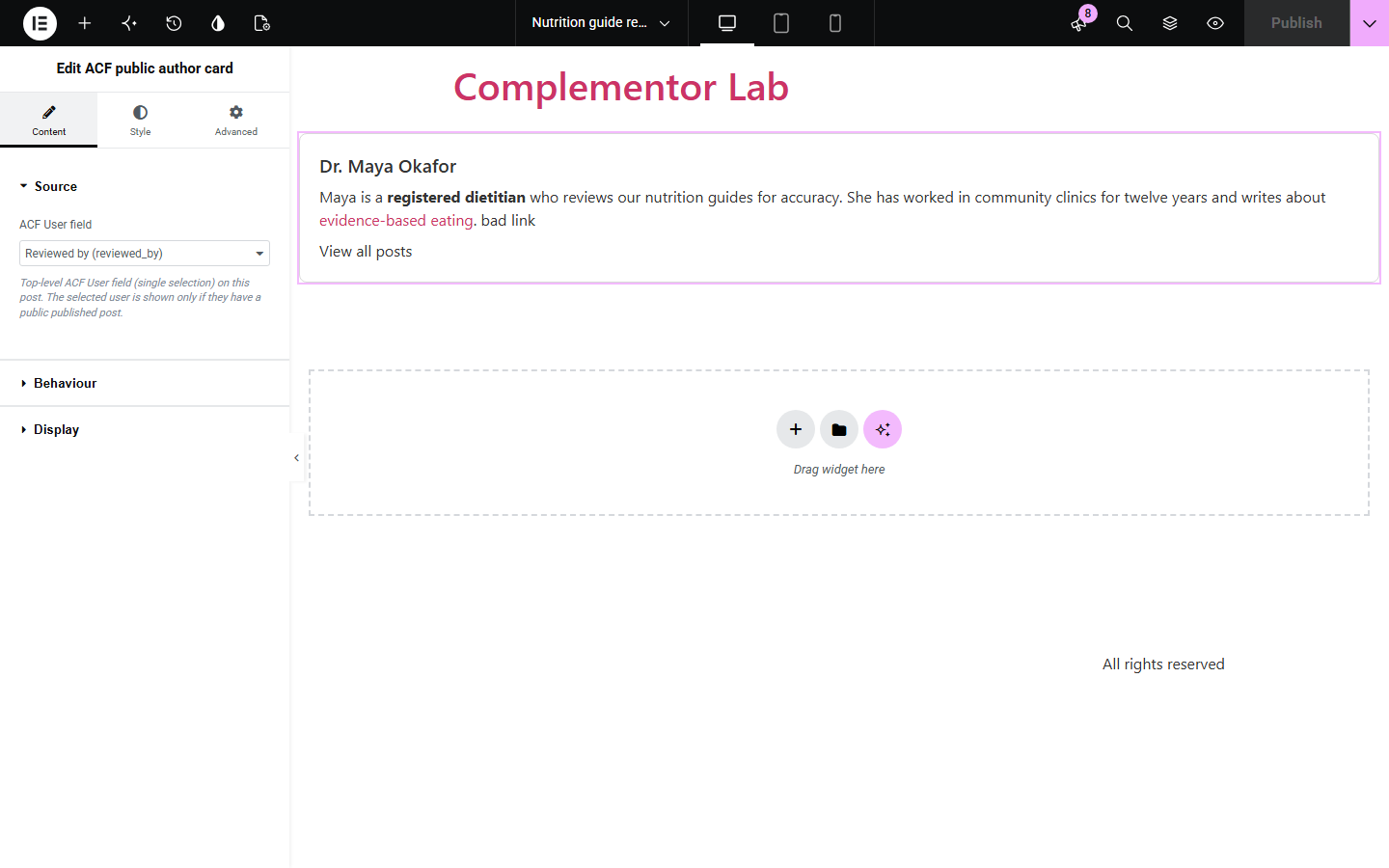
Reviewed articles, guest posts and expert pages often need to credit someone other than the post author. ACF public author card shows the user chosen in an ACF User field: their public display name, biography and a link to their author archive, without exposing emails or logins.
Show who reviewed the article, with their credentials in the biography and a link to everything else they have published.
Credit a guest editor chosen per post without changing the WordPress post author.
Feature the specialist responsible for a service or product page using a User field on that page.
Start with Complementor installed and your license connected. Enable this module in the WordPress library, then configure it in Elementor.
Install Complementor and Advanced Custom Fields, connect your license and enable ACF public author card in the Complementor library.
Add a top-level ACF User field with multiple selection turned off, for example 'Reviewed by', and choose a user on each post.
Add the ACF public author card widget in Elementor and select the field in Content › Source.
In Behaviour and Display choose the archive link text, name link, biography length, fallback texts, name tag and icon.
Style the card, name, biography and link in the Style tab, publish, and check the card on the published post.
Configure the settings available for this module to suit the page you are building.
Source: one top-level ACF User field that allows a single user (ID, array or object return format).
Behaviour: archive link on or off with custom text, link the name to the archive, biography word limit, fallback name and empty-biography text.
Display: show biography, name HTML tag (H2 to H6, p or div) and an optional icon before or after the link text.
Card style: responsive alignment, spacing, background, border, shadow, corner radius and padding.
Name, biography and link typography and colours, with Normal, Hover and Focus link states, outline and radius.
Icon style: size, gap and colour.
Compare the existing Elementor workflow with this Complementor module before choosing your setup.
Elementor Pro's Author Box shows the post's own author (or the current user) with avatar and bio. Use it for the post author; this widget credits a different person picked in an ACF User field.
You can hand-type a reviewer's name and bio in a Text Editor widget, but it does not follow user profile changes or link to their archive. This widget reads the user's public profile each time the page renders.
Complementor uses classic Elementor APIs. Atomic-native controls are not implemented. Check your theme, cache and integrations on a staging site before release.
Check these settings if the published page behaves differently from the editor.
The selected user must have at least one published post, the page must be published without a password, and the field must hold one existing user. In the editor a short message explains which case applies.
The display name is empty or looks like a login or email address, so the fallback name is used to avoid exposing account details. Set a public display name in the user's profile.
Only http, https and mailto links are kept. Other links and any scripts are removed, and a word limit shows plain text without links.
Fields that allow multiple users are not listed, because the card shows one person. Use a separate single-user field for each credit.
No. It shows only the public display name, the biography from the user profile and the author archive link. Emails, logins, roles and avatars are never output.
No. The User field is part of free Advanced Custom Fields.
The biography is cleaned before display: only basic formatting and http, https or mailto links are kept, and remaining links get rel="nofollow ugc".
Yes. The author's name is added to the link as visually hidden text, so it is announced as, for example, 'View all posts by Dr. Maya Okafor'.
Yes. Names and biographies are shown as saved, including accented and non-Latin characters.
This module is included with all 1007 current Complementor solutions. Choose your production website allowance; every plan includes the same modules.
Renews at $29 USD each year.
Renews at $49 USD each year.
Renews at $99 USD each year.
Applicable taxes extra. Annual subscriptions renew automatically unless canceled in your customer account. Elementor Pro is required for Exclude current post. Read the terms and 14-day technical-issue refund policy.