Store and office pages
Show each location’s address from its fields.
 I Build Elementor.
Show address parts saved in ACF Text fields as a postal address in the line order your country uses, with schema.org markup and optional map and copy links.
These are the actual published widgets reading sample ACF address values saved on this page.
Address picks the Text fields for the name, street, city, region, postcode and country and sets the line order, the map link and its app, the Copy address button, schema markup, text before and after, text when no address is saved, the line tag and an icon. The Style tab covers the address text and surface, the name, line spacing and links, and the icon.
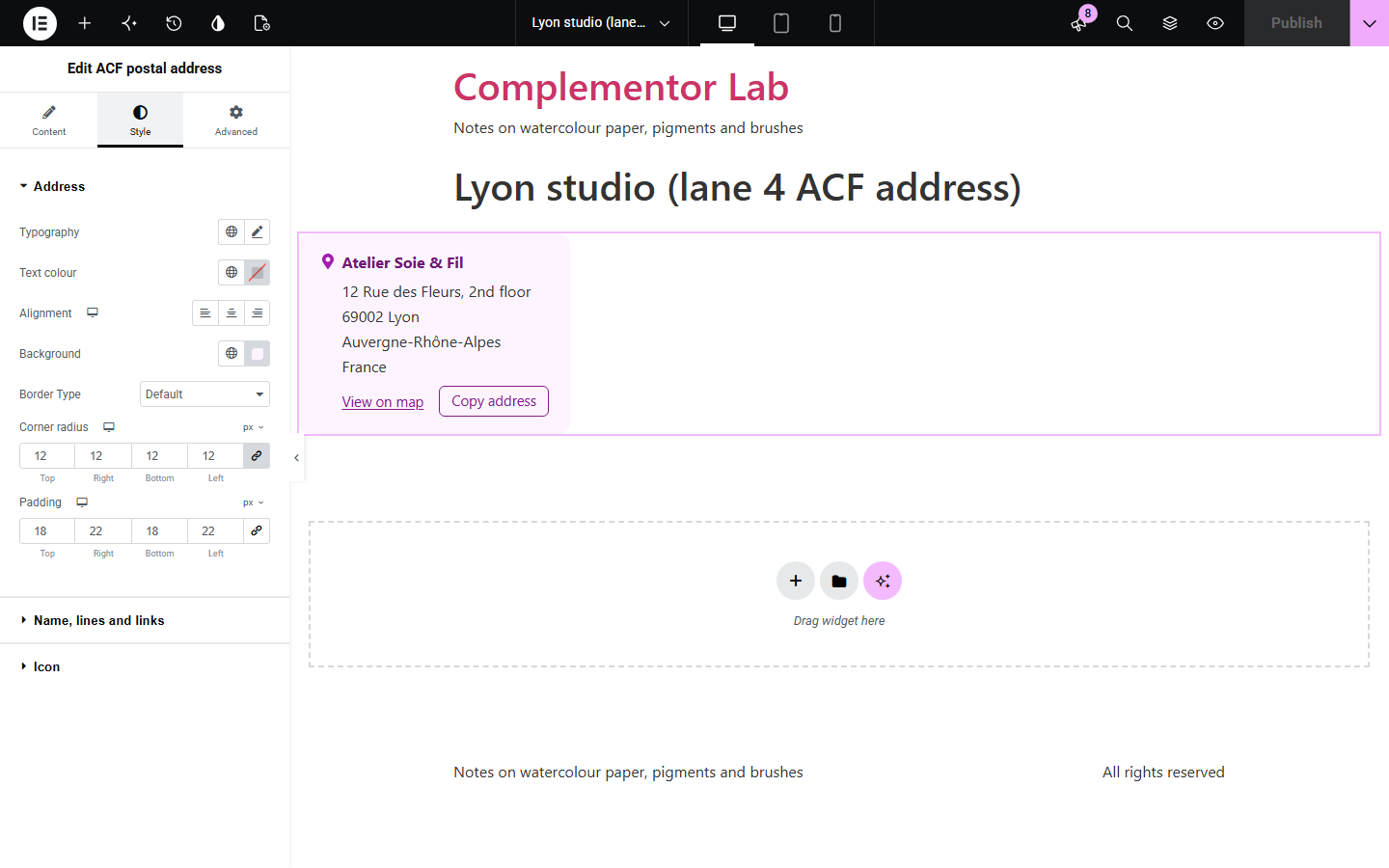
Directories, venue and store pages often store an address in separate ACF Text fields, and showing them means arranging street, city, region, postcode and country in the right order for the country, with the right commas, on every template. ACF postal address puts the saved parts together as a proper postal address, in US, European or UK line order or on one line, leaves out empty parts cleanly, marks it up as a schema.org PostalAddress, and can add a map link and a Copy address button.
Show each location’s address from its fields.
Show every listing’s address from one template.
Show the venue address with a map link.
Start with Complementor installed and your license connected. Enable this module in the WordPress library, then configure it in Elementor.
Install ACF and Complementor, connect your license and enable ACF postal address in the Complementor library.
Add Text fields for the address parts to your posts and fill them in.
Add the widget to the post or its template and choose a field for each part.
Choose the line order for your country and the map and copy links.
Style the name, the address and the card.
Configure the settings available for this module to suit the page you are building.
Fields for an optional name, street, city, region, postcode and country.
US, European or UK line order, one line, or each part as a list item.
Empty parts left out, with commas only where they belong.
schema.org Place and PostalAddress markup for search engines.
A View on map link to Google Maps, Apple Maps or OpenStreetMap.
A Copy address button and an icon.
Compare the existing Elementor workflow with this Complementor module before choosing your setup.
Shows a saved Google Map location with directions.
Turns the lines of a Textarea into a list.
Complementor uses classic Elementor APIs. Atomic-native controls are not implemented. Check your theme, cache and integrations on a staging site before release.
Check these settings if the published page behaves differently from the editor.
Choose the line order for your country: City, Region Postcode for the US, Canada and Australia, or Postcode City for most of Europe.
None of the chosen fields is filled in on this post. Add text for that case to show a message instead.
Only ACF Text fields are listed. Use a Text field for each address part.
No. It works with the free versions of Elementor and ACF.
No. It shows the parts as saved; it does not validate or look up addresses.
Yes. The address is marked as a schema.org PostalAddress inside a Place, with the name when one is set. You can turn this off.
No. It opens a search for the address in the chosen map app only when clicked.
Yes. Turn on the Copy address button to copy it as plain lines.
This module is included with all 1007 current Complementor solutions. Choose your production website allowance; every plan includes the same modules.
Renews at $29 USD each year.
Renews at $49 USD each year.
Renews at $99 USD each year.
Applicable taxes extra. Annual subscriptions renew automatically unless canceled in your customer account. Elementor Pro is required for Exclude current post. Read the terms and 14-day technical-issue refund policy.