Fundraising and donation pages
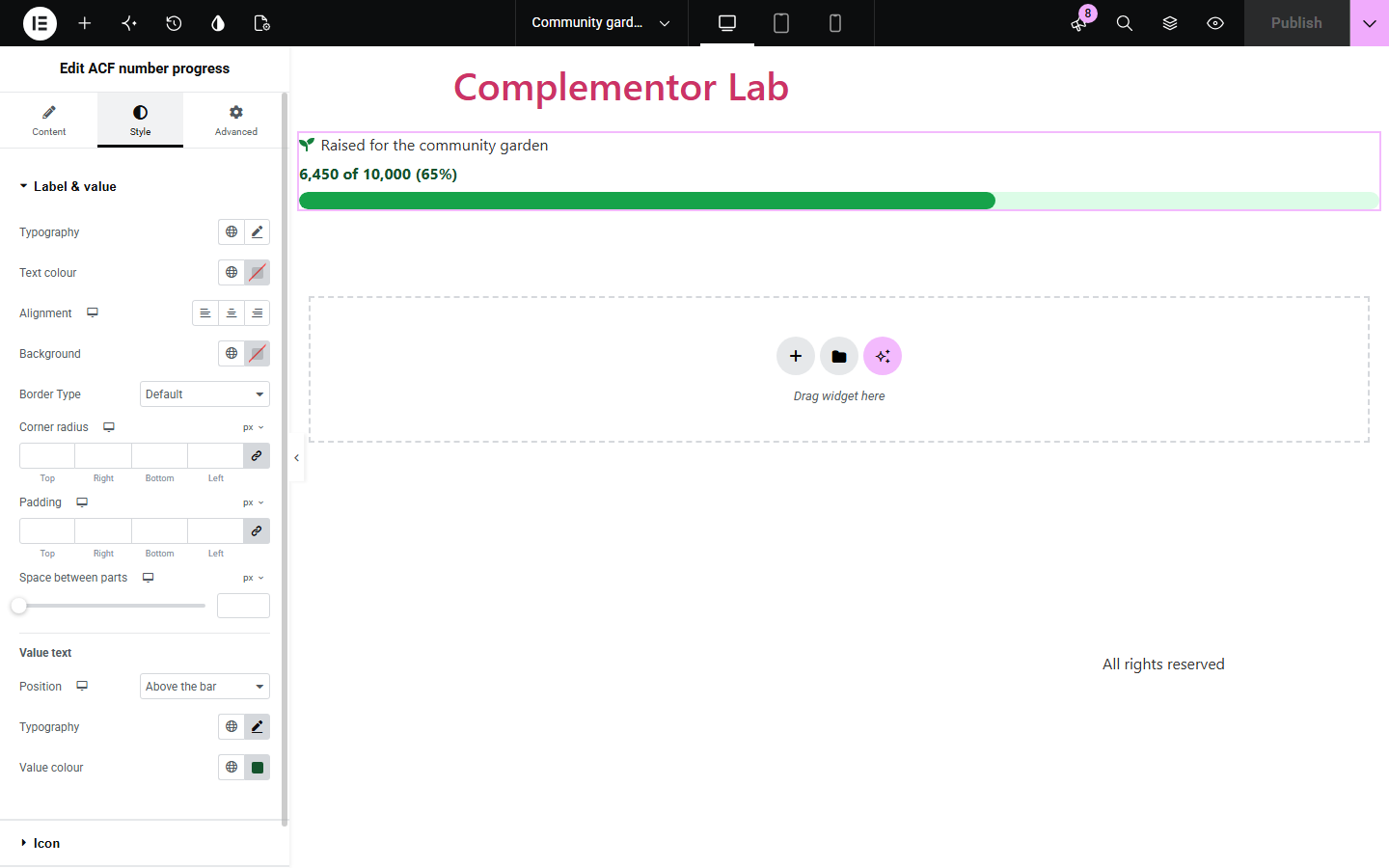
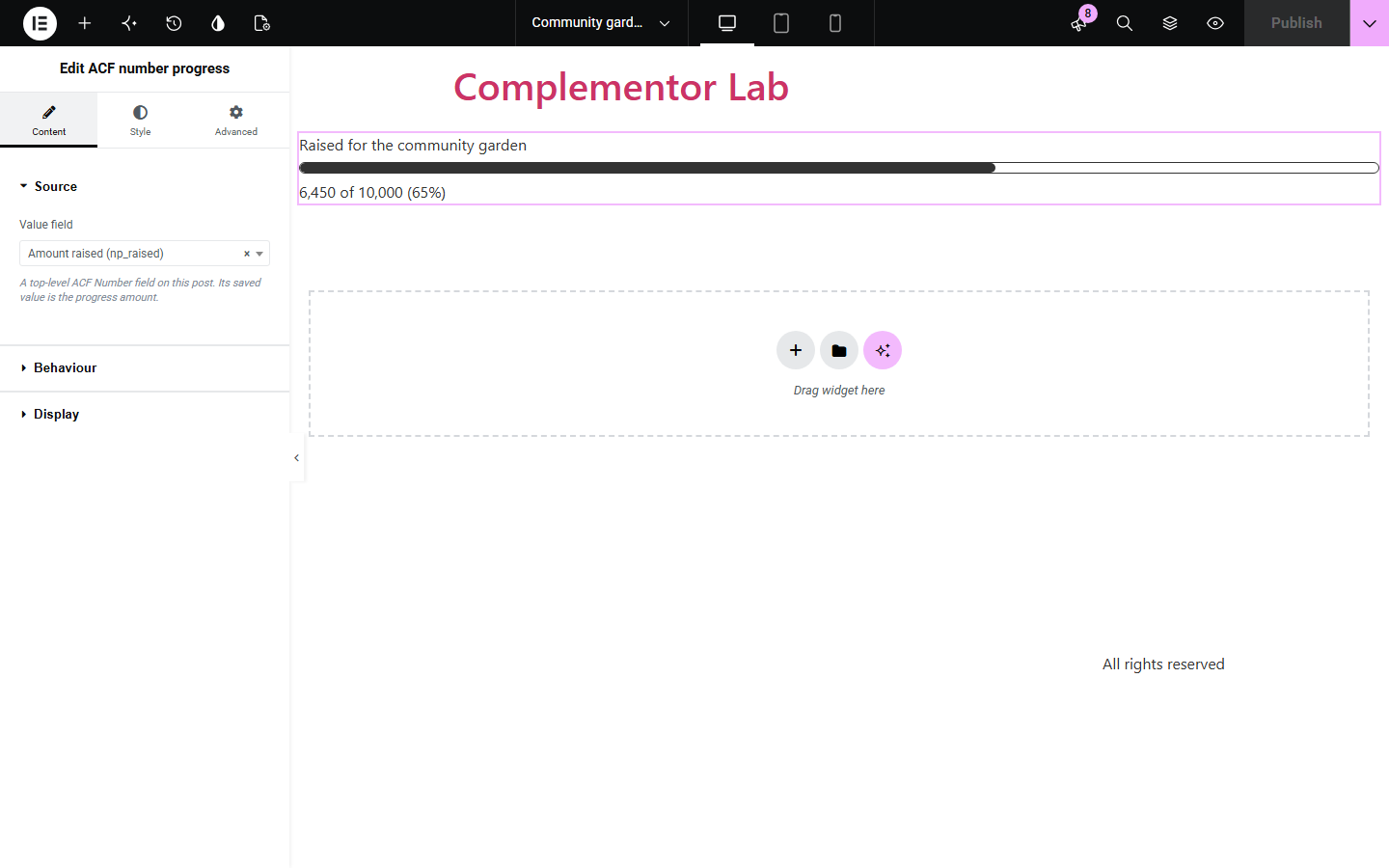
Store the amount raised and the goal in two ACF Number fields and show '6,450 of 10,000 (65%)' with a bar that updates when an editor saves new figures.
 I Build Elementor.
Show a saved ACF Number field as a progress bar against a fixed target or another ACF Number field, with value text and native styling.
These are actual published outputs of the widget on a lane page whose ACF Number fields hold sample site data: a 0-100 completion figure with the default settings, money raised against a goal field, a styled bar with an icon and the value above it, and an over-target value whose bar is clamped while the text keeps the real number.
Content has three sections. Source picks the ACF Number field that holds the value. Behaviour sets the target (a fixed number or another Number field) and what happens when there is no usable target or the value is negative or over the target. Display sets the label, progress name, optional icon, the value/percentage format and decimals. The Style tab has Label & value (typography, colours, surface, spacing, value position and value typography), Icon and Bar (track and fill colours, width, height, radius and track border).
Fundraisers, build projects and ticketed events keep their current figure in an ACF Number field, but Elementor's Progress Bar needs a percentage typed by hand. ACF number progress reads the saved value on the current post, compares it with a fixed goal or another Number field, and shows the bar, the real numbers and the percentage.
Store the amount raised and the goal in two ACF Number fields and show '6,450 of 10,000 (65%)' with a bar that updates when an editor saves new figures.
Keep a 0-100 completion figure on each project page and display it as a labelled progress bar in a shared Elementor layout.
Compare tickets sold with a fixed capacity; if sales pass the capacity, the bar stays full while the text shows the real number and percentage.
Start with Complementor installed and your license connected. Enable this module in the WordPress library, then configure it in Elementor.
Install Advanced Custom Fields and Complementor, then enable ACF number progress in the Complementor library in WordPress.
Create ACF Number fields for the value (and, if you want, the goal) with location rules that include the page or post, and save values on that post.
Edit that post with Elementor, add the ACF number progress widget and choose the value field in Content › Source.
In Behaviour, choose a fixed target number or another ACF Number field, and decide what happens with a missing target or an out-of-range value. In Display, set the label and the value, percentage or both format.
Style the label, value text, icon and bar in the Style tab, then publish and check the page at mobile width.
Configure the settings available for this module to suit the page you are building.
Source: one top-level ACF Number field on the current post, picked from the fields its field group location rules attach to that post.
Target: a fixed number (100 by default) or another ACF Number field on the same post, such as a stored fundraising goal.
Fallbacks: with no usable target (unsaved, zero or negative) show the value without a bar or hide the widget; for a negative or over-target value clamp the bar while keeping the real numbers, or hide the widget.
Display: optional visible label and accessible progress name, an optional icon, and value of target, percentage only or both, with editable "of" text, percentage suffix and value and percentage decimals.
Label & value styling: typography and text colour, background, border, radius and padding, responsive alignment and spacing, value position above or below the bar, and separate value typography and colour.
Bar styling: track and fill colours, responsive width, height and corner radius, a track border you can change or remove, plus icon position, size, gap and colour.
Compare the existing Elementor workflow with this Complementor module before choosing your setup.
Elementor's free Progress Bar widget shows a percentage you enter in the editor. Prefer it when the percentage is fixed content; use ACF number progress when the figures live in ACF fields and the percentage should be calculated from a value and a target.
With Elementor Pro you can print an ACF Number field in any text widget using the ACF Field dynamic tag. Prefer it when you only need the number; it does not compare the value with a goal or draw a bar.
The Counter widget animates up to a number you enter. Prefer it for headline statistics; it has no target, percentage or progress semantics.
Complementor uses classic Elementor APIs. Atomic-native controls are not implemented. Check your theme, cache and integrations on a staging site before release.
Check these settings if the published page behaves differently from the editor.
The selected Number field has no saved value on this post. ACF's default value is not used, because a default is not real data. Save a value on the post (zero counts). In the Elementor editor the widget shows a setup hint instead.
The list only shows top-level ACF Number fields whose field group location rules include the post you are editing. Check the location rules, save the post and reopen the editor. Number fields inside groups or repeaters are not listed.
The value is above the target. With the default 'Clamp the bar, keep the true number' setting the bar stops at the end of the track and the text keeps the real value and percentage. Choose 'Hide the widget' under Behaviour if you prefer to hide it.
There is no usable target: the target field is not selected, has no saved value, or holds zero or a negative number. Save a positive goal, or choose 'Hide the widget' for this case under Behaviour.
Top-level ACF Number fields only, for both the value and the optional target field. Text fields, group and repeater subfields and options-page values are not used.
No. It works with Elementor and the free version of Advanced Custom Fields. It reads the fields of the post being viewed, so it does not need Pro dynamic tags.
Yes. Set Target to 'Another ACF number field' and pick the field that stores the goal. You can also enter a fixed target number instead.
When a target is known it renders a progressbar role with a name, minimum, maximum and value text that matches the visible text. Without a target it renders plain text only, so it never claims a range it does not have.
No. The bar is drawn at its final width with no animation or script, so it shows the same result for every visitor and needs no motion settings.
This module is included with all 1007 current Complementor solutions. Choose your production website allowance; every plan includes the same modules.
Renews at $29 USD each year.
Renews at $49 USD each year.
Renews at $99 USD each year.
Applicable taxes extra. Annual subscriptions renew automatically unless canceled in your customer account. Elementor Pro is required for Exclude current post. Read the terms and 14-day technical-issue refund policy.