Property and holiday listings
Show reference, bedrooms, floor area, tenure and parking for each listing from its ACF fields.
 I Build Elementor.
List selected ACF fields as clean label and value rows, in the order you choose, with optional links and a placeholder for empty fields.
These are the actual published outputs of the widget for a sample property listing: default stacked rows, an inline panel with links and a placeholder, contact rows with an icon and separator, and an unset field that is hidden.
Content › Source picks the fields in the order they should appear. Behaviour hides unset fields or shows a placeholder, and can link email and URL values. Display switches between label-above-value and one-line rows, with a separator and stacking on phones. The Style tab covers the panel (typography, colour, alignment, background, border, radius, padding), Label (typography, colour, icon, width) and Rows spacing.
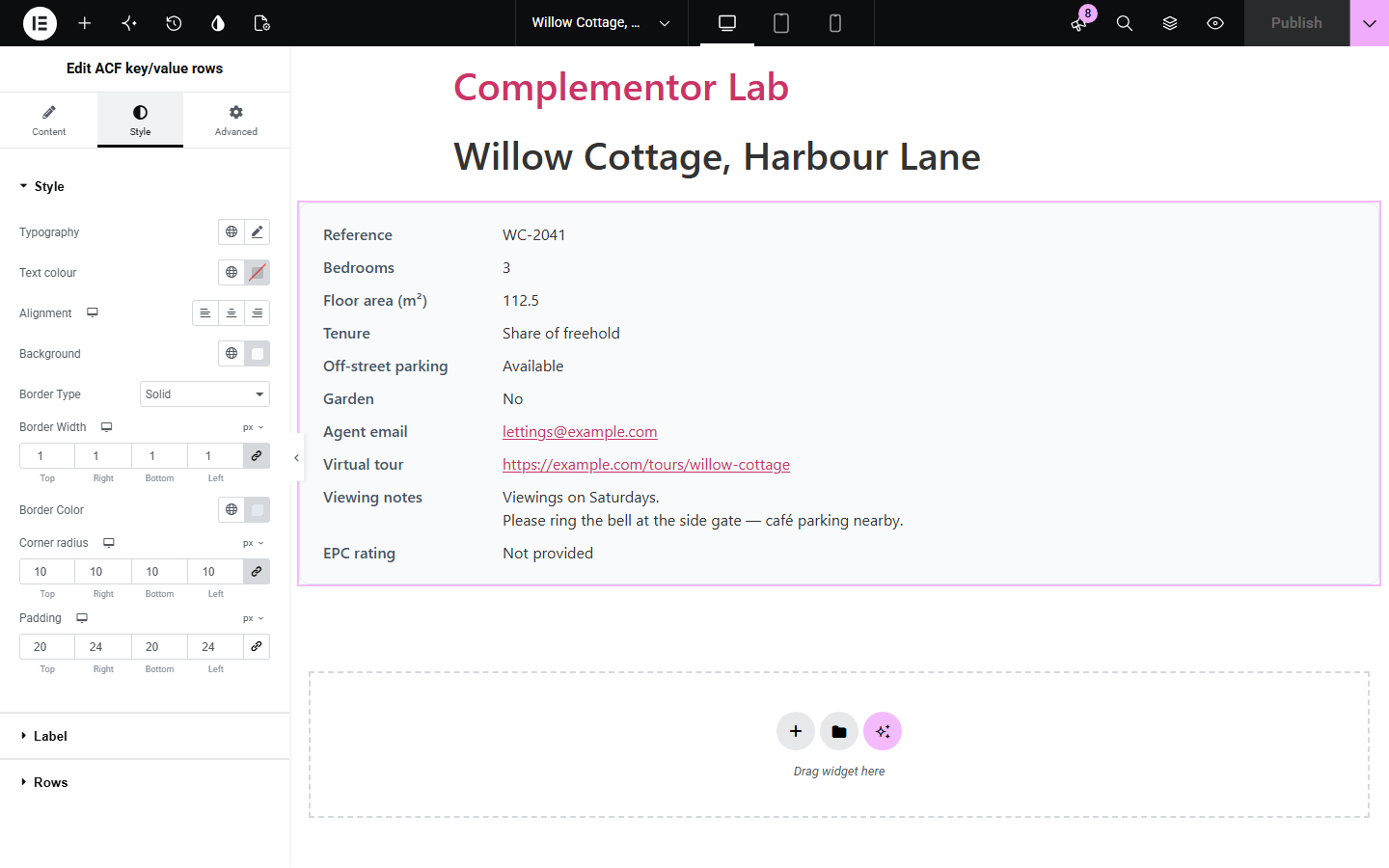
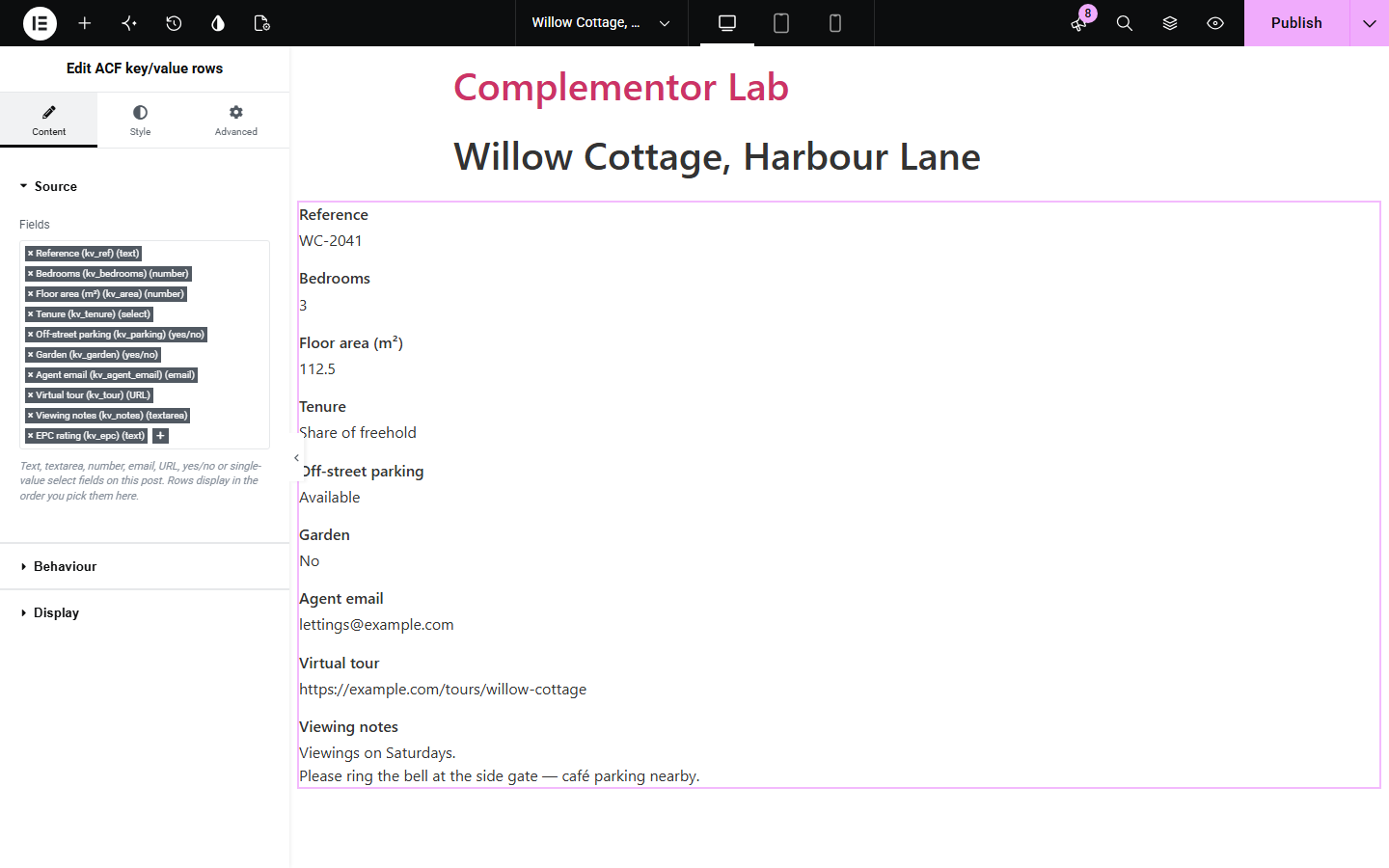
Property listings, product specs and venue pages often store many small facts in ACF fields. ACF key/value rows shows the fields you pick as a labelled list (label above value, or side by side), using each field's ACF label and the value saved on the current post.
Show reference, bedrooms, floor area, tenure and parking for each listing from its ACF fields.
List dimensions, materials and options saved per product without building a table by hand.
Show capacity, opening notes, contact email and booking link for each location page.
Start with Complementor installed and your license connected. Enable this module in the WordPress library, then configure it in Elementor.
Install Complementor and Advanced Custom Fields, connect your license and enable ACF key/value rows in the Complementor library.
Add top-level ACF text, textarea, number, email, URL, true/false or single-value select fields to your post type and fill them in.
Add the ACF key/value rows widget in Elementor and pick the fields in Content › Source, in the order you want them listed.
In Behaviour choose how unset fields appear and whether email and URL values are links; in Display choose stacked or inline rows.
Style the panel, labels and row spacing in the Style tab, publish, and check the list on desktop and mobile.
Configure the settings available for this module to suit the page you are building.
Source: an ordered multi-select of top-level ACF text, textarea, number, email, URL, true/false and single-value select fields; the pick order is the row order.
Behaviour: hide unset fields or show placeholder text, and optionally link email values (mailto) and http/https URL values.
Display: label above value, or label and value on one line with a separator and automatic stacking on phones.
Values: select fields show their choice label, true/false fields their on/off text (or Yes/No), and line breaks in textareas are kept.
Panel style: typography, text colour, alignment, background, border, corner radius and padding.
Label and rows style: label typography, colour, optional icon, label column width, and spacing between rows and between label and value.
Compare the existing Elementor workflow with this Complementor module before choosing your setup.
With Elementor Pro you can insert each ACF field into text or an Icon List item through dynamic tags. That works for a few fields; this widget builds the whole labelled list from your field picks, hides empty ones and keeps labels in sync with ACF.
A hand-built table or theme template gives full control but has to be maintained in code. Use it for complex layouts; use this widget for a consistent fact list editable in Elementor.
Complementor uses classic Elementor APIs. Atomic-native controls are not implemented. Check your theme, cache and integrations on a staging site before release.
Check these settings if the published page behaves differently from the editor.
Only top-level text, textarea, number, email, URL, true/false and single-value select fields on this post are listed. Multi-select, checkbox, repeater, group, image and relationship fields are not supported.
The field has no saved value and Unset fields is set to Hide the row. Choose Show a placeholder to keep the row, or save a value on the post.
True/false fields use the On and Off text from their ACF settings when set, and Yes or No otherwise.
In the one-line layout, Stack on mobile is on by default so long values get a full-width line on screens up to 767px. Turn it off in Display to keep side-by-side rows.
No. All supported field types are part of free Advanced Custom Fields.
Yes. Rows appear in the order you pick the fields in the Source section.
Only when you turn on Link email and URL values. Emails become mailto links and only http or https URLs are linked.
A description list: each label is a dt element and each value a dd element, which keeps the label and value associated for assistive technology.
Nothing by default. ACF default values are not shown as if they were saved; you can show your own placeholder instead.
This module is included with all 1007 current Complementor solutions. Choose your production website allowance; every plan includes the same modules.
Renews at $29 USD each year.
Renews at $49 USD each year.
Renews at $99 USD each year.
Applicable taxes extra. Annual subscriptions renew automatically unless canceled in your customer account. Elementor Pro is required for Exclude current post. Read the terms and 14-day technical-issue refund policy.