Course and event summaries
Turn length, tutor and price fields into one sentence.
 I Build Elementor.
Fill a sentence you write, such as "{1} weeks with {2}", with values saved in up to six ACF fields on the current post, with fallbacks, number formatting and line breaks.
These are the actual published widgets reading sample ACF values saved on this page.
Template sets the sentence with {1} to {6} and fallbacks, a field for each placeholder, what happens when a used field is empty, number format and line breaks, text before and after, text when the result is empty, the HTML tag and an icon. The Style tab covers the text and surface, how inserted values look, and the icon.
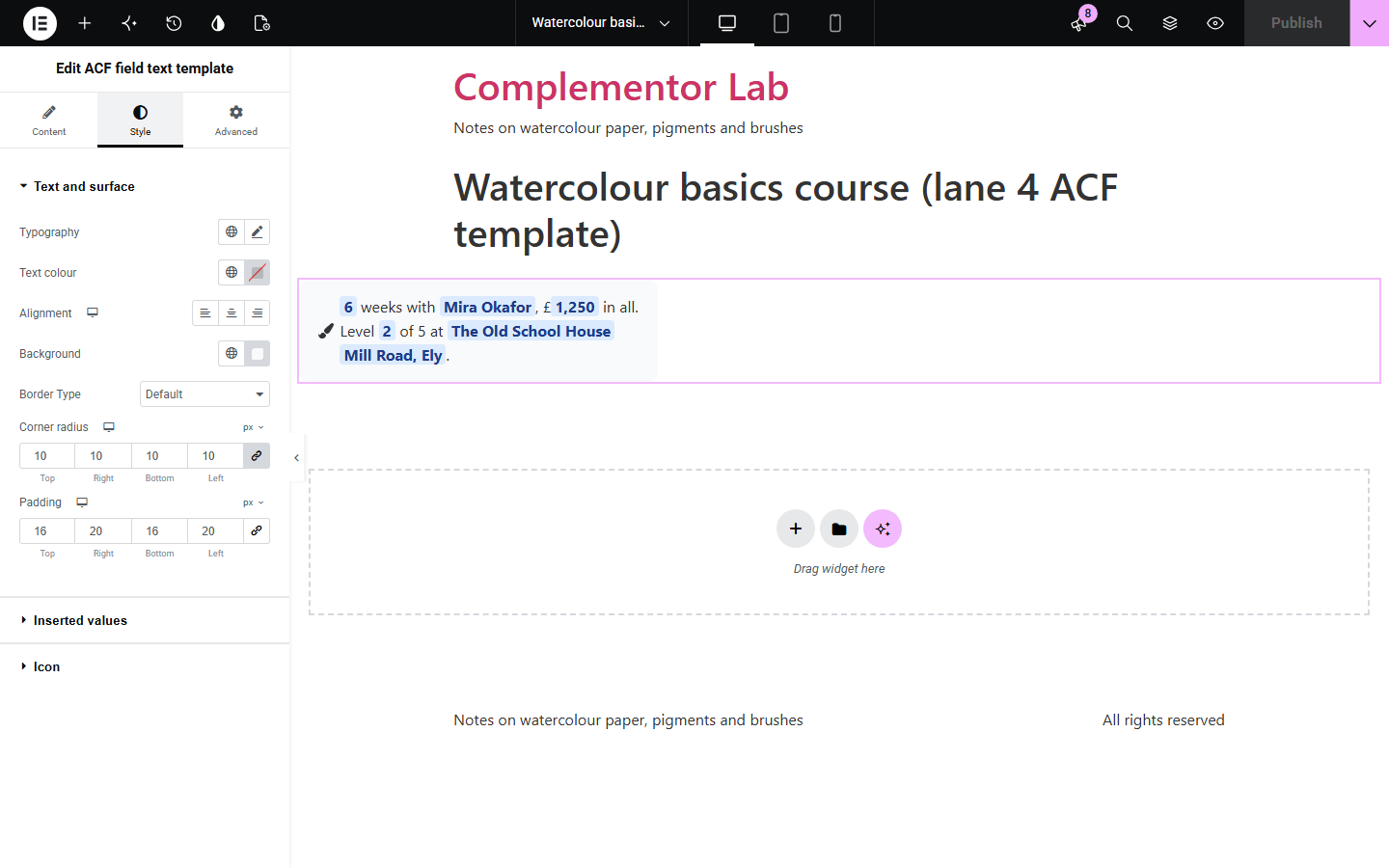
Templates for courses, products and listings often need a sentence that mixes fixed words with saved values, such as “6 weeks with Mira Okafor, £1,250 in all”, and building it from separate dynamic tags is fiddly and breaks when a value is missing. ACF field text template lets you write the sentence once with placeholders, fills it with up to six ACF fields on each post, writes numbers in the site’s format, keeps line breaks, uses a fallback for a missing value, and can show other text when something needed is empty.
Turn length, tutor and price fields into one sentence.
Combine size, material and care fields into a line of copy.
Write “3 bedrooms, 2 bathrooms, 120 m²” from separate fields.
Start with Complementor installed and your license connected. Enable this module in the WordPress library, then configure it in Elementor.
Install ACF and Complementor, connect your license and enable ACF field text template in the Complementor library.
Add the fields you need, such as Text and Number fields, to your posts.
Add the widget to the post or its template and write a sentence with {1}, {2} and so on.
Choose a field for each placeholder and add fallbacks such as {2|our tutors}.
Choose what happens when a value is missing, then style the inserted values.
Configure the settings available for this module to suit the page you are building.
A template with up to six placeholders, {1} to {6}, on several lines if you like.
Fallbacks for empty fields, written as {2|text}.
Text, Textarea, Number, Range and Email fields.
Numbers written in the site’s format, such as 1,250.
Leave a missing value out, or show other text instead.
Inserted values styled bold, coloured or highlighted.
Compare the existing Elementor workflow with this Complementor module before choosing your setup.
Turns the lines of a Textarea into a list.
Shows a notice from an ACF number.
Complementor uses classic Elementor APIs. Atomic-native controls are not implemented. Check your theme, cache and integrations on a staging site before release.
Check these settings if the published page behaves differently from the editor.
Only {1} to {6} are placeholders. Check the number and that there are no spaces inside the braces.
That field is empty on this post. Add a fallback such as {2|our tutors}, or choose to show other text when a used field is empty.
Only Text, Textarea, Number, Range and Email fields can be inserted as plain text.
No. It works with the free versions of Elementor and ACF.
No. The template and values are shown as plain text, so tags, shortcodes and dynamic tags do not run.
Yes. Use the same placeholder, such as {1}, as often as you need.
In the site’s number format with the decimals as saved, unless you turn this off.
Yes. Choose to show the empty text, or nothing, when a used field without a fallback is empty.
This module is included with all 1007 current Complementor solutions. Choose your production website allowance; every plan includes the same modules.
Renews at $29 USD each year.
Renews at $49 USD each year.
Renews at $99 USD each year.
Applicable taxes extra. Annual subscriptions renew automatically unless canceled in your customer account. Elementor Pro is required for Exclude current post. Read the terms and 14-day technical-issue refund policy.