Product documentation
Offer a manual and specification file from separate editorial fields without introducing a WooCommerce download entitlement system.
 I Build Elementor.
List selected saved ACF File attachments with filenames, optional titles, local sizes and icons.
Explore three invented sample attachment records with title, filename, size and decorative icon switches. The missing-manual-file case omits its size. These are arbitrary sample metadata, not real files or working download links; no delivery or file protection is simulated.
Source selects applicable top-level File fields. Display switches attachment title, filename, local size and icon. Style positions the list with responsive alignment and controls spacing, link states and before/after icon placement. Turning all text switches off retains a hidden filename as the link name.
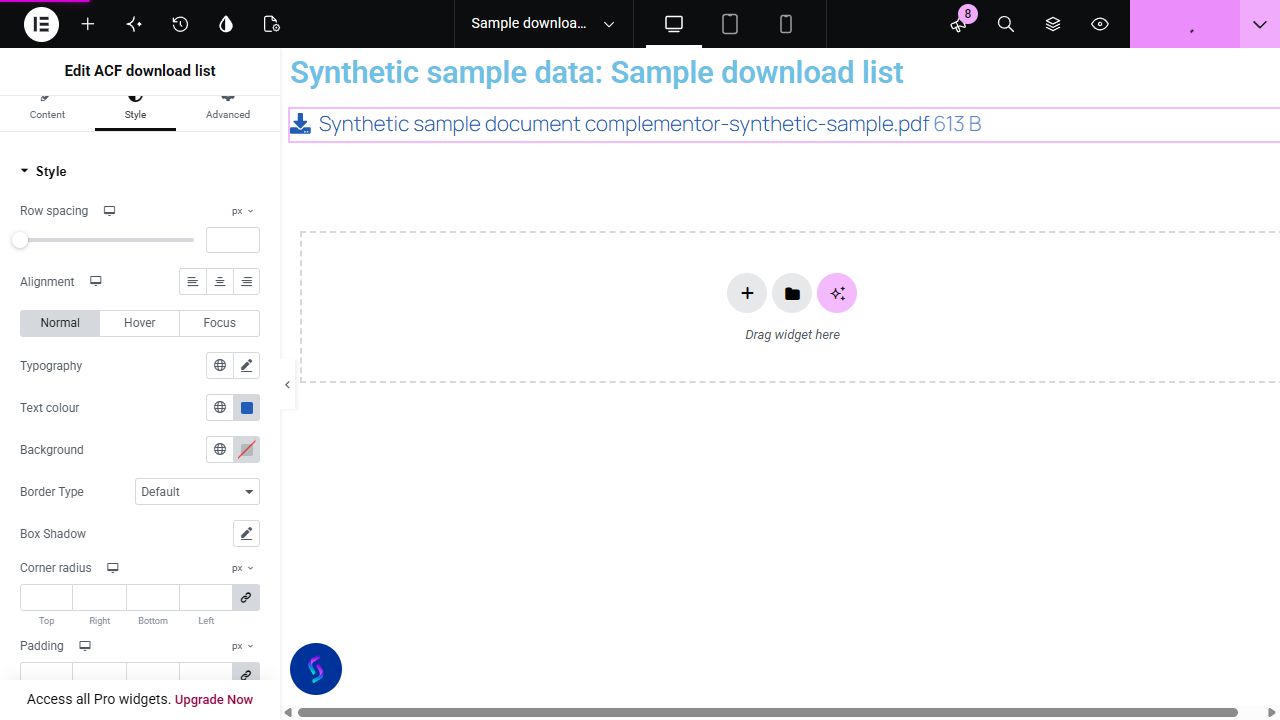
A resource page may store a brochure, manual and specification sheet in separate ACF File fields. Present those selected attachments as one consistent list while leaving each file maintained in WordPress.
Offer a manual and specification file from separate editorial fields without introducing a WooCommerce download entitlement system.
List a brochure, access guide and programme, omitting fields without saved attachments.
Keep several publicly available files together with filenames and locally measured sizes. Check actual links after a database-only restore.
Start with Complementor installed and your license connected. Enable this module in the WordPress library, then configure it in Elementor.
Install the reviewed Complementor package with Advanced Custom Fields and classic Elementor, connect your license and enable ACF download list in the module library.
Create separate applicable top-level ACF File fields for the brochure, manual and specification sheet. Save actual Media Library attachments on the source post.
Add ACF download list in Elementor and select those fields in the intended sequence. Check their saved values rather than relying on configured defaults.
Choose filename, attachment title and local-size presentation; optionally enable a native icon. Keep useful filenames even for icon-only presentation.
Set link focus/hover styling and spacing. Verify saved order, mobile layout, real HTTP destinations and browser download behavior before publishing the module page.
Configure the settings available for this module to suit the page you are building.
Ordered multiple top-level File field selector, including applicable local and database field groups. Duplicate key/name aliases collapse and processing is bounded to 50 selections.
Optional attachment title, filename and size; an empty selected title falls back to the filename. Icons default off with conditional native selector, and all text switches off retains a hidden filename link name.
Responsive left/centre/right list alignment positions the flex items and their text; row gap, inherited link typography, Normal/Hover/Focus styles and padding/radius.
Conditional icon colour and responsive before/after position/size/gap; native Advanced.
Compare the existing Elementor workflow with this Complementor module before choosing your setup.
A single native button with a supported ACF File URL may be sufficient. Icon List can maintain several manual resources; this widget centralizes several selected field values and metadata.
Use a dedicated authorization/delivery system when files require entitlement or request access checks. This list does not protect uploads or guarantee forced downloads.
Complementor uses classic Elementor APIs. Atomic-native controls are not implemented. Check your theme, cache and integrations on a staging site before release.
Check these settings if the published page behaves differently from the editor.
Check applicable schema, persisted value and public attachment/parent eligibility. Bare external field URLs, malformed IDs, protected/private parents, directories and unreadable existing files are excluded. The attachment delivery URL must be absolute HTTP(S), have a host and contain no embedded credentials.
The recovered missing-local-file policy keeps its stored filename/link without size. Repair the missing upload; a visible row is not a delivery guarantee.
Actual response headers, browser preferences and file type control delivery behavior. This widget does not promise a forced save or check URL reachability.
Yes. Actual ACF File ID, array and URL settings were verified through the native field definition and formatted API while rendering uses the saved raw value. Imported raw shapes are tested separately. This does not verify browser delivery.
No. Bare external field URLs cannot supply attachment rows and no remote metadata request is made. An eligible attachment URL may be filtered by WordPress, but delivery must be checked separately.
No. Links point to ordinary upload URLs and do not authorize requests. Public attachment and parent checks constrain displayed rows, not file access.
Yes. These are independent switches. An empty attachment title falls back to its filename when titles are shown. Sizes come from eligible local files; a missing disk file can retain a filename/link without size.
It displays public Media Library attachment links. It does not provide access control, signed URLs, protected delivery or download tracking.
This module is included with all 1007 current Complementor solutions. Choose your production website allowance; every plan includes the same modules.
Renews at $29 USD each year.
Renews at $49 USD each year.
Renews at $99 USD each year.
Applicable taxes extra. Annual subscriptions renew automatically unless canceled in your customer account. Elementor Pro is required for Exclude current post. Read the terms and 14-day technical-issue refund policy.