Sales and early-bird offers
Count down to the end of a promotion saved per product page or landing page, and show a clear message when it ends.
 I Build Elementor.
Count down to the date or date-time saved in an ACF field on each page, with live seconds, editable labels and an honest expiry message.
These are the actual published outputs of the widget for sample ACF fields, ticking with the widget's own script: the default countdown to a sale end time, a styled version with an icon, hours and minutes only, and a Date Picker event with custom labels.
Content › Source picks a top-level ACF Date Picker or Date Time Picker field. Behaviour sets the expired label and the editor-only hint for a missing date. Display adds an optional icon and lets you show or hide days, hours, minutes and seconds and rename each unit. The Style tab has the surface (typography, colour, alignment, background, border, radius, padding), Icon and Units sections.
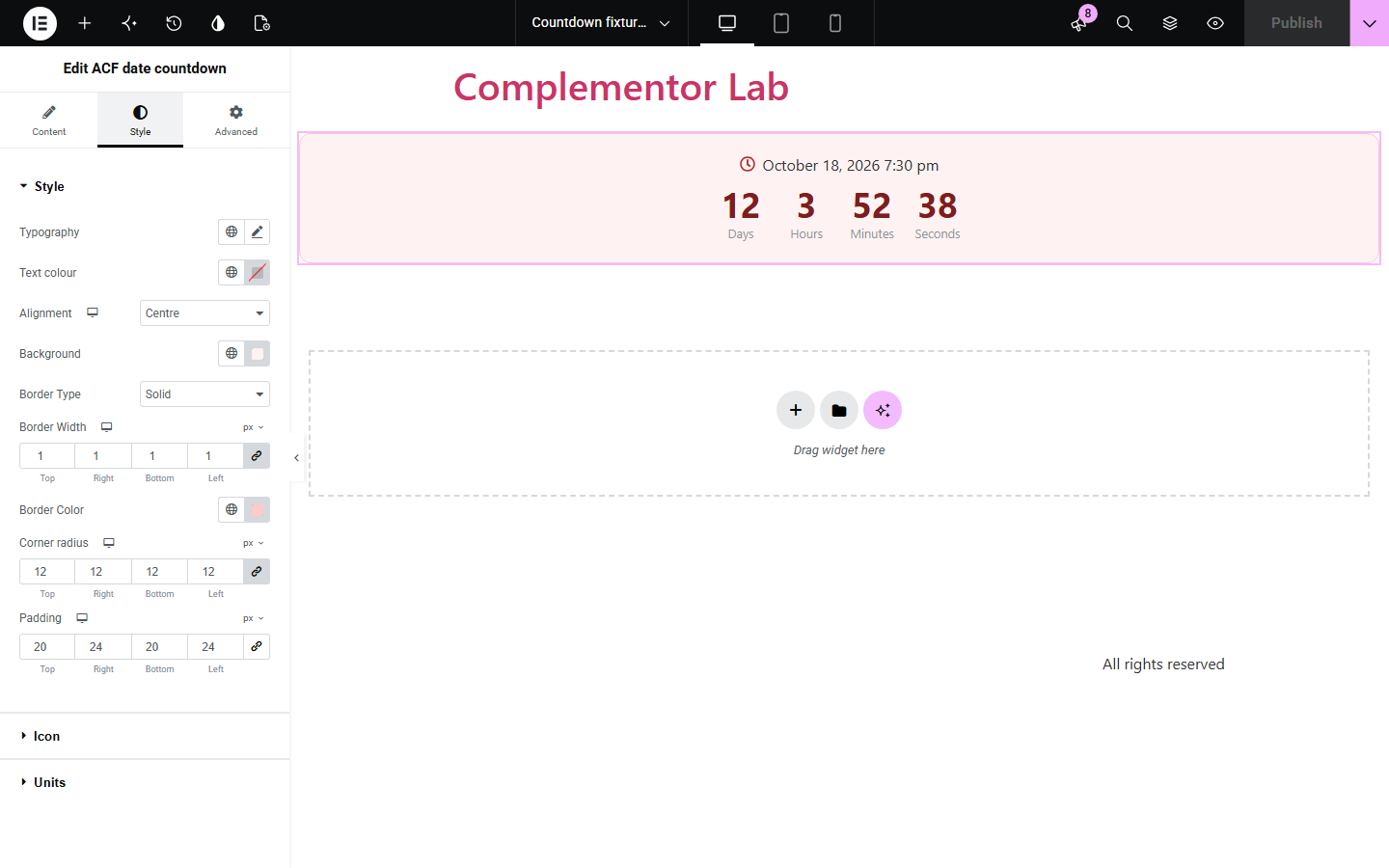
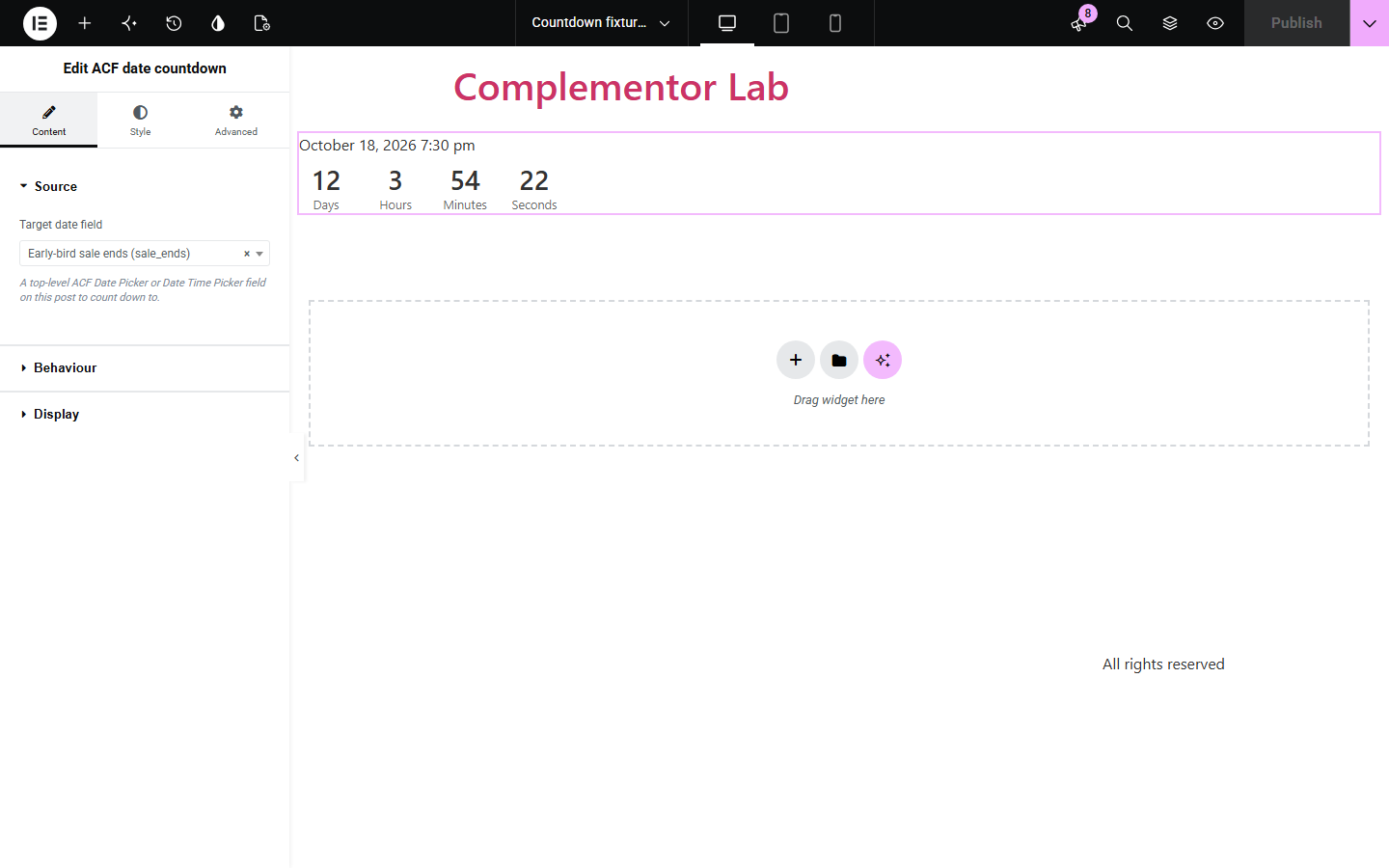
Sale, launch and event pages often need a countdown to a date that is different on every page. ACF date countdown reads the date saved in an ACF Date Picker or Date Time Picker field on the current post and counts down to it in the site timezone, then shows your expiry message.
Count down to the end of a promotion saved per product page or landing page, and show a clear message when it ends.
Show how long remains until each event or launch, using the date already stored in its ACF fields.
Tell visitors how many days and hours are left before a deadline saved on each course or job page.
Start with Complementor installed and your license connected. Enable this module in the WordPress library, then configure it in Elementor.
Install Complementor and Advanced Custom Fields, connect your license and enable ACF date countdown in the Complementor library.
Add a top-level ACF Date Picker or Date Time Picker field to your post type and save a future date on each post.
Add the ACF date countdown widget in Elementor and select the field in Content › Source.
In Behaviour write the expired label; in Display choose the units to show, their labels and an optional icon.
Style the surface, icon and units in the Style tab, publish, and check the countdown on the published page.
Configure the settings available for this module to suit the page you are building.
Source: one top-level ACF Date Picker (counts to midnight at the start of that day) or Date Time Picker field, read in the site timezone.
Behaviour: expired label shown once the date has passed, and an editor-only hint when the field has no valid date.
Display: show or hide days, hours, minutes and seconds with your own labels; hidden larger units fold into the largest one shown.
Optional icon before or after the target date, with position, size, gap and colour.
Surface style: typography, text colour, alignment, background, border, corner radius and padding.
Units style: value and label typography and colours, and the gap between units.
Compare the existing Elementor workflow with this Complementor module before choosing your setup.
Elementor Pro's Countdown can count to a fixed due date or an evergreen timer per visitor, with actions on expiry. Use it for a single campaign date; this widget reads a different saved ACF date on each page without editing the widget.
Some setups feed a date into a countdown through dynamic tags. This widget reads the ACF field directly, handles Date Picker and Date Time Picker storage formats and never resets or fakes remaining time.
Complementor uses classic Elementor APIs. Atomic-native controls are not implemented. Check your theme, cache and integrations on a staging site before release.
Check these settings if the published page behaves differently from the editor.
The selected field must be a top-level ACF Date Picker or Date Time Picker with a saved value on this post. With no valid date visitors see nothing; the editor shows a hint.
The date is read in the site timezone from Settings › General. Use a named timezone such as Europe/London so daylight saving changes are applied, and check the time saved in the field.
A Date Picker field stores a day without a time, so the countdown runs to the start of that day. Use a Date Time Picker field for a specific time.
If the visitor's system asks for reduced motion, the widget shows an accurate snapshot without ticking. Otherwise check that the widget script is not removed by an optimisation plugin.
No. Date Picker and Date Time Picker fields are part of free Advanced Custom Fields.
The units are replaced by your expired label. The countdown never restarts, extends or invents remaining time.
Yes. Each unit can be shown or hidden and renamed. When days are hidden, their time is added to the hours instead of disappearing.
The target date is shown as readable text in a time element, the units use the timer role without constant announcements, and reduced-motion preferences stop the ticking.
The target is calculated in your site timezone and counts down to the same moment for every visitor, wherever they are.
This module is included with all 1007 current Complementor solutions. Choose your production website allowance; every plan includes the same modules.
Renews at $29 USD each year.
Renews at $49 USD each year.
Renews at $99 USD each year.
Applicable taxes extra. Annual subscriptions renew automatically unless canceled in your customer account. Elementor Pro is required for Exclude current post. Read the terms and 14-day technical-issue refund policy.