Courses by level
Guides for the levels a course suits.
 I Build Elementor.
Show the links you list for the choices ticked in an ACF Checkbox field on the post, such as a beginner’s guide when Beginner is ticked, as cards, a list or buttons.
These are the actual published widgets reading a Checkbox field saved on the demo page.
Resources picks the Checkbox field and lists each link with its choices, text, address and description, then a heading, cards, a list or buttons, the choice tags, opening in a new tab, the layout and gap, text before and after each link, text when none match, the HTML tag and an icon. The Style tab covers the links in normal, hover and focus states, the heading, accent and description, and the icon.
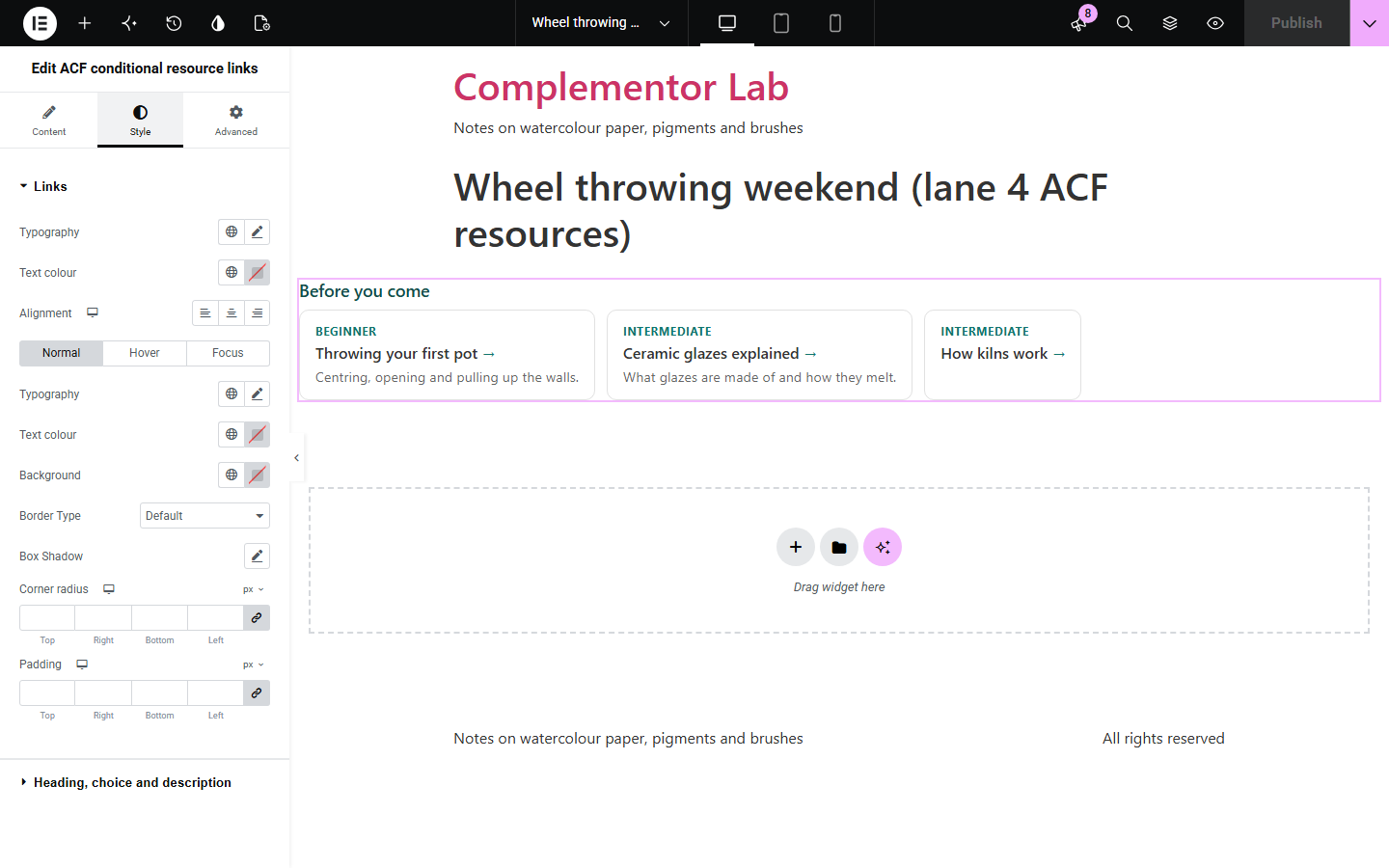
Courses, events, products and services often tick choices in an ACF Checkbox field, such as the levels a workshop suits, and each choice deserves its own guides or downloads. This widget shows the links you list for the choices ticked on the current post, matched by value or label with several choices per link, as cards with a description, a list or buttons, tagged with the choice each link is for and shown once even when it suits several.
Guides for the levels a course suits.
Manuals for the uses ticked on a product.
Forms for the areas a service covers.
Start with Complementor installed and your license connected. Enable this module in the WordPress library, then configure it in Elementor.
Install Advanced Custom Fields and Complementor, connect your license and enable ACF conditional resource links in the Complementor library.
Add a Checkbox field, such as Suitable for with Beginner, Intermediate and Advanced, and tick choices on your posts.
Add the widget to the post or its template and choose the field.
Add a link for each choice, with its text, address and a short description.
Choose cards, a list or buttons and style them.
Configure the settings available for this module to suit the page you are building.
Links shown only for the choices ticked on the post.
Match a choice by value or label, several per link.
Cards with a description, a list or buttons.
A tag saying which choice each link is for.
A heading and opening in a new tab.
The same link shown once when it suits several choices.
Compare the existing Elementor workflow with this Complementor module before choosing your setup.
A link that stops after a date.
The first filled-in text field.
Complementor uses classic Elementor APIs. Atomic-native controls are not implemented. Check your theme, cache and integrations on a staging site before release.
Check these settings if the published page behaves differently from the editor.
None of the ticked choices on this post has a link, or nothing is ticked; the editor says which.
Its address is empty or does not start with https:// or http://.
Enter the choice’s value or label exactly as in the Checkbox field; capitals do not matter.
No. It works with the free versions of Elementor and Advanced Custom Fields.
Yes. Separate the choices with commas.
Up to 30.
Yes, and screen readers are told that they do.
Yes. The links are a list of ordinary links with visible focus, and the icon is decorative.
This module is included with all 1007 current Complementor solutions. Choose your production website allowance; every plan includes the same modules.
Renews at $29 USD each year.
Renews at $49 USD each year.
Renews at $99 USD each year.
Applicable taxes extra. Annual subscriptions renew automatically unless canceled in your customer account. Elementor Pro is required for Exclude current post. Read the terms and 14-day technical-issue refund policy.