Podcast episode pages
Store each episode's MP3 in an ACF File field and place one ACF audio player in the single post template, so every episode page plays its own file.
 I Build Elementor.
Play the audio file saved in an ACF File field on each page, with native audio controls, an optional caption and native Elementor styling.
These are the actual published outputs of the widget reading sample ACF File field values on the demo page: the default player, a captioned player with duration preloading, a styled and centred player, a field using ACF's URL return format, and an empty field with a message. Press play to hear the sample test tone.
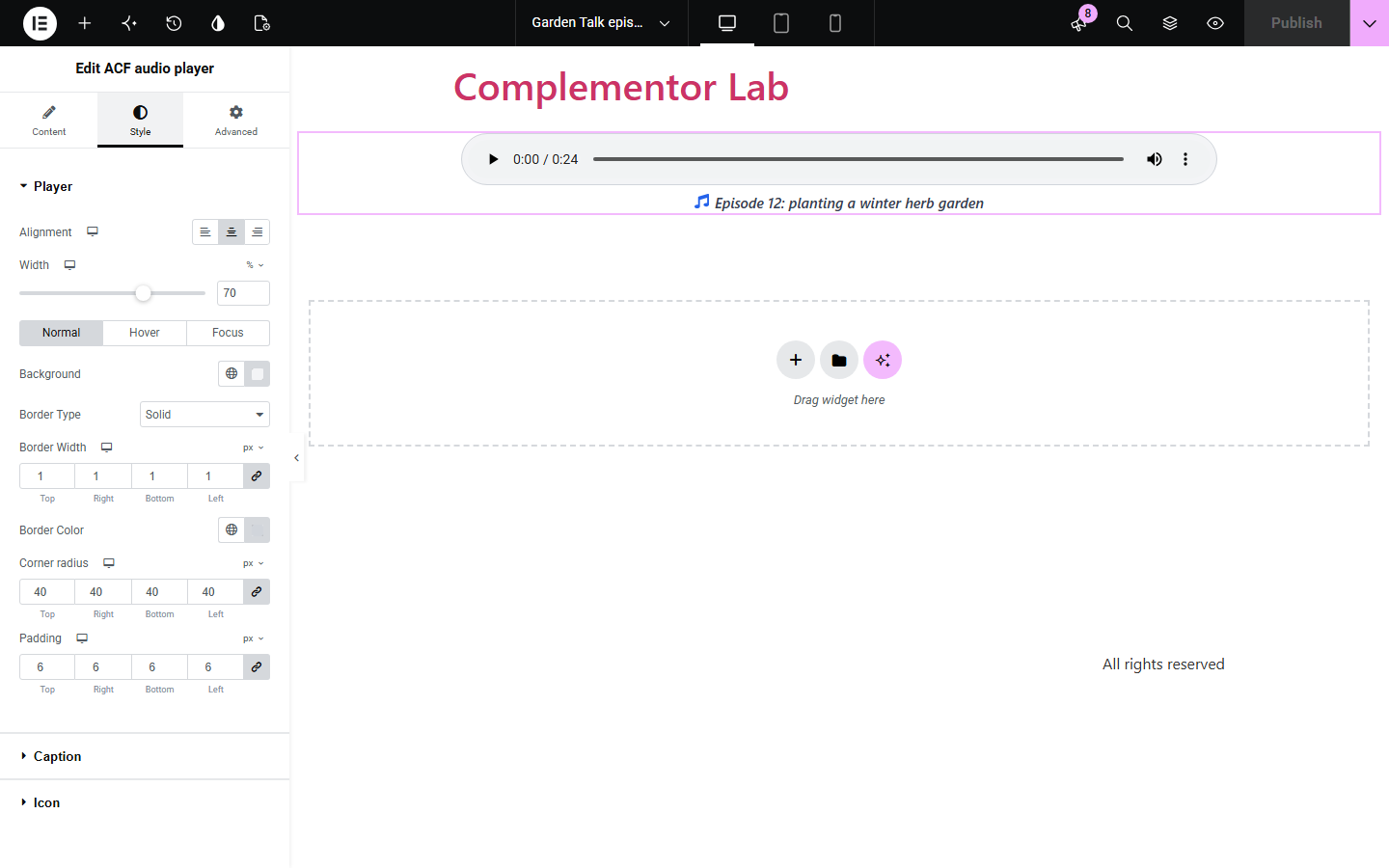
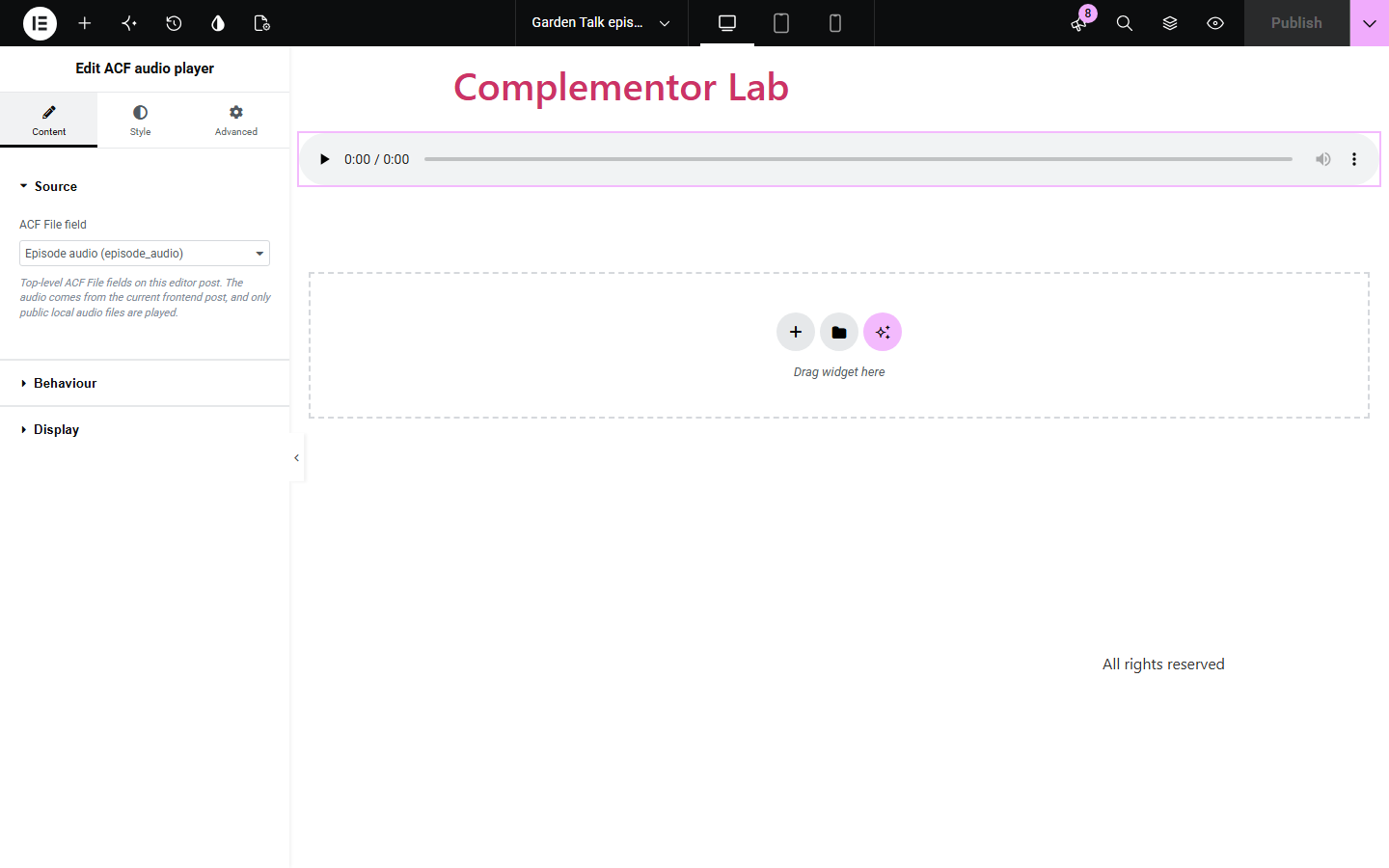
Content has three sections. Source lists the top-level ACF File fields on the page you are editing, with a field name or key box for fields that are not listed. Behaviour sets preloading, the player's accessible label and a message for when no audio is available. Display adds a caption, the media caption fallback and an optional icon. The Style tab has Player (alignment, width, Normal/Hover/Focus background, border and outline, radius, padding), Caption and Icon sections.
Podcast, sermon, lesson and interview pages often store their recording in an ACF File field, but showing it means wiring the file URL into a player by hand on every page or template. ACF audio player reads the File field on the page being viewed and renders a standard browser audio player for it, and stays empty, or shows your message, when there is no playable file.
Store each episode's MP3 in an ACF File field and place one ACF audio player in the single post template, so every episode page plays its own file.
Add the recording to each sermon or lesson page with a caption such as the speaker and date, and show a 'recording coming soon' message until the file is uploaded.
Attach a short clip to a product, artist or case-study page and style the player to match the page with the native Style tab.
Start with Complementor installed and your license connected. Enable this module in the WordPress library, then configure it in Elementor.
Install and activate Advanced Custom Fields, then enable ACF audio player in the Complementor library in WordPress.
Create an ACF field group with a File field (return format ID, Array or URL) for your pages or posts, and upload an MP3, M4A, OGG or WAV file to it on each page.
Edit the page or its template in Elementor and drag the ACF audio player widget into place.
In Content › Source, choose the File field (or type its field name). In Behaviour, pick Preload and optionally an accessible label and an unavailable message; in Display, add a caption or use the media caption.
Style the player in the Style tab (Player, Caption and Icon sections), then publish and check the page while logged out.
Configure the settings available for this module to suit the page you are building.
Source: a list of top-level ACF File fields on the page you are editing, plus a field name or key box when a field is not listed.
Plays only real Media Library audio files (MP3, M4A, OGG, WAV and other WordPress audio types) from a published page; ID, Array and URL return formats are supported.
Behaviour: Preload nothing or duration only (playback never starts automatically), an accessible player label that defaults to the media title, and an optional message shown when no playable file is saved.
Display: a caption with dynamic tag support, an option to use the attachment's Media Library caption when the caption is empty, and an optional decorative icon.
Player style: responsive alignment and width, background and border for Normal and Hover, a Focus outline colour, width and offset, corner radius and padding.
Caption and icon style: caption typography, colour and spacing, plus icon colour, size and gap.
Compare the existing Elementor workflow with this Complementor module before choosing your setup.
Use the core Audio block when each page's file is chosen by hand in the block editor. ACF audio player is for files stored in an ACF field and placed through Elementor, especially in one template used by many pages.
Elementor Pro's Audio widget plays SoundCloud links, and ACF dynamic tags can output a file URL into other widgets. ACF audio player reads the ACF File field directly, checks that it is a public local audio file and uses the browser's own audio player.
Complementor uses classic Elementor APIs. Atomic-native controls are not implemented. Check your theme, cache and integrations on a staging site before release.
Check these settings if the published page behaves differently from the editor.
The list shows top-level ACF File fields whose field group applies to the page you are editing. Check the field group's location rules, or type the field name (for example episode_audio) in the field name or key box.
The field has no file on this page, the file is not an audio type WordPress supports, the page is not published, or the file is not a Media Library upload. The Elementor editor shows the exact reason; add a Message when audio is unavailable if visitors should see a note.
The widget only plays audio on published, non-password-protected pages. Publish the page (or preview it on a published page) to see the player.
Preload is set to Nothing until played by default to save bandwidth. Choose Duration only in Behaviour to load the file's length.
Any audio type WordPress allows in the Media Library, such as MP3, M4A, OGG and WAV. Whether a format plays depends on the visitor's browser; MP3 and M4A play in all current major browsers.
Yes. ID, File Array and File URL return formats are supported; the widget always plays the Media Library file saved in the field.
No. Only audio files uploaded to your Media Library are played. External URLs are never fetched.
No. The player never autoplays or loops; visitors start playback with the browser's native controls.
It uses the browser's native audio controls, which work with the keyboard, gives the player an accessible name from your label or the media title, keeps any icon hidden from screen readers and shows a visible focus outline you can style.
This module is included with all 1007 current Complementor solutions. Choose your production website allowance; every plan includes the same modules.
Renews at $29 USD each year.
Renews at $49 USD each year.
Renews at $99 USD each year.
Applicable taxes extra. Annual subscriptions renew automatically unless canceled in your customer account. Elementor Pro is required for Exclude current post. Read the terms and 14-day technical-issue refund policy.