Shop headers
Log in, My account and Orders in one line.
 I Build Elementor.
Show log-in links to visitors and account and log-out links to logged-in users, using WooCommerce's My Account pages when available.
These are the actual published outputs of the widget for your own state.
Content sets the account pages, the editor preview state, the screen reader name, the layout, the link texts for visitors and logged-in users, the WooCommerce account pages and where to go after logging in and out. The Style tab covers the links, their states and the current page.
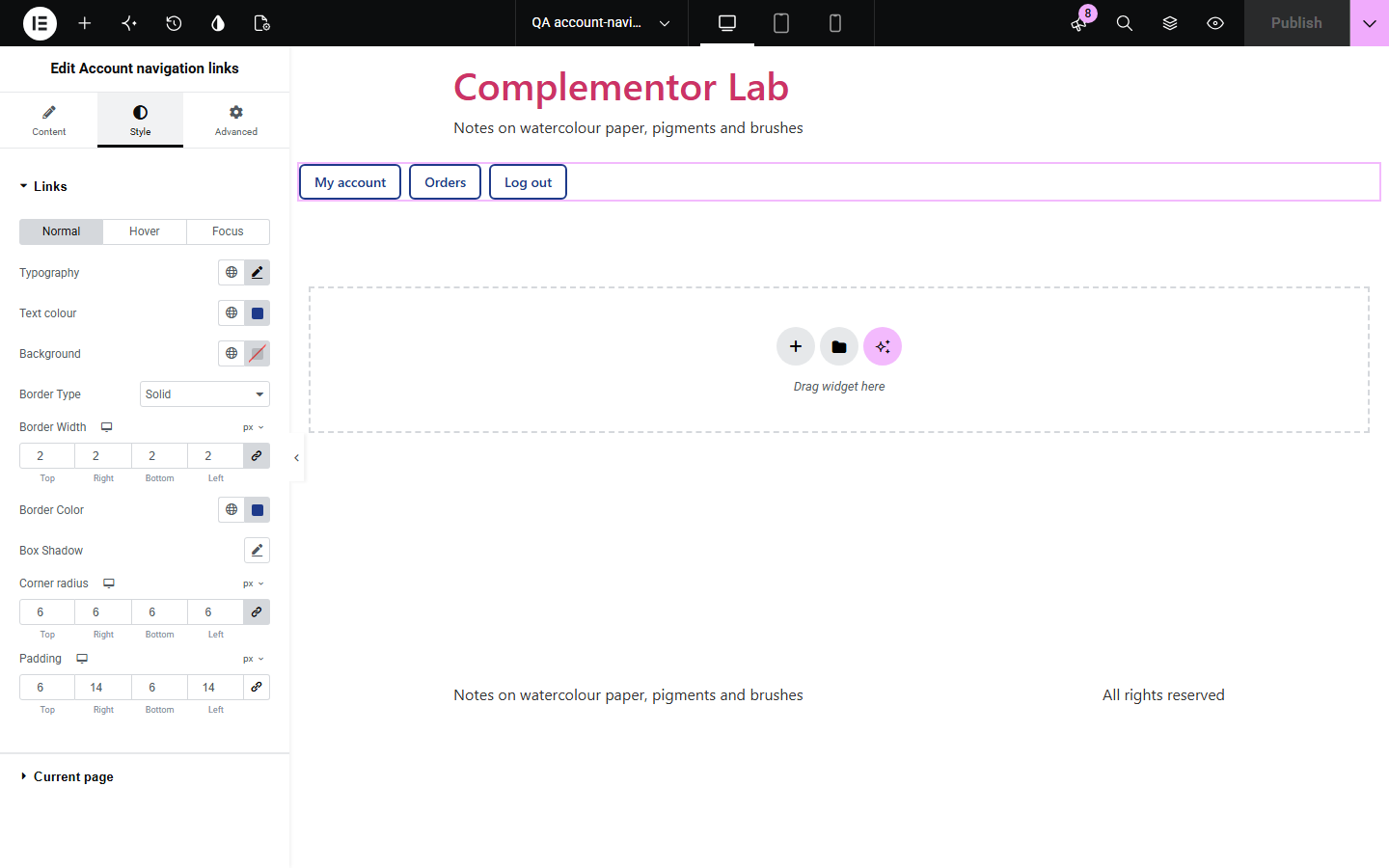
Shops and membership sites need header links that change with the visitor: Log in for visitors, My account and Log out for customers. Account navigation links shows the right set for each person, uses WooCommerce's My Account page and its account pages when WooCommerce is active, sends people back to safe addresses on your site after logging in or out, and never prints names or emails.
Log in, My account and Orders in one line.
Log in and log out without a form widget.
Account links beside help links.
Start with Complementor installed and your license connected. Enable this module in the WordPress library, then configure it in Elementor.
Install Complementor, connect your license and enable Account navigation links in the Complementor library.
Add the widget to your header template.
Choose WooCommerce or WordPress account pages.
Set the link texts and the account pages to list.
Style them and preview both states.
Configure the settings available for this module to suit the page you are building.
Visitor and logged-in links.
WooCommerce My Account endpoints.
Create account only when open.
Safe return after log in and out.
No user names or emails shown.
Preview either state in the editor.
Compare the existing Elementor workflow with this Complementor module before choosing your setup.
Show Log in to people who are already logged in.
Take more space than a header needs.
Complementor uses classic Elementor APIs. Atomic-native controls are not implemented. Check your theme, cache and integrations on a staging site before release.
Check these settings if the published page behaves differently from the editor.
Registration is closed in WordPress or in WooCommerce's account settings.
A page cache served a visitor copy; exclude logged-in users from the cache.
WooCommerce has that endpoint turned off or no payment method supports saved cards.
On the WordPress screen, where you choose; WooCommerce's form decides itself.
No. It works with the free version of Elementor.
From the log-in state of the person viewing, WooCommerce's account settings and WordPress's own log-in screens.
In a header or footer template, or on any page.
No. Everything is read from your own WordPress site while the page is built.
No. It never prints names, emails or other user data.
This module is included with all 1007 current Complementor solutions. Choose your production website allowance; every plan includes the same modules.
Renews at $29 USD each year.
Renews at $49 USD each year.
Renews at $99 USD each year.
Applicable taxes extra. Annual subscriptions renew automatically unless canceled in your customer account. Elementor Pro is required for Exclude current post. Read the terms and 14-day technical-issue refund policy.