Plan and pricing comparisons
Compare plans feature by feature with proper row and column headers.
 I Build Elementor.
Build a real, accessible HTML table in Elementor with a caption, column and row headers, optional action links and a keyboard-scrollable area.
These are the actual published outputs of the widget: the default plan comparison, a styled striped table, a table with an action column of links, cells with basic formatting, and a table with a hidden caption and no row headers.
Content › Source holds the caption, a Columns repeater with header and alignment, and a Rows repeater with a row header, one line per cell, and an optional action link. Behaviour switches row headers and the action column, basic formatting, the empty-cell marker and hidden label, the scroll area name and the empty-table text. Display sets the caption position, alternate row shading and an action icon. The Style tab covers cell alignment, minimum column width, cell and header typography and colours, stripes, padding, borders, radius, caption, action link states and the scroll area's focus outline.
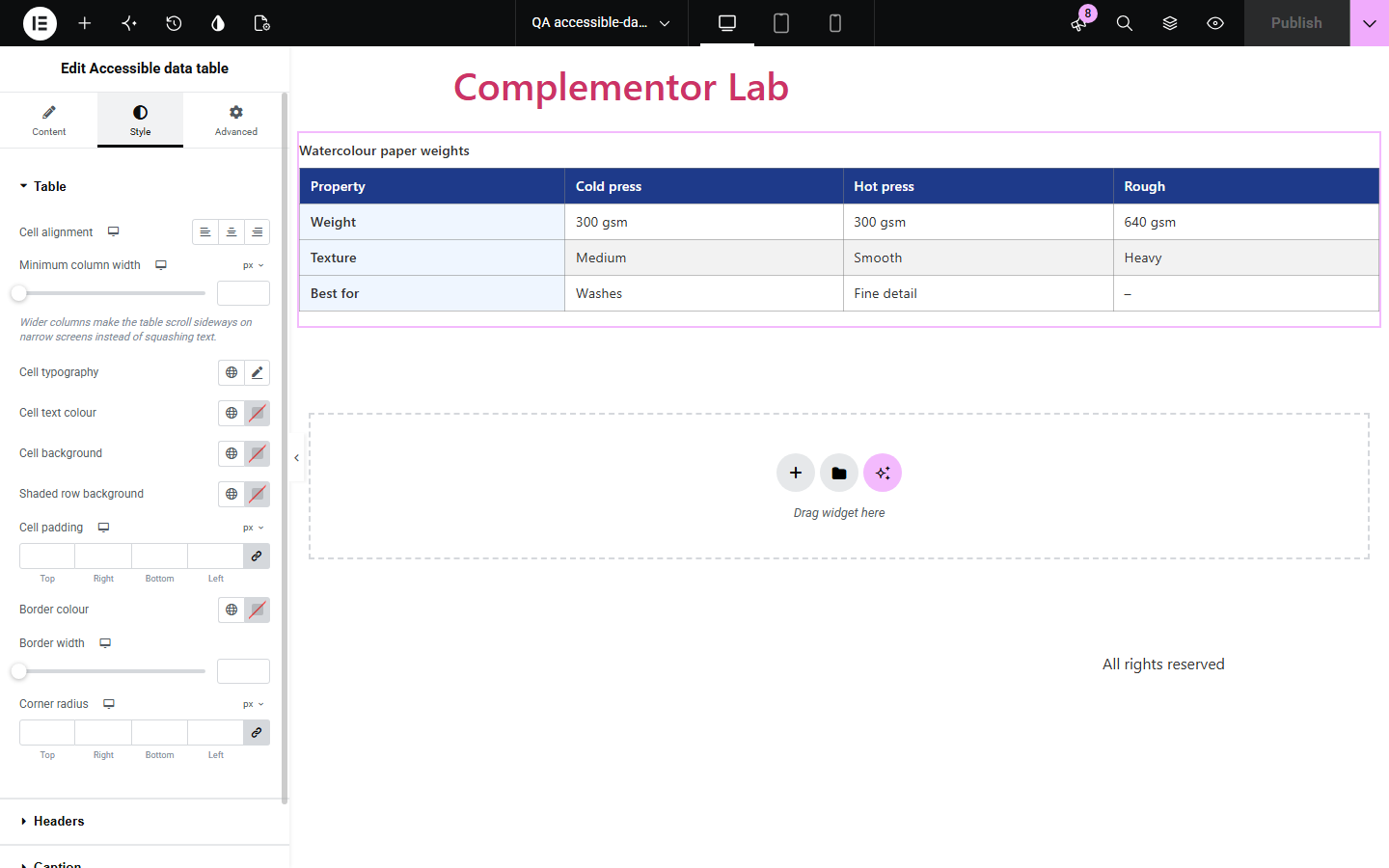
Comparison and reference tables built from columns of text boxes look like tables but are not, so screen readers cannot tell which header a value belongs to and mobile layouts break. Accessible data table builds a real HTML table with a caption, column headers and row headers, wrapped in a named scroll area that keyboard users can scroll on narrow screens.
Compare plans feature by feature with proper row and column headers.
Publish size charts or technical specs that work on phones.
List codes, values or schedules readers can scan and screen readers can navigate.
Start with Complementor installed and your license connected. Enable this module in the WordPress library, then configure it in Elementor.
Install Complementor, connect your license and enable Accessible data table in the Complementor library.
Add the widget and write a caption that names the table.
Add one Column per header, then add Rows with a row header and one line per cell.
Turn on the action column for per-row links, and choose an empty-cell marker if you like.
Style headers, stripes and borders, publish, and check the table scrolls on a phone.
Configure the settings available for this module to suit the page you are building.
Caption above, below or visually hidden; it names the table and the scroll area.
Column headers with per-column alignment, and optional row headers.
Rows with one line per cell; empty cells get a hidden 'No data' label and an optional visible marker.
Optional action column with a link per row, new-tab notice and icon.
Basic formatting in cells (bold, italic, code, sub/superscript, abbreviations) when switched on.
Style: alignment, minimum column width, typography, colours, stripes, padding, borders, radius, caption, link states and scroll focus.
Compare the existing Elementor workflow with this Complementor module before choosing your setup.
The block editor's Table block makes real tables in posts. This widget brings the same structure into Elementor layouts, with row headers, a named scroll area and Elementor styling.
Text laid out in columns looks like a table but has no table semantics. This widget outputs a real table.
Complementor uses classic Elementor APIs. Atomic-native controls are not implemented. Check your theme, cache and integrations on a staging site before release.
Check these settings if the published page behaves differently from the editor.
The table shows up to 50 rows and 12 columns in total, including the row header and action columns. The editor shows a note when content is cut.
Cells are plain text by default. Turn on Allow basic formatting in cells to keep bold, italic, code and similar tags.
Columns keep a minimum width so text stays readable. Lower Minimum column width or use fewer columns.
First column is a row header is off. Turn it on to show the row header column.
Yes. It uses table, caption, th with scope and td elements, so assistive technology announces headers with each value.
No. It works with the free version of Elementor.
No. Content is typed in the editor; nothing is imported or fetched.
No. Each row has one value per column, which keeps the table easy to navigate.
No. It is a static table without scripts.
This module is included with all 1007 current Complementor solutions. Choose your production website allowance; every plan includes the same modules.
Renews at $29 USD each year.
Renews at $49 USD each year.
Renews at $99 USD each year.
Applicable taxes extra. Annual subscriptions renew automatically unless canceled in your customer account. Elementor Pro is required for Exclude current post. Read the terms and 14-day technical-issue refund policy.