Home pages
Send visitors from the home page into the shop.
 I Build Elementor.
Add a link or button to your WooCommerce shop page or a product category, opening sorted the way you choose, with the number of products it holds.
These are the actual published widgets linking to the demo store.
Link sets the destination (the shop page or a product category), the sorting, the text with {count} and {name}, the product count line, a button or text look, hiding on the page it links to, and an icon. The Style tab covers the text and surface, the icon, and the link or button colours in normal, hover and focus, its corner radius and the count colour.
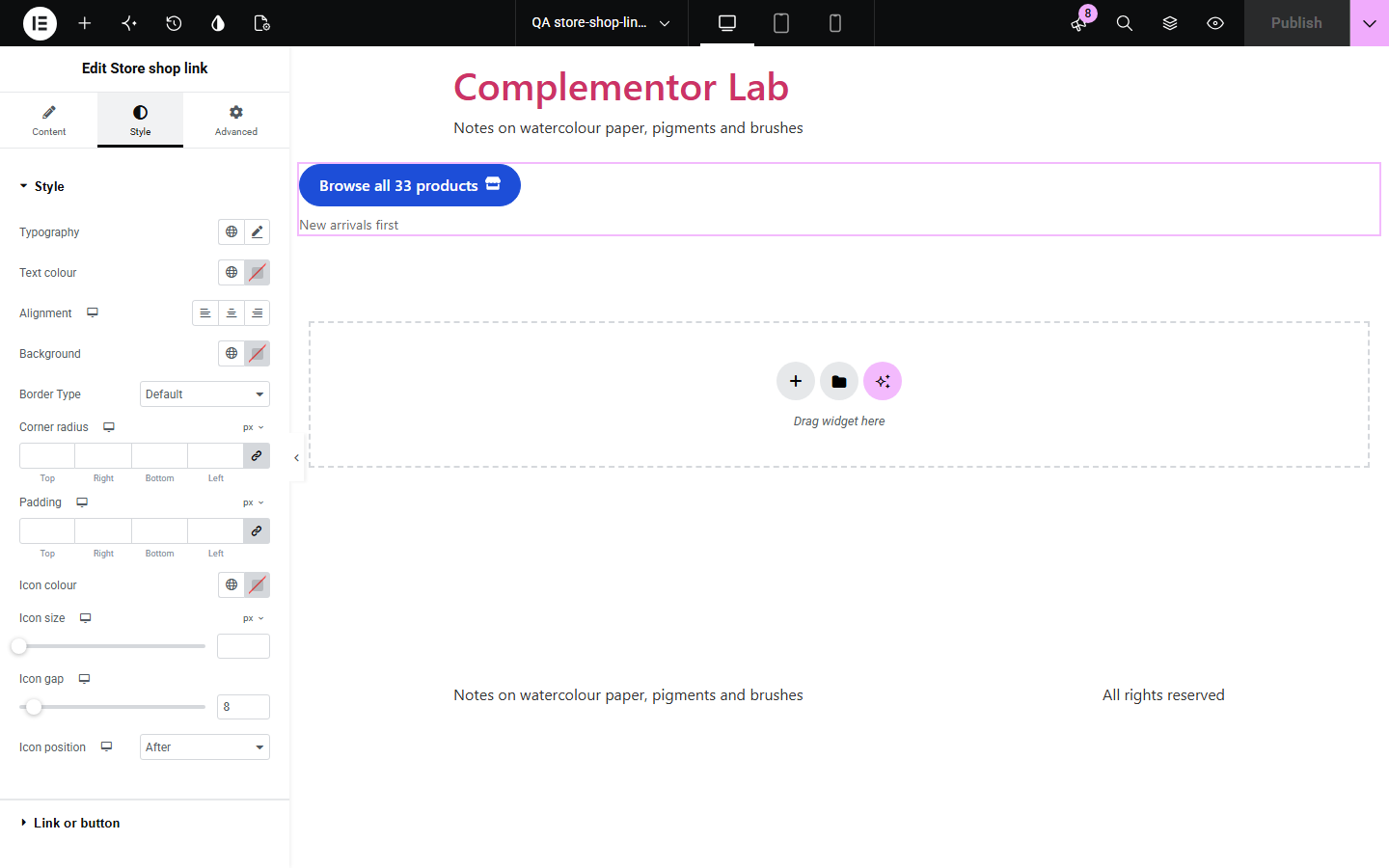
Home pages, landing pages and blog posts need a way into the shop, and a hand-typed link breaks when the shop page or a category address changes. Store shop link always points at WooCommerce’s current shop page or the category you choose, can open it sorted by newest, popularity, rating or price, can say how many products are inside, and steps aside on the page it links to.
Send visitors from the home page into the shop.
Link a post to the category it talks about.
Open the shop on the newest products.
Start with Complementor installed and your license connected. Enable this module in the WordPress library, then configure it in Elementor.
Install WooCommerce and Complementor, connect your license and enable Store shop link in the Complementor library.
Check that the shop page is set in WooCommerce › Settings › Products.
Add the widget to a home, landing or blog page.
Choose the shop or a category, the sorting and the text, such as "Browse all {count} products".
Style the button and its hover and focus colours.
Configure the settings available for this module to suit the page you are building.
A link to WooCommerce’s current shop page or to a product category.
Opening sorted by newest, popularity, rating or price.
{count} and {name} in the text, and a product count line.
A button or a text link, with an optional icon.
Hidden on the page it links to.
Button colours for normal, hover and focus, and its corner radius.
Compare the existing Elementor workflow with this Complementor module before choosing your setup.
Shows the store currency and tax display.
Shows the store’s weight and size units.
Complementor uses classic Elementor APIs. Atomic-native controls are not implemented. Check your theme, cache and integrations on a staging site before release.
Check these settings if the published page behaves differently from the editor.
The shop page is not set or not published in WooCommerce, the chosen category no longer exists, or you are on the page it links to.
It counts published products shown in the catalogue, leaving out drafts, private, password-protected and hidden products.
The shop or a plugin may not offer that sort order; WooCommerce then uses its default.
No. It works with the free version of Elementor and WooCommerce.
Yes. It always uses WooCommerce’s current shop page or category address.
Yes. Choose a product category, and use {name} for its name in the text.
Yes. Use {count} in the text or turn on the count line.
Yes. Choose to open sorted by newest, popularity, rating or price.
This module is included with all 1007 current Complementor solutions. Choose your production website allowance; every plan includes the same modules.
Renews at $29 USD each year.
Renews at $49 USD each year.
Renews at $99 USD each year.
Applicable taxes extra. Annual subscriptions renew automatically unless canceled in your customer account. Elementor Pro is required for Exclude current post. Read the terms and 14-day technical-issue refund policy.