International stores
Help buyers from metric and imperial countries read sizes.
 I Build Elementor.
Tell shoppers which units your WooCommerce product weights and dimensions use, as a sentence or a legend, with optional conversions to the other system.
These are the actual published widgets reading the demo store’s WooCommerce unit settings.
Legend sets a sentence with {weight}, {weight_name}, {dimension} and {dimension_name} or a two-row legend with its labels, conversions, a text or card look and an icon. The Style tab covers the text and surface, the icon, and the legend label and conversion colours.
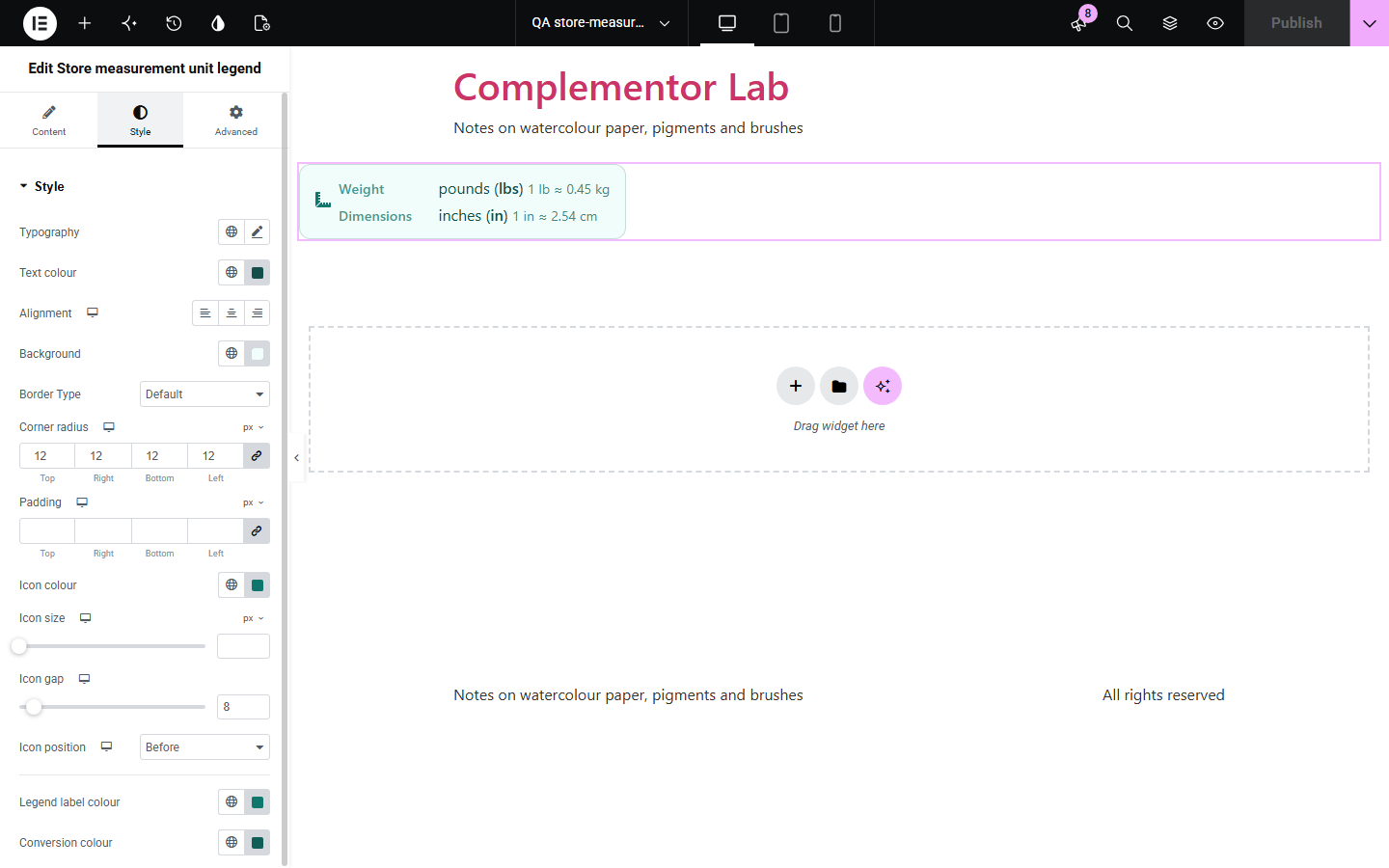
Product pages list weights and dimensions as bare numbers, and shoppers used to the other system cannot tell whether 12 means pounds or kilograms, inches or centimetres. Store measurement unit legend states the units from WooCommerce’s own settings in plain words, as a sentence or a two-row legend, with conversions such as 1 lb ≈ 0.45 kg for visitors used to other units.
Help buyers from metric and imperial countries read sizes.
State the units above a size table.
Say which units parcel weights use.
Start with Complementor installed and your license connected. Enable this module in the WordPress library, then configure it in Elementor.
Install WooCommerce and Complementor, connect your license and enable Store measurement unit legend in the Complementor library.
Check the weight and dimension units in WooCommerce › Settings › Products.
Add the widget near product details or on a size guide.
Choose a sentence or a legend, and conversions if you sell abroad.
Style the text or card.
Configure the settings available for this module to suit the page you are building.
The weight and dimension units from WooCommerce’s settings.
Unit names such as kilograms and centimetres, with codes marked up as abbreviations.
A sentence in your words or a two-row legend.
Conversions such as 1 kg ≈ 2.2 lb or 1 in ≈ 2.54 cm.
A text or card look with an optional icon.
All WooCommerce units: kg, g, lbs, oz, m, cm, mm, in and yd.
Compare the existing Elementor workflow with this Complementor module before choosing your setup.
Shows the store currency and tax display.
Compares unit prices of offers.
Complementor uses classic Elementor APIs. Atomic-native controls are not implemented. Check your theme, cache and integrations on a staging site before release.
Check these settings if the published page behaves differently from the editor.
The widget shows the units set in WooCommerce › Settings › Products. Products must be entered in those units.
Units added by other plugins have no built-in conversion; the unit is shown on its own.
Yes. Write the sentence with {weight} and {dimension} only.
No. It works with the free version of Elementor and WooCommerce.
No. It states the units and an example conversion; product weights and sizes are unchanged.
All WooCommerce units: kilograms, grams, pounds, ounces, metres, centimetres, millimetres, inches and yards.
Yes. Use {weight}, {weight_name}, {dimension} and {dimension_name} in the sentence.
They are rounded for reading, such as 1 kg ≈ 2.2 lb.
This module is included with all 1007 current Complementor solutions. Choose your production website allowance; every plan includes the same modules.
Renews at $29 USD each year.
Renews at $49 USD each year.
Renews at $99 USD each year.
Applicable taxes extra. Annual subscriptions renew automatically unless canceled in your customer account. Elementor Pro is required for Exclude current post. Read the terms and 14-day technical-issue refund policy.