Courses and memberships
Reassure buyers that nothing will be posted and access is online.
 I Build Elementor.
Show your own note on WooCommerce products marked Virtual, such as 'nothing is shipped', and optional text for physical products.
These are the actual published outputs of the widget for sample WooCommerce products: the default note on a virtual product, a styled note with a per-state icon, your own text on a physical product, and a physical product with default settings, where nothing is shown.
Content › Source uses the current product or a selected published simple product. Behaviour sets the text for virtual products and the optional text for physical products. Display chooses no icon, one shared icon or a different icon per state, and an editor-only hint when nothing is shown. The Style tab sets typography, text colour, alignment, background, border, radius and padding, plus icon colour, size, gap and position.
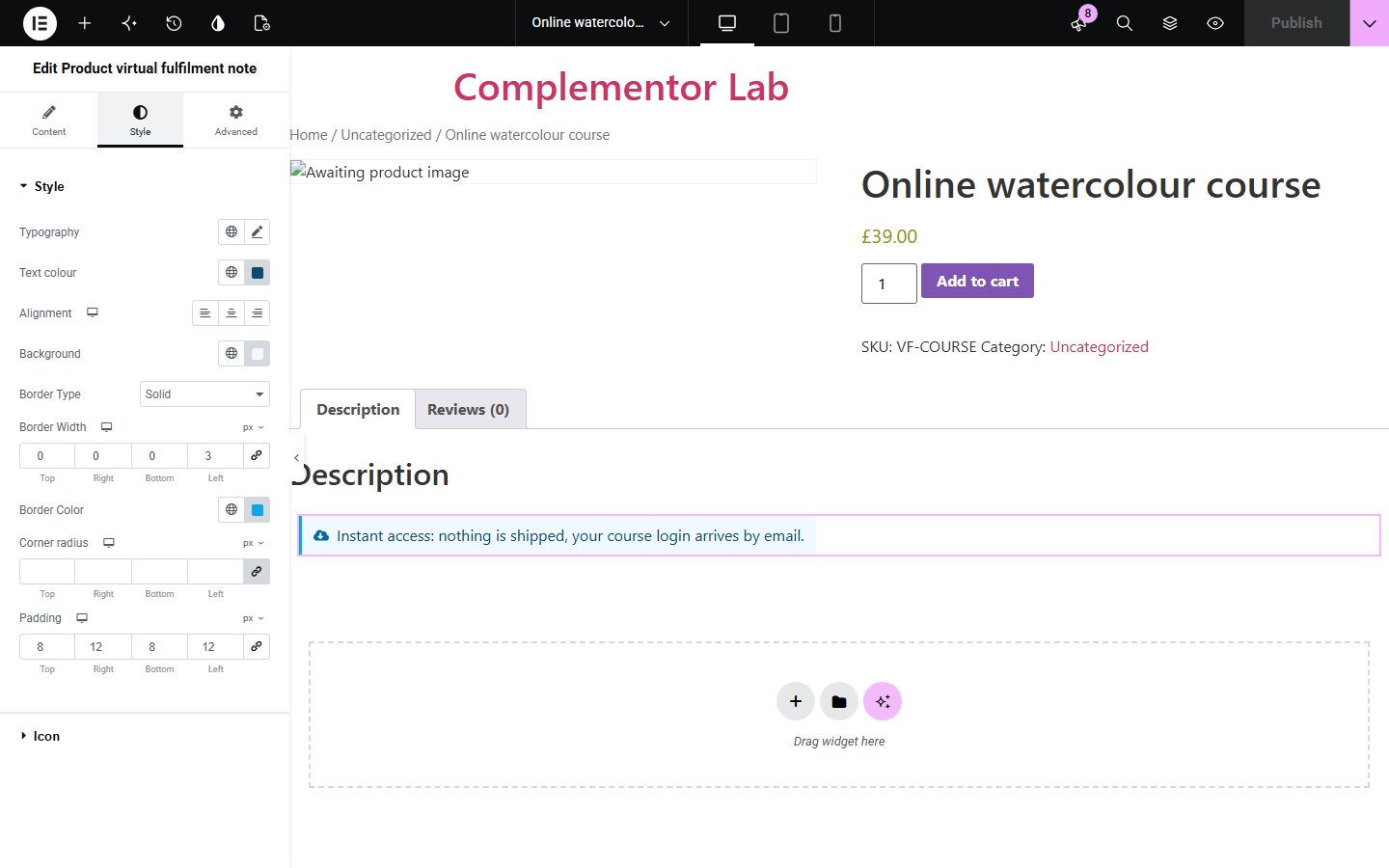
Shoppers buying a course, service or digital item often wonder whether something will arrive in the post. Product virtual fulfilment note reads WooCommerce's Virtual checkbox and shows your text, such as 'nothing is shipped', only on virtual products, with separate optional text for physical products, so one product template fits both.
Reassure buyers that nothing will be posted and access is online.
Explain that a consultation or service is not a physical delivery.
Use one product template for digital and physical products, each with the right note.
Start with Complementor installed and your license connected. Enable this module in the WordPress library, then configure it in Elementor.
Install Complementor and WooCommerce, connect your license and enable Product virtual fulfilment note in the Complementor library.
In the product's General settings, tick Virtual on products that are not shipped.
Add the widget to a single product template or product page, or choose a Selected product in Content › Source.
Write the text for virtual products and, if you want, text for physical products.
Choose icons, style the note, publish, and check one virtual and one physical product.
Configure the settings available for this module to suit the page you are building.
Source: the current product, or a selected published simple product from a picker.
Text for virtual products, shown only when WooCommerce's Virtual checkbox is ticked.
Optional text for physical products; empty by default, so they show nothing.
No icon, one shared icon, or a different icon for virtual and physical products.
Editor-only hint explaining why nothing is shown.
Style: typography, text colour, alignment, background, border, radius, padding, and icon colour, size, gap and position.
Compare the existing Elementor workflow with this Complementor module before choosing your setup.
Ticking Virtual removes shipping from checkout but shows shoppers nothing on the product page. This widget explains it with your own text.
Typed text appears on every product using the template. This widget changes with each product's Virtual checkbox.
Complementor uses classic Elementor APIs. Atomic-native controls are not implemented. Check your theme, cache and integrations on a staging site before release.
Check these settings if the published page behaves differently from the editor.
Text when not virtual is empty by default. Write text there if you want physical products to show a note.
Only simple products are supported. Variable, grouped and external products show nothing; the editor hint says so.
The widget reads only the Virtual checkbox. Downloadable products that are not also marked Virtual are treated as physical.
Choose Same icon for both texts or Different icon per text under Display › Icon; the default is no icon.
No. WooCommerce handles shipping from the Virtual checkbox. The widget only shows text.
No. It works with Elementor and WooCommerce; Elementor Pro lets you place it in single product templates.
You can write any text, but the widget does not check delivery times, so avoid promises you cannot keep.
No. It is display only; any access emails come from WooCommerce or your other plugins.
No. Icons are decorative and hidden from screen readers; the text carries the message.
This module is included with all 1007 current Complementor solutions. Choose your production website allowance; every plan includes the same modules.
Renews at $29 USD each year.
Renews at $49 USD each year.
Renews at $99 USD each year.
Applicable taxes extra. Annual subscriptions renew automatically unless canceled in your customer account. Elementor Pro is required for Exclude current post. Read the terms and 14-day technical-issue refund policy.