Product cards
Show the sizes under each product in a grid.
 I Build Elementor.
List every option a WooCommerce variable product comes in, such as Size: 250 ml, 500 ml, 1000 ml, as text or chips, marking sold-out options and linking each to the product.
These are the actual published outputs of the widget for sample variable products in the lab shop; links point to a sample site.
Product chooses the current product or a selected variable product. Display sets the maximum attributes, text or chips, marking sold-out options with a label, linking options to the product and an optional icon. The Style tab covers typography, colours, background, border, radius, spacing, alignment, attribute name colour and weight, row spacing, option colour, chip background, border and radius, hover and sold-out colours, and the icon.
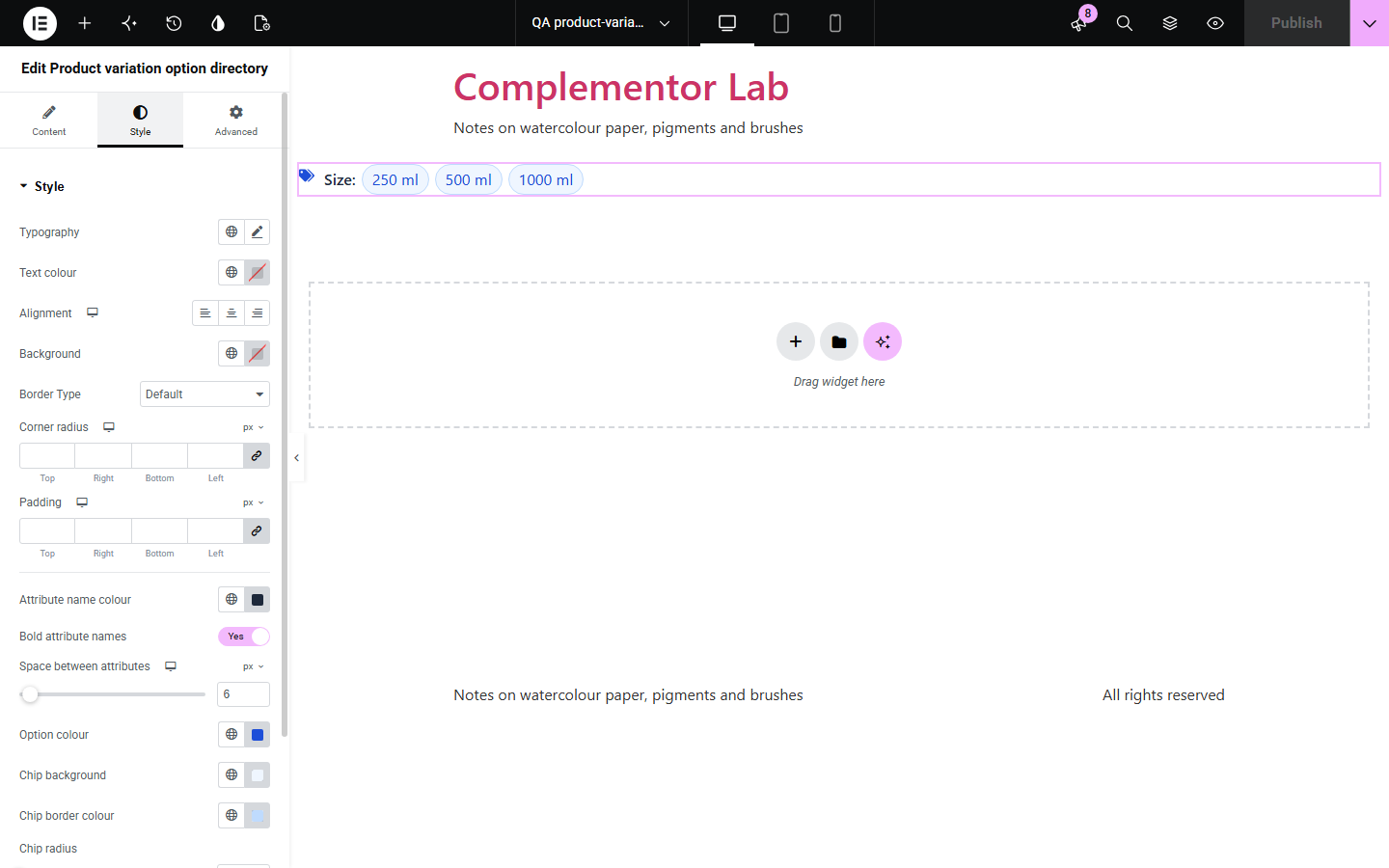
WooCommerce hides a product’s options inside dropdowns, so shoppers browsing a card or landing page cannot see which sizes or colours exist, or which are sold out. Product variation option directory lists every option per attribute, marks the sold-out ones and can link each option straight to the product with it chosen.
Show the sizes under each product in a grid.
Let shoppers jump straight to the colour they want.
Show which sizes are sold out before shoppers open the product.
Start with Complementor installed and your license connected. Enable this module in the WordPress library, then configure it in Elementor.
Install Complementor, connect your license and enable Product variation option directory in the Complementor library.
Add the widget to a product card, landing page or single product template.
In Product, choose Current product or a selected variable product.
Choose text or chips, and turn on Mark sold-out options and Link options if you like.
Style the attribute names and chips on the Style tab.
Configure the settings available for this module to suit the page you are building.
One row per attribute used for variations, in the product’s order.
Options as text or chips.
Mark sold-out options, with a label read by screen readers.
Link each option to the product with it already chosen.
Attribute name colour and weight, option and chip colours.
Maximum number of attributes.
Editor notes when nothing would show.
Compare the existing Elementor workflow with this Complementor module before choosing your setup.
Replace the dropdowns in the form; this widget lists options anywhere else.
Gives the number of options, such as 3 sizes, instead of listing them.
Complementor uses classic Elementor APIs. Atomic-native controls are not implemented. Check your theme, cache and integrations on a staging site before release.
Check these settings if the published page behaves differently from the editor.
It is marked only when no published, in-stock variation offers it; check that variation is published and has a price.
Each link chooses its own attribute; products with several attributes still need the others chosen.
The product is not variable, or none of its attributes is used for variations.
They follow the product’s own order, as in its dropdowns.
No. It works with the free version of Elementor and WooCommerce.
No. Options that can be ordered on backorder are not marked.
Yes, through the sold-out label; leave it empty only if you mark them another way.
No. It only reads the product’s options and stock.
No. Only variable products have options to list.
This module is included with all 1007 current Complementor solutions. Choose your production website allowance; every plan includes the same modules.
Renews at $29 USD each year.
Renews at $49 USD each year.
Renews at $99 USD each year.
Applicable taxes extra. Annual subscriptions renew automatically unless canceled in your customer account. Elementor Pro is required for Exclude current post. Read the terms and 14-day technical-issue refund policy.