Gift ideas
Let customers send a product to someone else.
 I Build Elementor.
A button that copies or shares a product's link, including the options a customer chose on a variable product.
These are the actual published outputs of the widget for products in our sample shop. Press a button to copy a link.
Content sets the product, whether the button copies or opens the share sheet, whether chosen options are included, extra link parameters, whether the address is shown, every label and message, and an optional icon. The Style tab covers the button in its Normal, Hover and Focus states, the address field and the message.
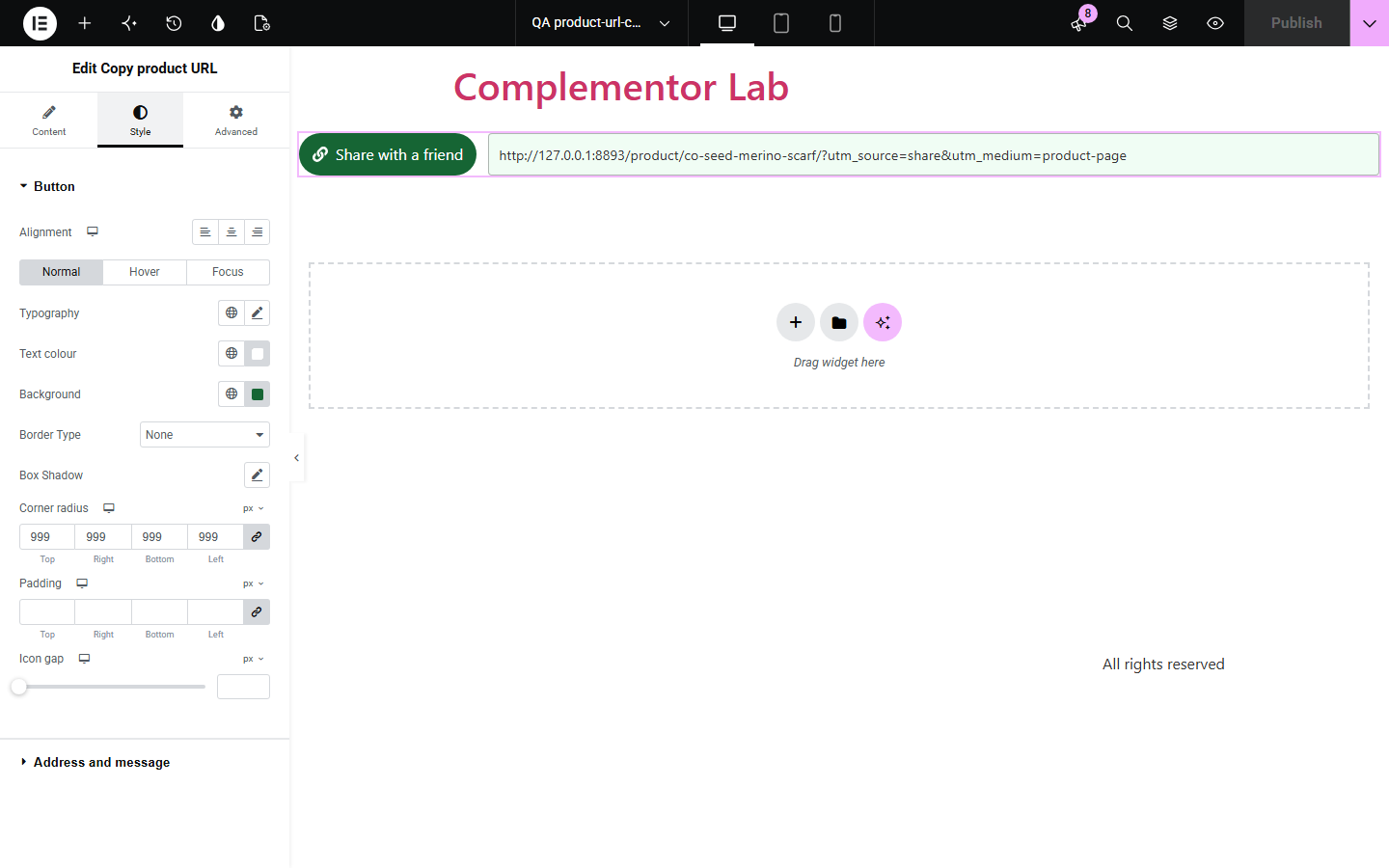
Customers share products with friends, partners and colleagues, but copying the address from a phone's browser bar is fiddly, and a plain link loses the colour or size they picked. Copy product URL adds a clear button that copies the link, or opens the phone's share sheet, and on variable products includes the chosen options so the recipient sees the same item. Campaign tags can be added, and if copying is blocked the address is shown ready to copy by hand.
Let customers send a product to someone else.
Share the exact colour or size, not just the product.
Tag shared links so you can see them in your analytics.
Start with Complementor installed and your license connected. Enable this module in the WordPress library, then configure it in Elementor.
Install Complementor, connect your license and enable Copy product URL in the Complementor library.
Add the widget to a product template or page.
Choose whether it copies the link or opens the share sheet.
Optionally add campaign tags and show the address.
Style it and press the button to check it.
Configure the settings available for this module to suit the page you are building.
Copy or share in one press.
Includes the chosen variation options.
Optional campaign parameters.
Optional visible address.
Manual fallback when copying is blocked.
Real button with announced results.
Compare the existing Elementor workflow with this Complementor module before choosing your setup.
Fiddly on phones and loses the chosen options.
Send visitors to one network; this copies a link for any app.
Complementor uses classic Elementor APIs. Atomic-native controls are not implemented. Check your theme, cache and integrations on a staging site before release.
Check these settings if the published page behaves differently from the editor.
Desktop browsers often have no share sheet, so the link is copied instead.
Options are added only on the variable product's own page, after a full choice is made.
The browser blocked copying, so the address is shown selected to copy by hand.
Names may use only letters, digits, hyphens and underscores, values cannot be empty, and attribute_ names are reserved for options.
No. It works with the free version of Elementor and WooCommerce.
No. It only copies or shares the link; any campaign tags are yours to read in your own analytics.
Yes, when the options were chosen on the product's own page; WooCommerce preselects them.
Yes. It is a real button, and the result is announced to screen readers.
Yes for copying and sharing. Without it the button does nothing; show the address to give a fallback.
This module is included with all 1007 current Complementor solutions. Choose your production website allowance; every plan includes the same modules.
Renews at $29 USD each year.
Renews at $49 USD each year.
Renews at $99 USD each year.
Applicable taxes extra. Annual subscriptions renew automatically unless canceled in your customer account. Elementor Pro is required for Exclude current post. Read the terms and 14-day technical-issue refund policy.