Upgrade suggestions near the description
Offer a premium version or bundle right beside the product details.
 I Build Elementor.
List a WooCommerce product's chosen upsells as simple text links, in your saved order, with optional prices.
These are the actual published outputs of the widget on a sample product with six saved upsells, two of which are a draft and a catalogue-hidden product: the default list, a styled list with prices, a numbered list limited to two links, and a list without a heading.
Content › Source explains that the widget reads the current product's Upsells. Behaviour sets the maximum number of links and whether an empty list hides the widget or shows a message. Display sets the heading, its tag and icon, prices after names and the list marker. The Style tab covers list alignment and spacing, heading typography and colour, link typography with Normal, Hover and Focus states and padding, price and message styling, and icon colour, size and gap.
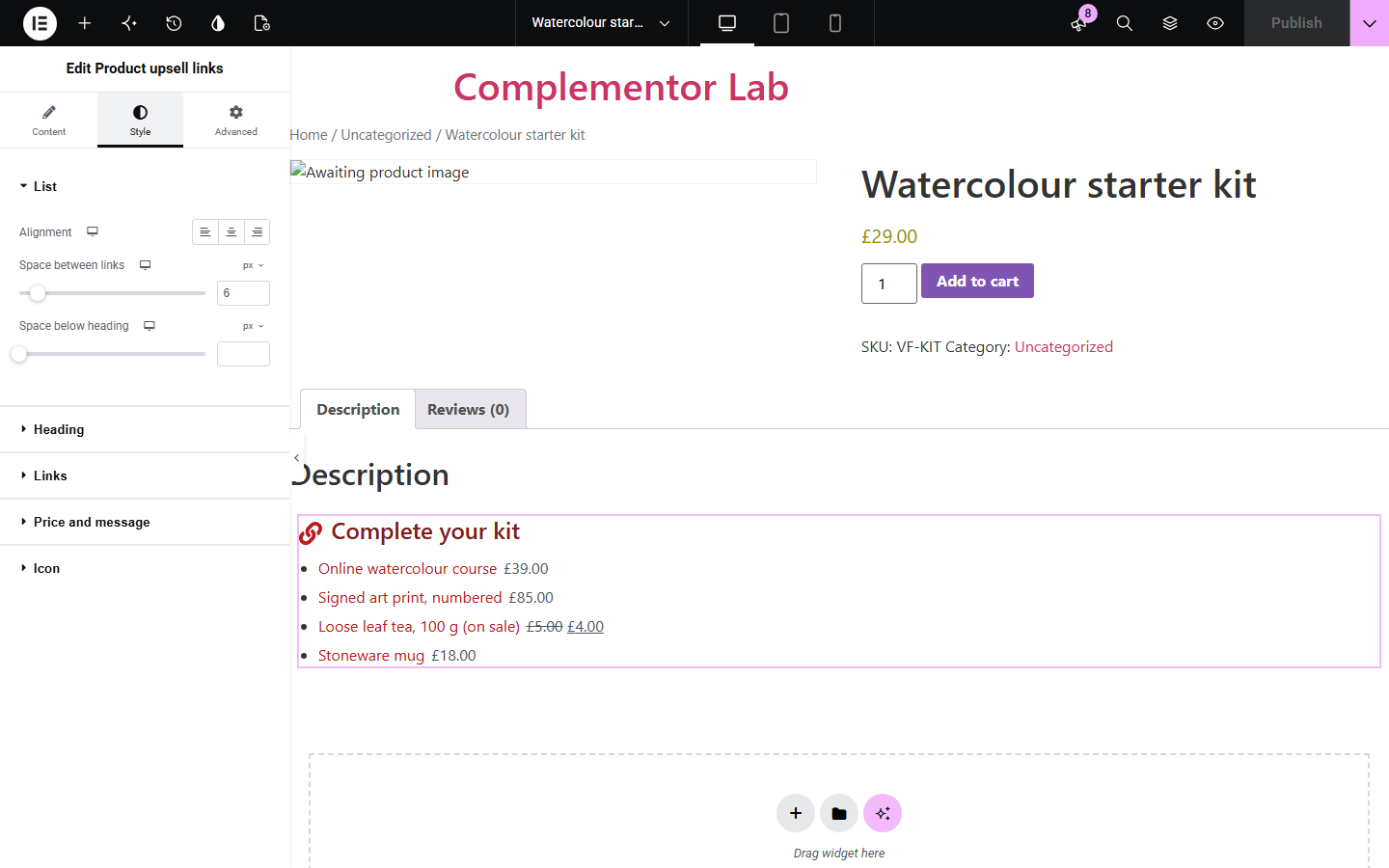
WooCommerce shows upsells as a large grid of product cards, usually at the bottom of the page. Product upsell links lists the same hand-picked upsells as a compact list of text links, in the order you saved them, so you can place suggestions beside the description or in a sidebar without another product grid.
Offer a premium version or bundle right beside the product details.
List suggestions as short links where a product grid would not fit.
Show the items that complete a kit, with prices, in the order you chose.
Start with Complementor installed and your license connected. Enable this module in the WordPress library, then configure it in Elementor.
Install Complementor and WooCommerce, connect your license and enable Product upsell links in the Complementor library.
In the product's Linked Products tab, add Upsells in the order you want them listed.
Add the widget to a single product template or product page built with Elementor.
Set the heading, maximum links, prices and list marker, and what to show when there are no upsells.
Style the links, publish, and check that draft or hidden products are not listed.
Configure the settings available for this module to suit the page you are building.
Reads the current product's Upsells from the Linked Products tab, in saved order.
Maximum links from 1 to 50, counted after unavailable products are removed.
Empty list: show nothing or your own message.
Heading with tag and optional icon, or no heading.
Optional price after each name, and no marker, bullets or numbers.
Style: list alignment and spacing, heading, link Normal/Hover/Focus and padding, price, message and icon.
Compare the existing Elementor workflow with this Complementor module before choosing your setup.
WooCommerce shows upsells as product cards with images and Add to cart buttons. Use it for a visual grid; use this widget for a compact list of links.
Elementor Pro's Upsells widget renders the same products as a styled card grid. This widget gives a text list with its own link, hover and focus styling.
Complementor uses classic Elementor APIs. Atomic-native controls are not implemented. Check your theme, cache and integrations on a staging site before release.
Check these settings if the published page behaves differently from the editor.
Draft, private, password-protected and catalogue-hidden products are skipped, and out-of-stock products too when WooCommerce hides them. WooCommerce's own grid may still show drafts to logged-in administrators.
The product has no available upsells and the empty setting is Show nothing. Add upsells in Linked Products or choose Show a message.
The list follows the order of products in the Upsells field. Reorder them there.
The widget reads the current product, so preview it on a product page or a single product template.
No. It lists only the upsells you chose in WooCommerce. There is no recommendation logic.
No. It works on product pages built with Elementor; Elementor Pro lets you place it in single product templates.
No. It lists upsells only. Cross-sells and related products need other widgets.
No. Each item is a link to the product page.
Yes. It is a list labelled by its heading, and links keep a visible focus outline you can style.
This module is included with all 1007 current Complementor solutions. Choose your production website allowance; every plan includes the same modules.
Renews at $29 USD each year.
Renews at $49 USD each year.
Renews at $99 USD each year.
Applicable taxes extra. Annual subscriptions renew automatically unless canceled in your customer account. Elementor Pro is required for Exclude current post. Read the terms and 14-day technical-issue refund policy.