Groceries and bulk foods
Show price per 100 g or per kg next to each pack size so shoppers can compare.
 I Build Elementor.
Show a WooCommerce product's price per unit, such as £2.40 per 100 g, from a manual pack quantity or an ACF Number field.
These are the actual published outputs of the widget for sample WooCommerce products: a quantity read from an ACF field, a small unit shown with 3 decimals, a sale product using its active price with styling, and fallback text when the quantity is missing.
Content › Source uses the current product or a selected published product. Quantity comes from a manual number or an ACF Number field on the product. Behaviour sets the unit label, decimals and what to do when the quantity is missing or zero. The Style tab sets typography, colour, alignment, background, border, radius and padding.
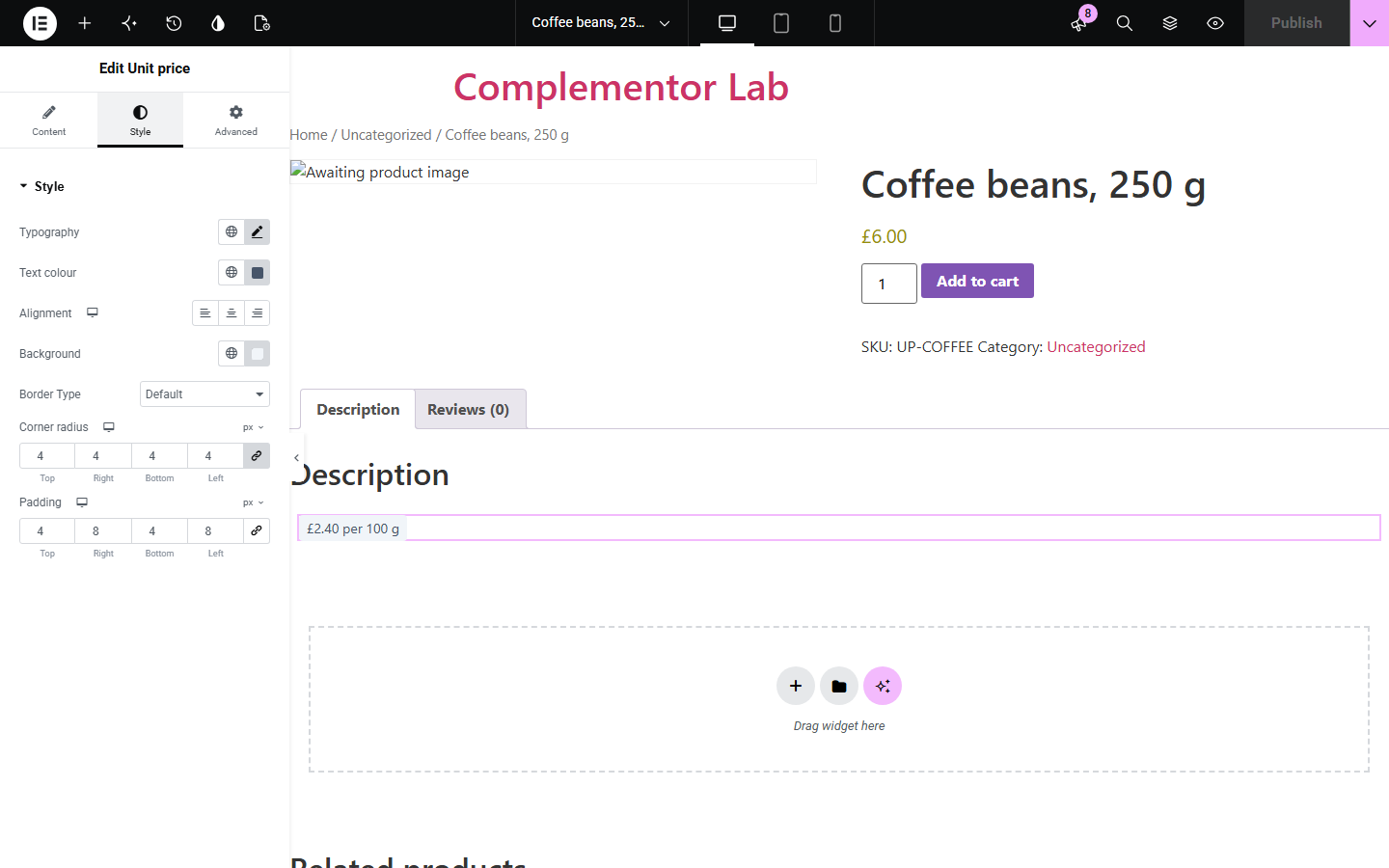
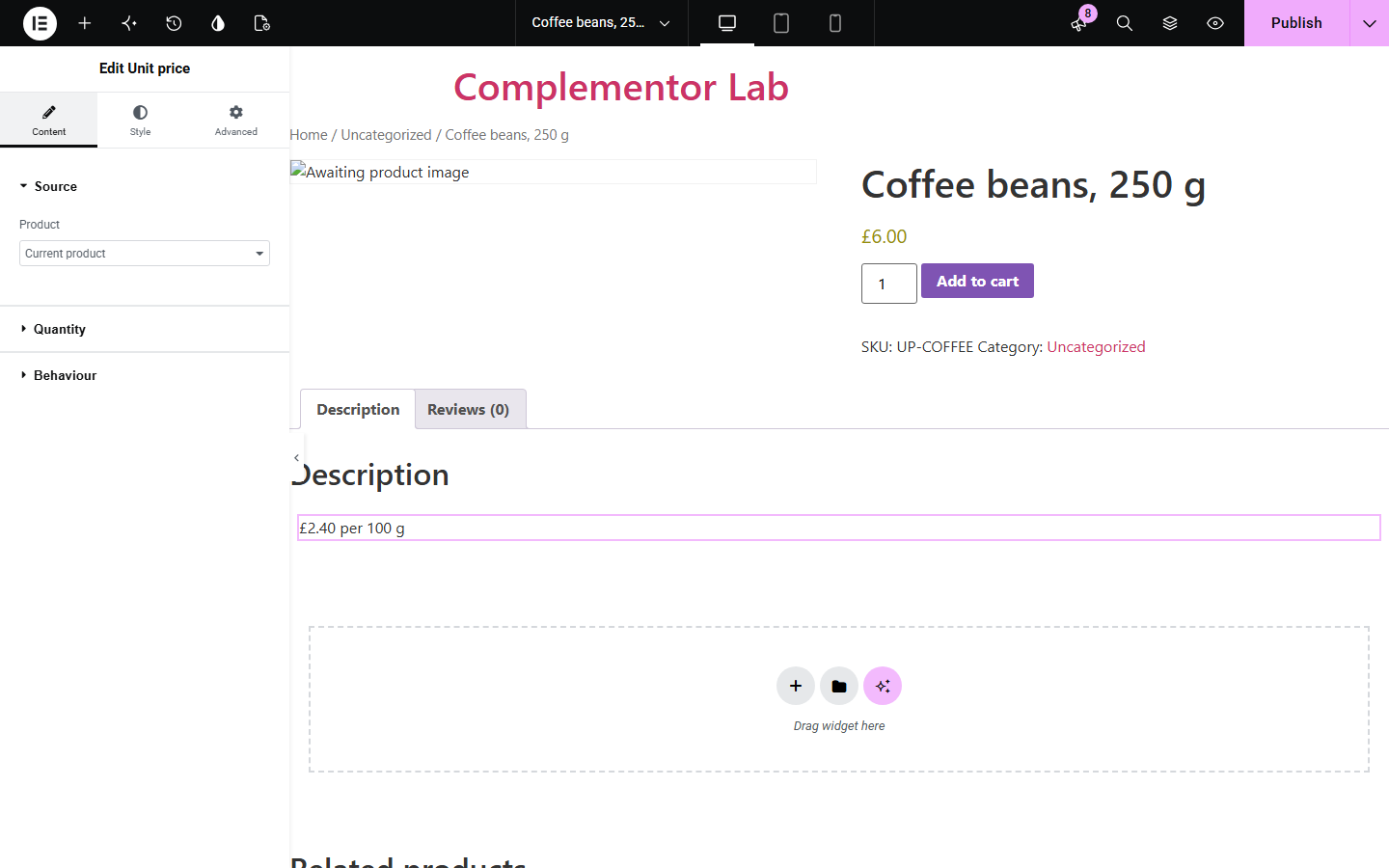
Shoppers compare pack sizes by price per kilogram, litre or unit, and many shops are expected to show it. Product unit price divides the product's current WooCommerce price by a pack quantity you set, or one saved in an ACF Number field, and shows the result with your own unit label.
Show price per 100 g or per kg next to each pack size so shoppers can compare.
Show the price per item for packs of 6, 12 or 24.
Show price per litre or per 100 ml from a pack size saved on each product.
Start with Complementor installed and your license connected. Enable this module in the WordPress library, then configure it in Elementor.
Install Complementor and WooCommerce, connect your license and enable Product unit price in the Complementor library.
Decide the pack quantity: type it in the widget, or add an ACF Number field to products (for example 2.5 for a 250 g pack priced per 100 g).
Add the widget to a single product template or product page, or choose a Selected product in Content › Source.
Set Quantity from, the unit label (such as 'per 100 g'), decimals and the missing-quantity behaviour.
Style the text, publish, and compare the unit price with the product price.
Configure the settings available for this module to suit the page you are building.
Source: the current product on product pages and templates, or a selected published product.
Quantity from a manual number (decimals allowed) or an ACF Number or Range field on the product, using only saved values.
Unit label you write, such as 'per kg', 'per 100 g' or 'per item'; nothing is inferred.
Decimals from 0 to 6, formatted with the shop currency, using the active (sale) price and the shop's tax display setting.
Missing or zero quantity: hide the widget or show fallback text.
Text style: typography, colour, alignment, background, border, corner radius and padding.
Compare the existing Elementor workflow with this Complementor module before choosing your setup.
WooCommerce can add a fixed suffix to every price, but it cannot calculate a different unit price per product. Use the suffix for a store-wide note; use this widget for real per-unit calculations.
Manual unit prices go out of date when prices or sales change. This widget recalculates from the current price whenever the page renders.
Complementor uses classic Elementor APIs. Atomic-native controls are not implemented. Check your theme, cache and integrations on a staging site before release.
Check these settings if the published page behaves differently from the editor.
The quantity is missing, zero or not a number, or the product has no price. Check the manual quantity or the ACF field value, or choose Show fallback text.
Enter the exact field name or key of a Number or Range field that applies to products, and save a value on the product. Default values are not used if nothing is saved.
It follows WooCommerce › Settings › Tax › Display prices in the shop, the same setting used for your product prices.
Increase Decimals in Behaviour. Up to 6 decimals are supported for very small units.
Yes. It uses the product's current active price, so a running sale lowers the unit price too.
No. A manual quantity works without ACF; ACF is only needed to read a quantity saved on each product.
No. You choose the quantity and the label; the widget only divides the price by your quantity.
No. It works with Elementor and WooCommerce; Elementor Pro lets you add it to single product templates.
It uses the parent product's current price, which for a variable product is its lowest variation price; it does not update when a shopper picks a variation.
This module is included with all 1007 current Complementor solutions. Choose your production website allowance; every plan includes the same modules.
Renews at $29 USD each year.
Renews at $49 USD each year.
Renews at $99 USD each year.
Applicable taxes extra. Annual subscriptions renew automatically unless canceled in your customer account. Elementor Pro is required for Exclude current post. Read the terms and 14-day technical-issue refund policy.