Rugs and mats
Show the floor area in square metres or feet.
 I Build Elementor.
Show how much floor or wall space a WooCommerce product takes up, such as “1,200 in²” or “0.77 m²”, from its length and width.
These are the actual published outputs of the widget for sample products.
Source picks the current product or a selected one. Display sets the unit, a text template with {value}, {unit}, {length} and {width}, the most decimals and an icon. Style covers typography, colour, alignment, background, border, padding, radius and the icon.
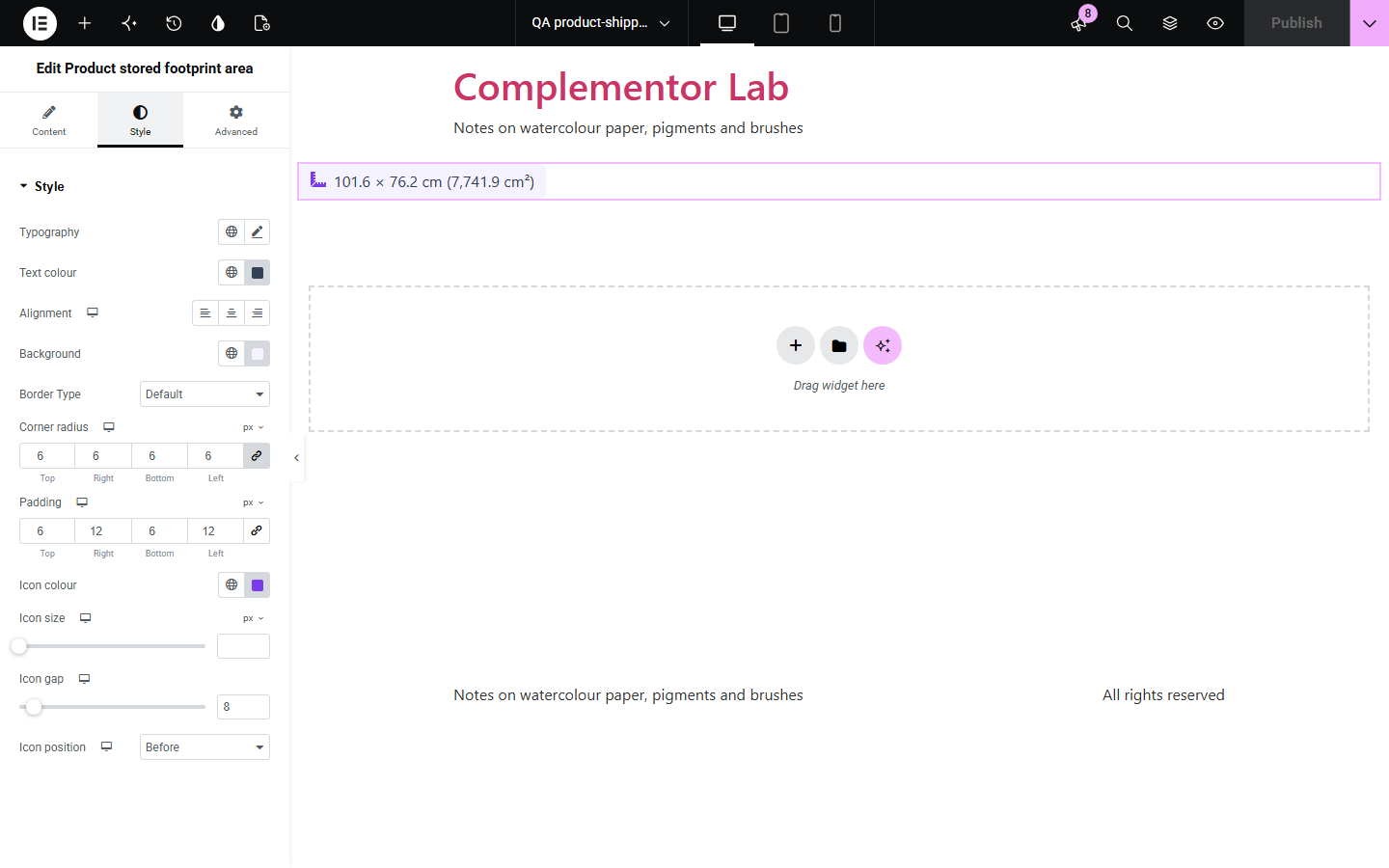
Buyers of rugs, prints, furniture and planters want to know whether a product fits the space they have, and length and width alone make them do the sum. WooCommerce stores each product's length and width but never shows the area. Product stored footprint area multiplies them and shows the result in square centimetres, metres, millimetres, inches, feet or yards, converted from the shop's dimension unit, with the sides too if you like.
Show the floor area in square metres or feet.
Tell buyers how much wall space a piece needs.
Show the floor space a product takes up.
Start with Complementor installed and your license connected. Enable this module in the WordPress library, then configure it in Elementor.
Install Complementor, connect your license and enable Product stored footprint area in the Complementor library.
In each product's Shipping tab, enter its length and width.
Add the widget to a single product template, or to any page with Source set to a selected product.
Under Display, choose the unit and edit the text template.
Style the text and panel under Style, then check a product with options.
Configure the settings available for this module to suit the page you are building.
Current product on product pages and templates, or any selected published product.
Area in the shop's unit or in cm², m², mm², in², ft² or yd², converted with WooCommerce's own conversion.
Text template with {value}, {unit}, {length} and {width}, such as “101.6 × 76.2 cm (7,741.9 cm²)”.
At most 0–4 decimals, with trailing zeros left out.
Products with options show one area when all match, otherwise the smallest to largest.
Typography, colours, surface and an optional icon.
Compare the existing Elementor workflow with this Complementor module before choosing your setup.
Lists length × width × height; prefer it when buyers need all three sides rather than the area.
Show a typed-in area; prefer it when the shipping size is not the product size.
Complementor uses classic Elementor APIs. Atomic-native controls are not implemented. Check your theme, cache and integrations on a staging site before release.
Check these settings if the published page behaves differently from the editor.
The product needs both a length and a width in its Shipping tab; the editor says so.
The Shipping size is the boxed size. Enter the product's own size there for a true footprint.
The product's options have different sizes, so the smallest to largest is shown.
The default follows the dimension unit under WooCommerce › Settings › Products; choose another unit under Display.
No. It works with the free version of Elementor and WooCommerce.
The length and width in the product's Shipping tab, or each option's own size.
Yes. Use {length} and {width} in the text template.
No. The footprint is length × width only.
Yes. Choose Feet as the unit; the area is shown in ft².
This module is included with all 1007 current Complementor solutions. Choose your production website allowance; every plan includes the same modules.
Renews at $29 USD each year.
Renews at $49 USD each year.
Renews at $99 USD each year.
Applicable taxes extra. Annual subscriptions renew automatically unless canceled in your customer account. Elementor Pro is required for Exclude current post. Read the terms and 14-day technical-issue refund policy.