Storage and containers
Compare jars, boxes and bins by volume.
 I Build Elementor.
Show a product’s price per litre, cubic metre or cubic foot of package volume, worked out from its WooCommerce dimensions, with the size and a range for variable products.
These are the actual published widgets for products in the demo shop.
Product picks the product being viewed or one by ID. Unit price sets the text before the price, the volume unit, the size line, the note, a line or badge look and an icon. The Style tab covers the text, colour, alignment, background, border, radius and padding, the icon, and the unit price, size and note and badge colours.
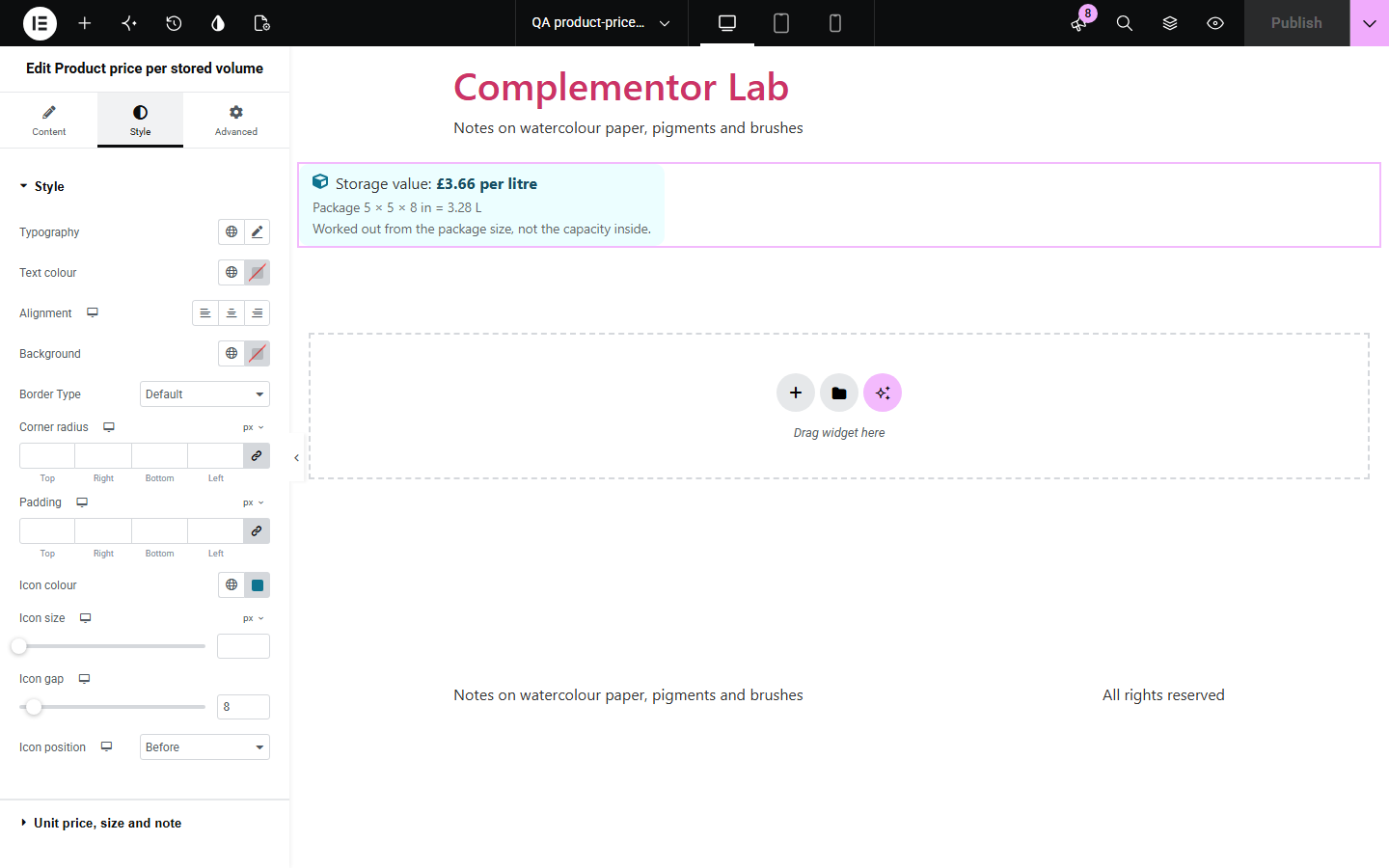
When products come in different sizes, a price per unit of volume makes them easy to compare, but working it out by hand from three dimensions is error-prone. This widget divides the product’s displayed price by its package volume from WooCommerce’s length, width and height, shows it per litre, cubic metre, cubic foot or another unit with enough decimals to read, shows the size and volume it used, and gives a range across the sizes of a variable product. A note makes clear the volume is the package’s, not the capacity inside.
Compare jars, boxes and bins by volume.
Show value for money across bag sizes.
Price per cubic foot of shipping boxes.
Start with Complementor installed and your license connected. Enable this module in the WordPress library, then configure it in Elementor.
Install WooCommerce and Complementor, connect your license and enable Product price per stored volume in the Complementor library.
Fill in the length, width and height under Product data › Shipping.
Add the widget to your product template, or to any page with a product ID.
Choose the volume unit, or leave it automatic.
Choose a line or badge look and edit the note.
Configure the settings available for this module to suit the page you are building.
Price per litre, cubic metre, cubic centimetre, cubic foot, cubic inch or US gallon.
Automatic: cubic foot for US stores measuring in inches, otherwise litre.
Enough decimals for small unit prices.
The package size and volume it was worked out from.
A range across a variable product’s sizes.
A note that the volume is the package’s.
Compare the existing Elementor workflow with this Complementor module before choosing your setup.
How many packs a shopper needs.
A sample price in your currency format.
Complementor uses classic Elementor APIs. Atomic-native controls are not implemented. Check your theme, cache and integrations on a staging site before release.
Check these settings if the published page behaves differently from the editor.
The product needs a price and all three dimensions under Product data › Shipping.
It uses the package’s outside dimensions, not the space inside.
That variation has no price or is missing a dimension.
No. It works with the free version of Elementor and WooCommerce.
The price as displayed in your shop, with or without tax as you have set it.
Yes. It shows the lowest to highest price per unit across the variations.
No. It is worked out from package dimensions; use the note to explain it.
Yes. It is plain text with the price in WooCommerce’s price markup.
This module is included with all 1007 current Complementor solutions. Choose your production website allowance; every plan includes the same modules.
Renews at $29 USD each year.
Renews at $49 USD each year.
Renews at $99 USD each year.
Applicable taxes extra. Annual subscriptions renew automatically unless canceled in your customer account. Elementor Pro is required for Exclude current post. Read the terms and 14-day technical-issue refund policy.