Product ranges
Compare small, medium and large versions.
 I Build Elementor.
Compare the prices of 2 to 4 products in an accessible table, with sale prices as WooCommerce shows them and how much more each costs than the cheapest.
These are the actual published outputs of the widget for products from the demo shop.
Content sets the products (up to 4, optionally starting with the product being viewed), the rows and wording, the caption, name links, images and the missing-value text. The Style tab covers the table text, header, row labels, stripes, lines, padding, best value colour, caption and images.
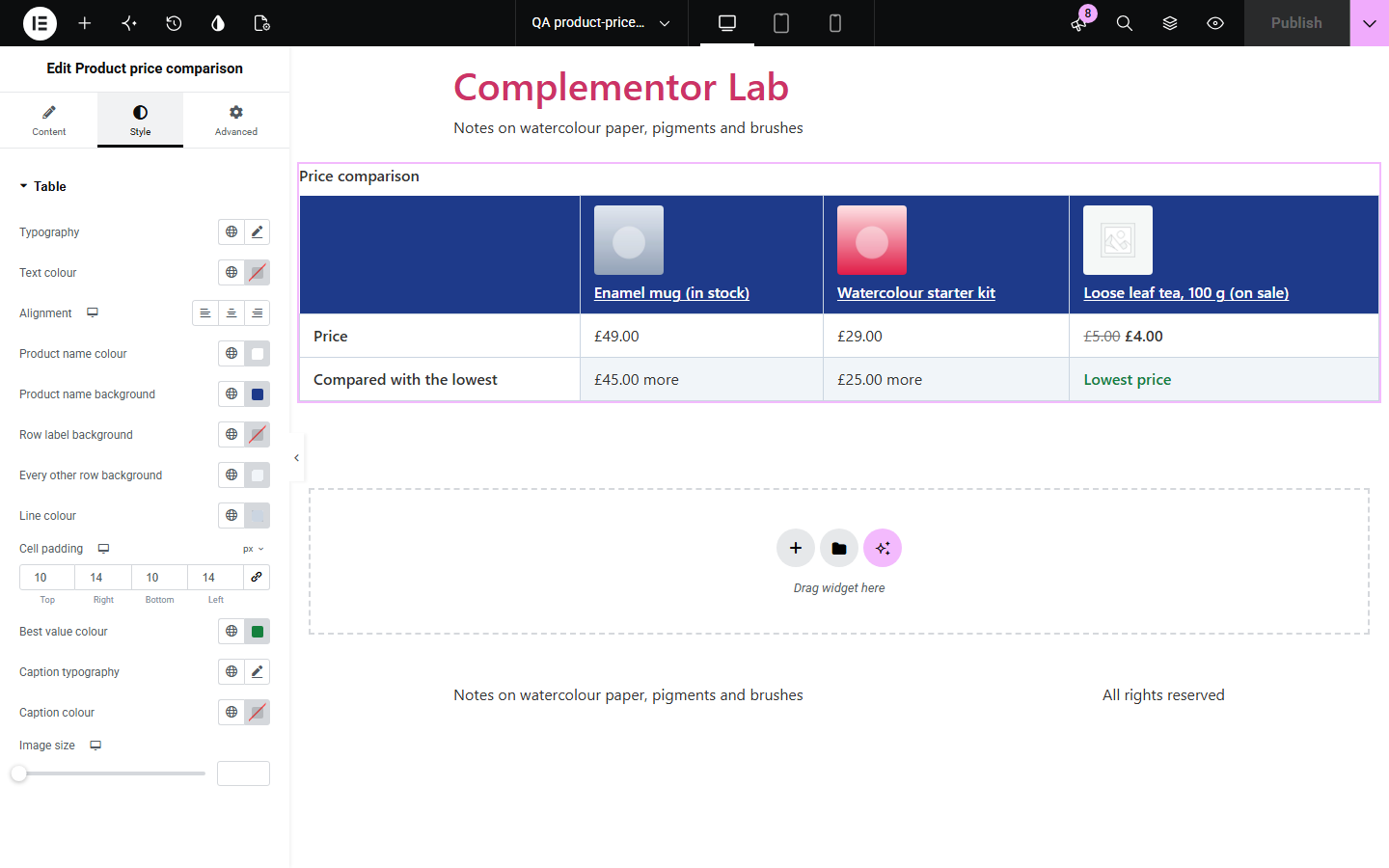
Shoppers deciding between a few products want the prices side by side, with sale prices and the difference spelled out. Product price comparison builds a real table of 2 to 4 products with WooCommerce's own price display, so sale prices, ranges and tax settings are right, and can add a row saying which is cheapest and how much more the others cost.
Compare small, medium and large versions.
Show a bundle beside its parts.
Compare recommended products in an article.
Start with Complementor installed and your license connected. Enable this module in the WordPress library, then configure it in Elementor.
Install Complementor, connect your license and enable Product price comparison in the Complementor library.
Add the widget to a product template or page.
Choose two to four products, or start with the product being viewed.
Set the rows and wording.
Style the table.
Configure the settings available for this module to suit the page you are building.
2 to 4 products.
WooCommerce price display.
Sale prices and ranges.
“Lowest price” and differences.
Accessible table with caption.
Scrolls on phones.
Compare the existing Elementor workflow with this Complementor module before choosing your setup.
Often add their own scripts, pages and styling.
Gets out of date when products change.
Complementor uses classic Elementor APIs. Atomic-native controls are not implemented. Check your theme, cache and integrations on a staging site before release.
Check these settings if the published page behaves differently from the editor.
At least two products need a single price; ranges and grouped products are left out.
It is unpublished or password-protected.
The product has no price.
They follow the store's tax display setting, as on the product page.
No. It works with the free version of Elementor and WooCommerce.
Yes. Prices appear as WooCommerce shows them, with the old price crossed out.
Two to four.
Yes. It is a real table with a caption, column headers for products and row headers, and it scrolls inside its own keyboard-reachable box on phones.
No. It only reads the products and prints what it finds.
This module is included with all 1007 current Complementor solutions. Choose your production website allowance; every plan includes the same modules.
Renews at $29 USD each year.
Renews at $49 USD each year.
Renews at $99 USD each year.
Applicable taxes extra. Annual subscriptions renew automatically unless canceled in your customer account. Elementor Pro is required for Exclude current post. Read the terms and 14-day technical-issue refund policy.