Art prints
Say which frames the print fits.
 I Build Elementor.
Show the proportions of a product’s main image as a simple ratio with its orientation and shape, and the standard frame sizes that match, for prints and photographs.
These are the actual published widgets reading the demo shop’s product images.
Product picks the product being viewed or one by ID. Proportions sets the text with placeholders, the shape, the pixel size, matching frame sizes with their unit and label, and an icon. The Style tab covers the text, colour, alignment, background, border, radius and padding, the icon, and the shape colour and size, ratio typography and frames colour.
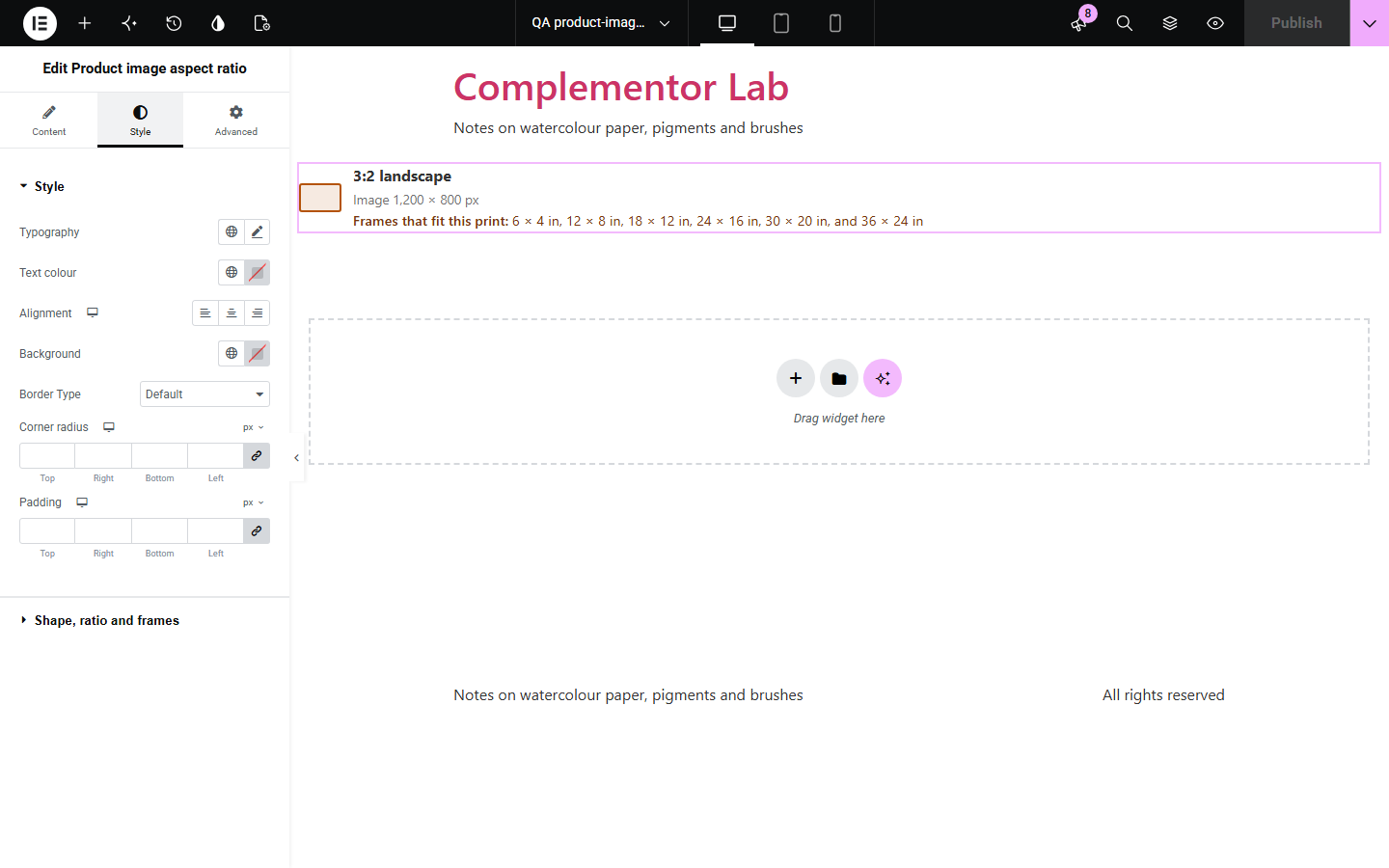
Buyers of prints, posters and photographs want to know whether a picture will fit a frame they own, and a pixel size means little to them. This widget reads the product’s main image size and shows its proportions as a simple ratio such as 3:2 with landscape, portrait or square and a small shape, lists the standard frame sizes in inches or centimetres with the same proportions, and can add the pixel size.
Say which frames the print fits.
Show whether a photo is 3:2, 4:5 or square.
Help buyers match an existing frame.
Start with Complementor installed and your license connected. Enable this module in the WordPress library, then configure it in Elementor.
Install WooCommerce and Complementor, connect your license and enable Product image aspect ratio in the Complementor library.
Use the artwork itself, uncropped, as the product’s main image.
Add the widget to your product template near the size options.
Choose whether to show the shape, pixel size and frames.
Pick inches or centimetres for the frame sizes.
Configure the settings available for this module to suit the page you are building.
A simple ratio such as 3:2, or a decimal when there is none.
Landscape, portrait or square.
A small shape with the same proportions.
Standard frame sizes that match, in inches or centimetres.
The pixel size, if you like.
Your own wording with placeholders.
Compare the existing Elementor workflow with this Complementor module before choosing your setup.
Whether a package fits a space.
A price per litre of package volume.
Complementor uses classic Elementor APIs. Atomic-native controls are not implemented. Check your theme, cache and integrations on a staging site before release.
Check these settings if the published page behaves differently from the editor.
The product has no main image, or the image is attached to private content.
The image has no simple ratio with numbers up to 16; it shows the exact proportion.
No standard frame has the same proportions within 2%.
No. It works with the free version of Elementor and WooCommerce.
No. It reads the image’s proportions; the printed size is set by your product options.
Common sizes from 4 × 6 to 24 × 36 inches and 10 × 15 to 60 × 90 cm, plus A-sizes and squares.
No. It reads the size WordPress stored when the image was uploaded.
Yes. The shape is decorative and the proportions are written in words.
This module is included with all 1007 current Complementor solutions. Choose your production website allowance; every plan includes the same modules.
Renews at $29 USD each year.
Renews at $49 USD each year.
Renews at $99 USD each year.
Applicable taxes extra. Annual subscriptions renew automatically unless canceled in your customer account. Elementor Pro is required for Exclude current post. Read the terms and 14-day technical-issue refund policy.