Customer support
Let customers quote an exact code when they get in touch.
 I Build Elementor.
Show a product's SKU or ID as a reference customers can quote, with an optional Copy button, following the chosen variation on variable products.
These are the actual published outputs of the widget for products in our sample shop.
Content sets the product, whether the SKU, the ID or both are shown, their labels and layout, following the chosen variation, an optional Copy button and an optional icon. The Style tab covers typography, surface, label and value colours, a fixed-width font for values, the icon, spacing and the Copy button.
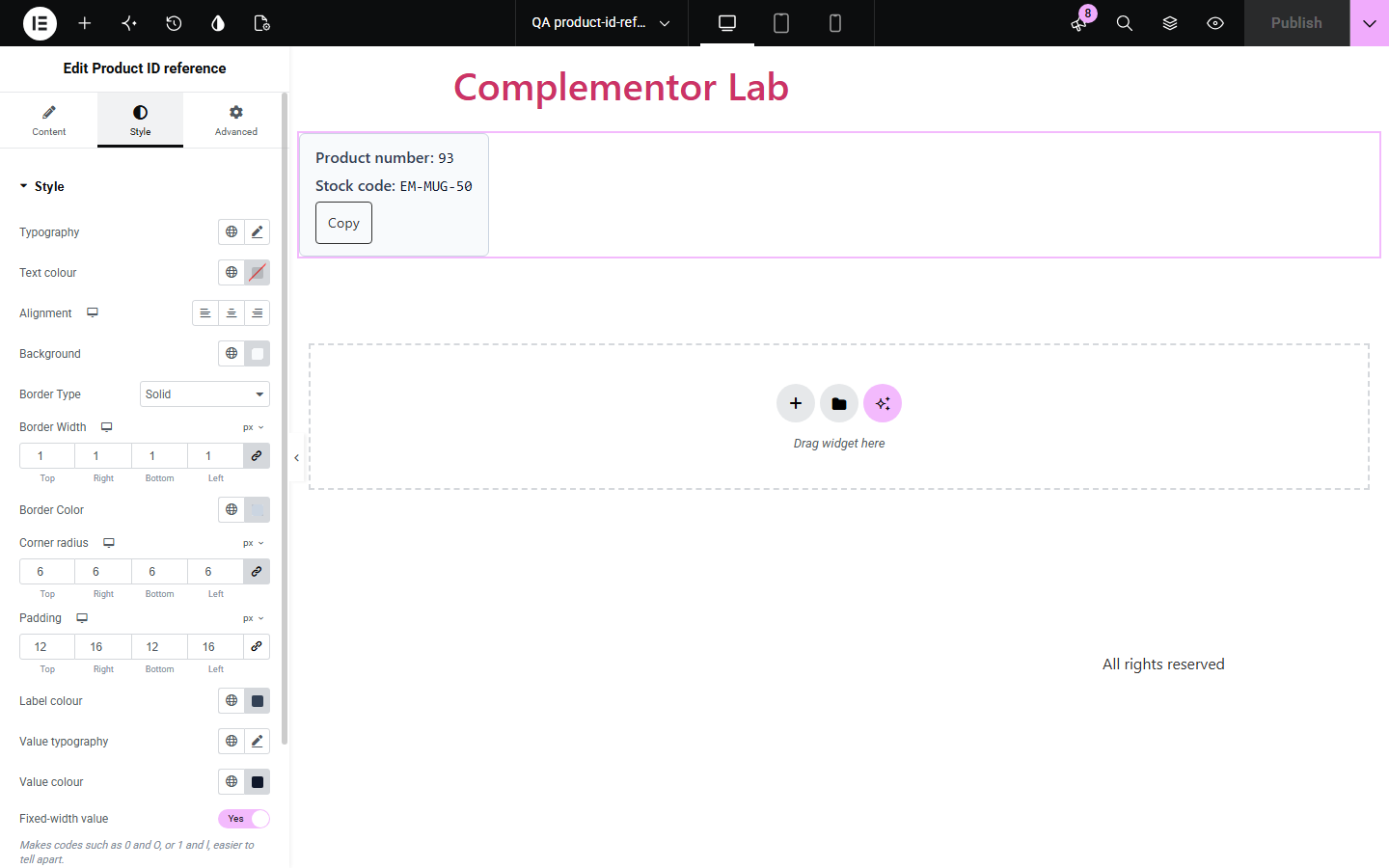
When customers ask about a product by email or phone, they describe it in their own words, and staff have to guess which item or which variation they mean. Product ID reference shows the SKU, the product ID or both on the product page, with your own labels, and lets customers copy it. On variable products it switches to the chosen variation's reference, so the code they quote is the one they are looking at.
Let customers quote an exact code when they get in touch.
Show stock codes buyers use on their own orders.
Show the code of the size or colour actually chosen.
Start with Complementor installed and your license connected. Enable this module in the WordPress library, then configure it in Elementor.
Install Complementor, connect your license and enable Product ID reference in the Complementor library.
Add the widget to a product template or page.
Choose whether to show the SKU, the ID or both, and set the labels.
Optionally add a Copy button.
Style it and preview a product, including a variable one.
Configure the settings available for this module to suit the page you are building.
SKU, ID, or both.
Falls back to the ID without a SKU.
Follows the chosen variation.
Optional Copy button.
Fixed-width values for easy reading.
Respects the WooCommerce SKU setting.
Compare the existing Elementor workflow with this Complementor module before choosing your setup.
Shows the SKU with categories and tags, without your own labels or a Copy button.
Goes out of date and does not follow variations.
Complementor uses classic Elementor APIs. Atomic-native controls are not implemented. Check your theme, cache and integrations on a staging site before release.
Check these settings if the published page behaves differently from the editor.
The product has no SKU, or SKUs are turned off in WooCommerce. The editor explains which.
It follows variations only on the variable product's own page, with Follow the chosen variation on.
The SKU when one is shown, otherwise the ID.
WooCommerce uses the product's SKU for a variation that has none of its own.
No. It works with the free version of Elementor and WooCommerce.
No. It only reads the product's ID and SKU.
Yes. Both labels are editable, and can be left empty.
Choose a product in the widget, or place it in a single product template.
Yes. The values are plain text, Copy is a real button, and the result is announced.
This module is included with all 1007 current Complementor solutions. Choose your production website allowance; every plan includes the same modules.
Renews at $29 USD each year.
Renews at $49 USD each year.
Renews at $99 USD each year.
Applicable taxes extra. Annual subscriptions renew automatically unless canceled in your customer account. Elementor Pro is required for Exclude current post. Read the terms and 14-day technical-issue refund policy.