Multipacks
Show the price of a pack of six beside the single price.
 I Build Elementor.
Show what a set quantity of a WooCommerce product costs, such as “3 × £12.00 = £36.00”, with sale and tax settings respected.
These are the actual published outputs of the widget for sample products.
Source picks the current product or a selected one. Display sets the quantity, whether the sum or the total alone is shown, the text before it (with {quantity}), the sale strike-through, the wording for products with options, the price suffix, a text for a total of 0 and an icon. Style covers the text and surface, the total, the quantity and unit price, the full-price total and the icon.
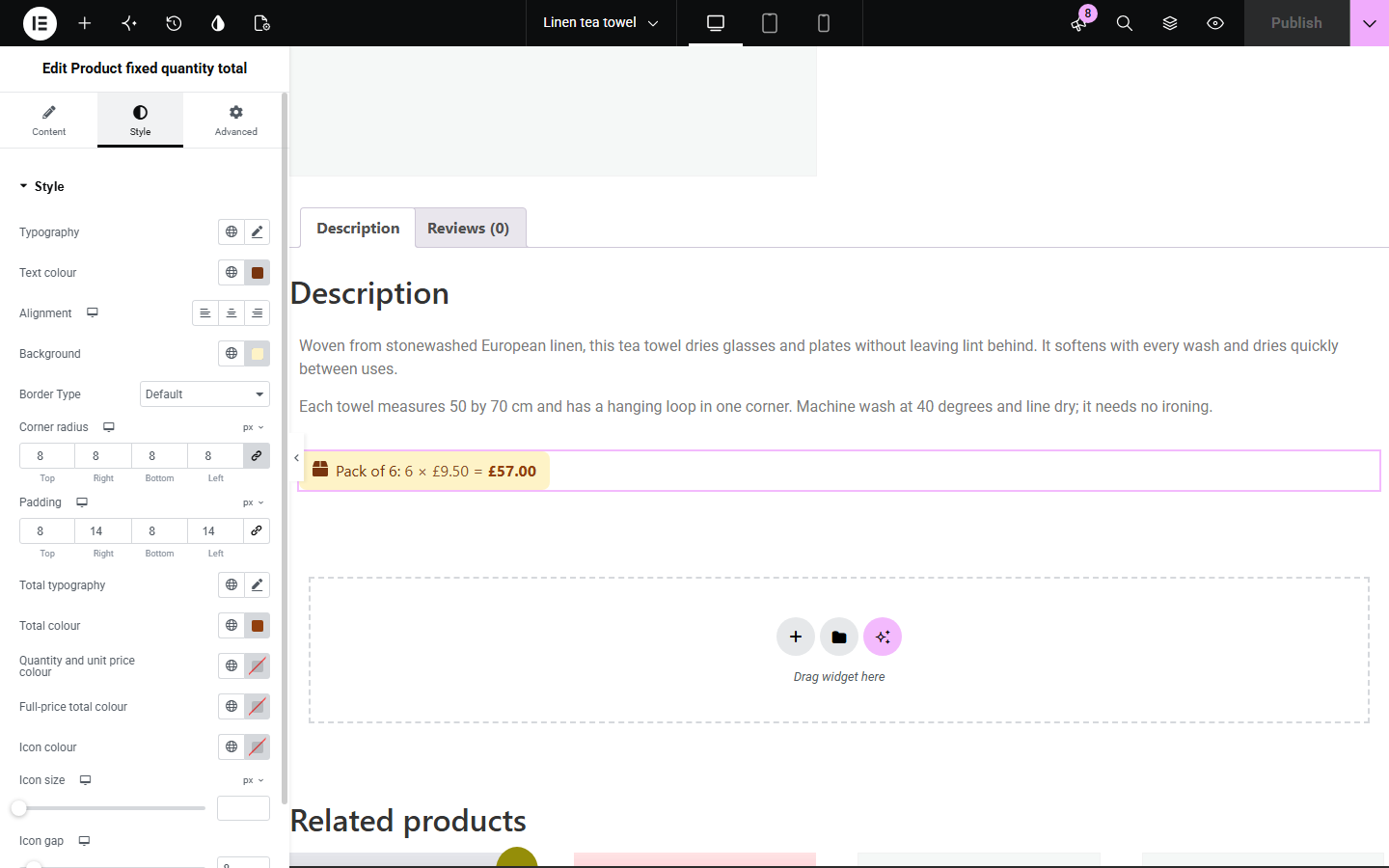
Shoppers buying several of something do the sum themselves: what do six jars cost, or a dozen tea towels? WooCommerce shows the price of one. Product fixed quantity total shows the total for a quantity you choose, as “3 × £12.00 = £36.00” or the total alone, using the product's current price with WooCommerce's tax display, currency and suffix. During a sale the full-price total is struck through, and products with options show the lowest total as “From”.
Show the price of a pack of six beside the single price.
Tell coffee or tea buyers what a month's supply costs.
Show the cost for a typical group of three or four places.
Start with Complementor installed and your license connected. Enable this module in the WordPress library, then configure it in Elementor.
Install Complementor, connect your license and enable Product fixed quantity total in the Complementor library.
Add the widget to a single product template, or to any page with Source set to a selected product.
Under Display, set the quantity and choose the sum or the total only.
Edit the text before the total, using {quantity} where the number should appear.
Style the text, total and panel under Style and check a product on sale and one with options.
Configure the settings available for this module to suit the page you are building.
Current product on product pages and templates, or any selected published product.
Any quantity, shown as the full sum (3 × £12.00 = £36.00) or the total only.
Text before the total with a {quantity} placeholder, such as “Pack of {quantity}:”.
During a sale the full-price total is struck through, with the wording read out for screen readers.
Products with options show the lowest total with editable “From {total}” wording.
WooCommerce's tax display and price suffix, and an optional text for a total of 0.
Text, surface, total, unit price and full-price colours, and an optional icon.
Compare the existing Elementor workflow with this Complementor module before choosing your setup.
Shows the price of one item; prefer it when shoppers rarely buy more than one.
Sell a real pack with its own price and stock; prefer them when the pack is a product in its own right.
Complementor uses classic Elementor APIs. Atomic-native controls are not implemented. Check your theme, cache and integrations on a staging site before release.
Check these settings if the published page behaves differently from the editor.
A grouped product has no single price. Choose one of its products as the source.
Products with options can cost different amounts, so the lowest total is shown.
The widget multiplies the shown price; quantity discounts, coupons, shipping and fees from other plugins are applied only in the basket.
On pages other than products, set Source to a selected product.
No. It works with the free version of Elementor and WooCommerce.
No. It shows the total only; shoppers still choose the quantity themselves.
Yes. Totals use WooCommerce's “Display prices in the shop” setting and price suffix.
Yes. Set Show to Total only.
Yes. The sale price is used, with the full-price total struck through unless you turn that off.
This module is included with all 1007 current Complementor solutions. Choose your production website allowance; every plan includes the same modules.
Renews at $29 USD each year.
Renews at $49 USD each year.
Renews at $99 USD each year.
Applicable taxes extra. Annual subscriptions renew automatically unless canceled in your customer account. Elementor Pro is required for Exclude current post. Read the terms and 14-day technical-issue refund policy.