Digital downloads
List the PDFs, images or templates included before purchase.
 I Build Elementor.
List how many files a downloadable WooCommerce product includes and their names, without ever showing the download links.
These are the actual published outputs of the widget for sample downloadable products: the default count and list, a styled box with an icon, names inline without a count, a one-file product, and a product that is not downloadable.
Content › Source uses the current product or a selected published product. Behaviour sets the file count and its one-file and several-files text, file names, the label for unnamed files and an editor-only hint. Display chooses a bulleted, plain or inline list and an optional icon. The Style tab covers count and name typography and colour, list spacing, the box background, border, radius and padding, and icon colour, size and gap.
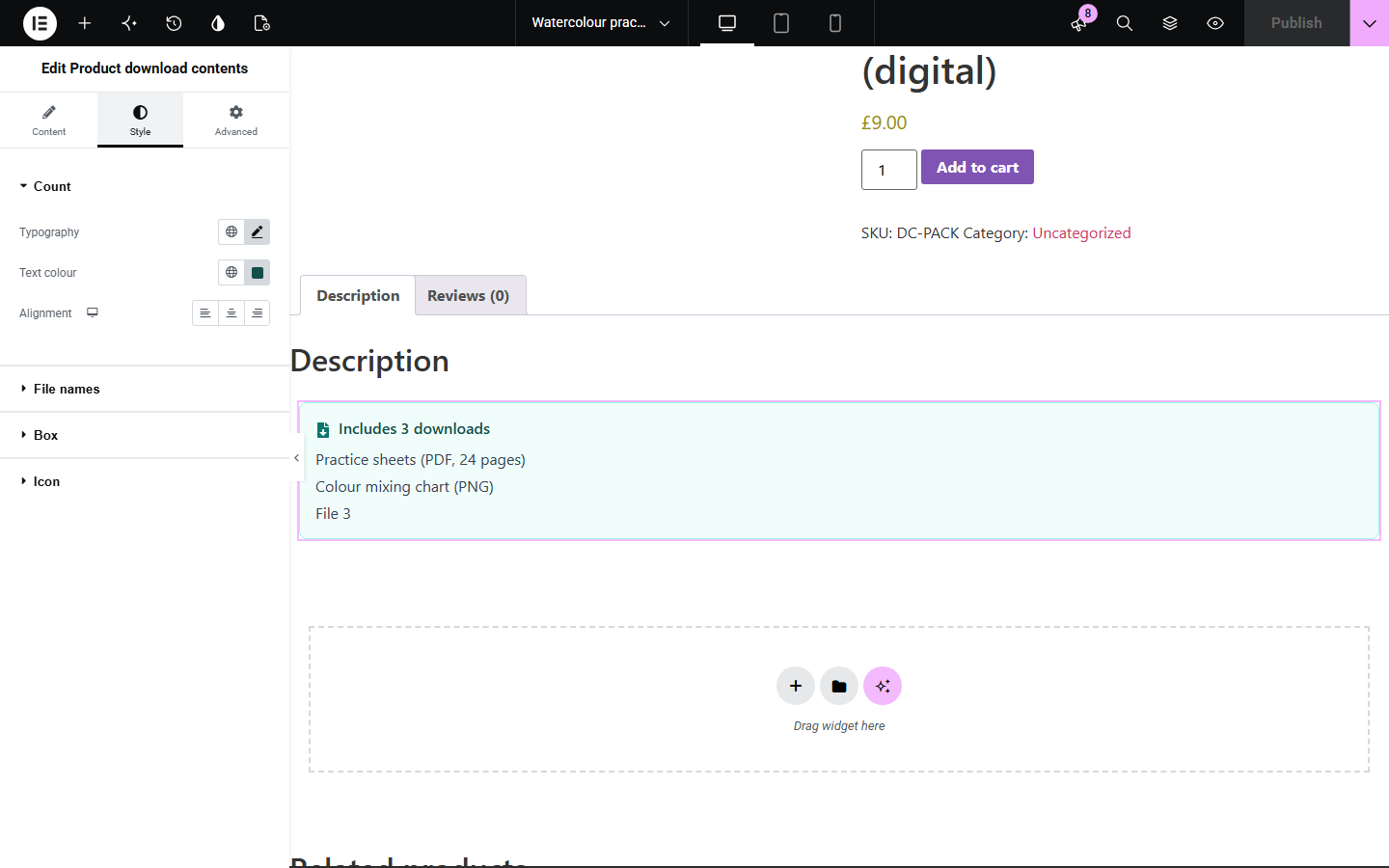
Buyers of digital products want to know exactly what they get before paying, but WooCommerce only lists the files after purchase. Product download contents shows the file count and the file names you entered in WooCommerce on the product page, while the file links stay private.
List the PDFs, images or templates included before purchase.
Show how many worksheets or resources come with a digital product.
Use one template for every downloadable product; each shows its own files.
Start with Complementor installed and your license connected. Enable this module in the WordPress library, then configure it in Elementor.
Install Complementor and WooCommerce, connect your license and enable Product download contents in the Complementor library.
On a simple product, tick Downloadable and add files with clear names, such as 'Practice sheets (PDF, 24 pages)'.
Add the widget to a single product template or product page, or choose a Selected product in Content › Source.
Edit the count text, choose the list layout and set a label for any unnamed files.
Style the box, publish, and check that no file links appear on the page.
Configure the settings available for this module to suit the page you are building.
Source: the current product, or a selected published simple product from a picker.
File count with separate text for one and several files, using {count}.
File names as entered in WooCommerce; unnamed files get your label and their position, such as 'File 3'.
Bulleted, plain or inline list, and an optional icon before or after the count.
Editor-only hint explaining why nothing is shown.
Style: count and name typography and colour, list spacing, box background, border, radius and padding, icon.
Compare the existing Elementor workflow with this Complementor module before choosing your setup.
WooCommerce lists files with download links only after purchase. This widget shows names and count before purchase, without links.
A typed list goes out of date when you add or rename files. This widget reads the files saved on the product.
Complementor uses classic Elementor APIs. Atomic-native controls are not implemented. Check your theme, cache and integrations on a staging site before release.
Check these settings if the published page behaves differently from the editor.
The product must be a published simple product with Downloadable ticked and at least one file. Variable products and password-protected products show nothing.
The file has no name in WooCommerce, which stores the file name from its URL instead. The widget shows your label and position rather than the URL. Name the file in the product's Downloadable files.
No. The list never contains links. Files are delivered by WooCommerce after purchase.
The product has one file, so the text for one file is used. Edit both texts in Behaviour.
No. Only the names you enter are printed. File URLs and download IDs are never output.
No. It works with Elementor and WooCommerce; Elementor Pro lets you place it in single product templates.
No. Variations can each have their own files, so only simple downloadable products are supported.
Yes. Each has its own switch in Behaviour.
Yes. Names are a real list, and the icon is decorative and hidden from screen readers.
This module is included with all 1007 current Complementor solutions. Choose your production website allowance; every plan includes the same modules.
Renews at $29 USD each year.
Renews at $49 USD each year.
Renews at $99 USD each year.
Applicable taxes extra. Annual subscriptions renew automatically unless canceled in your customer account. Elementor Pro is required for Exclude current post. Read the terms and 14-day technical-issue refund policy.