Letterbox gifts
Show that a parcel goes through a standard letterbox.
 I Build Elementor.
Tell shoppers whether a product’s package fits a size you set, such as a letterbox, or a space they measure, and which side is too big.
These are the actual published widgets using the demo shop’s package dimensions. In the shopper example, type your own measurements.
Product picks the product being viewed or one by ID. Fit check sets whether to check a size you set or one the shopper measures, the space’s name and three measurements, turning the item, the fits and does-not-fit texts, the details and an icon. The Style tab covers the text, colour, alignment, background, border, radius and padding, the icon, and the fits and does-not-fit colours, status typography, details and field border.
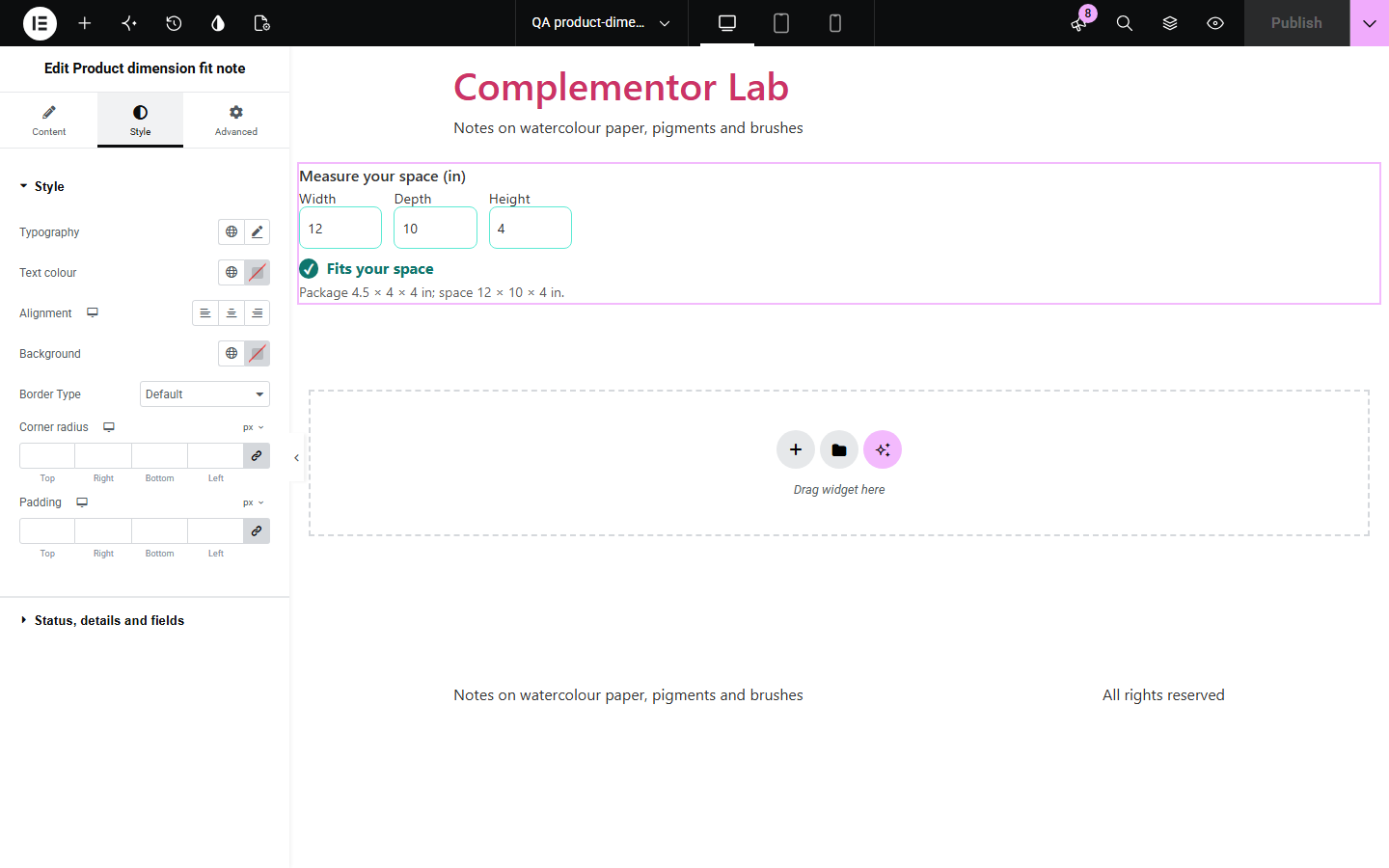
Will it go through the letterbox? Will it fit on my shelf? Shoppers have to compare three numbers in their head, and returns follow when they get it wrong. This widget compares the product’s package length, width and height from WooCommerce with a size you set, such as a letterbox or locker slot, or with a space the shopper measures, optionally allowing the item to be turned, and says whether it fits and which side is too big and by how much.
Show that a parcel goes through a standard letterbox.
Let shoppers check their alcove or shelf.
Say whether a parcel fits a locker slot.
Start with Complementor installed and your license connected. Enable this module in the WordPress library, then configure it in Elementor.
Install WooCommerce and Complementor, connect your license and enable Product dimension fit note in the Complementor library.
Fill in the length, width and height under Product data › Shipping.
Add the widget to your product template, or to any page with a product ID.
Choose a size you set, such as a letterbox, or let the shopper measure.
Choose whether the item can be turned and edit the texts.
Configure the settings available for this module to suit the page you are building.
A named size you set, such as a letterbox or locker slot.
Or three fields for the shopper’s own space.
Turning the item to find the best fit.
Which side is too big, and by how much.
A tick or cross with fits and does-not-fit colours.
Your own wording with the space’s name.
Compare the existing Elementor workflow with this Complementor module before choosing your setup.
A price per litre of package volume.
The total weight for a quantity.
Complementor uses classic Elementor APIs. Atomic-native controls are not implemented. Check your theme, cache and integrations on a staging site before release.
Check these settings if the published page behaves differently from the editor.
The product needs a length, width and height under Product data › Shipping.
Turning is allowed, so the tall side is compared with the space’s longest side. Turn it off to keep the item upright.
The store’s dimension unit from WooCommerce › Settings › Products.
No. It works with the free version of Elementor and WooCommerce.
No. It compares the package dimensions you entered; packaging and handles can make a difference.
Yes. Choose a space the shopper measures.
Yes. It shows the result for the starting measurements.
Yes. Fields are labelled and the result is announced, with the tick and cross also written in words.
This module is included with all 1007 current Complementor solutions. Choose your production website allowance; every plan includes the same modules.
Renews at $29 USD each year.
Renews at $49 USD each year.
Renews at $99 USD each year.
Applicable taxes extra. Annual subscriptions renew automatically unless canceled in your customer account. Elementor Pro is required for Exclude current post. Read the terms and 14-day technical-issue refund policy.