Materials
Explain stoneware, oak or merino.
 I Build Elementor.
Show what a product's attribute values mean, such as its material or finish, from the descriptions you write for each attribute term.
Each example below is the actual published output of the Product attribute term description widget for products in a sample shop. Links point to the sample site.
Content sets the product, the attribute, an optional single value, which names to show, the archive link and whether to leave out values without a description. The Style tab covers the box, the names, spacing and the icon.
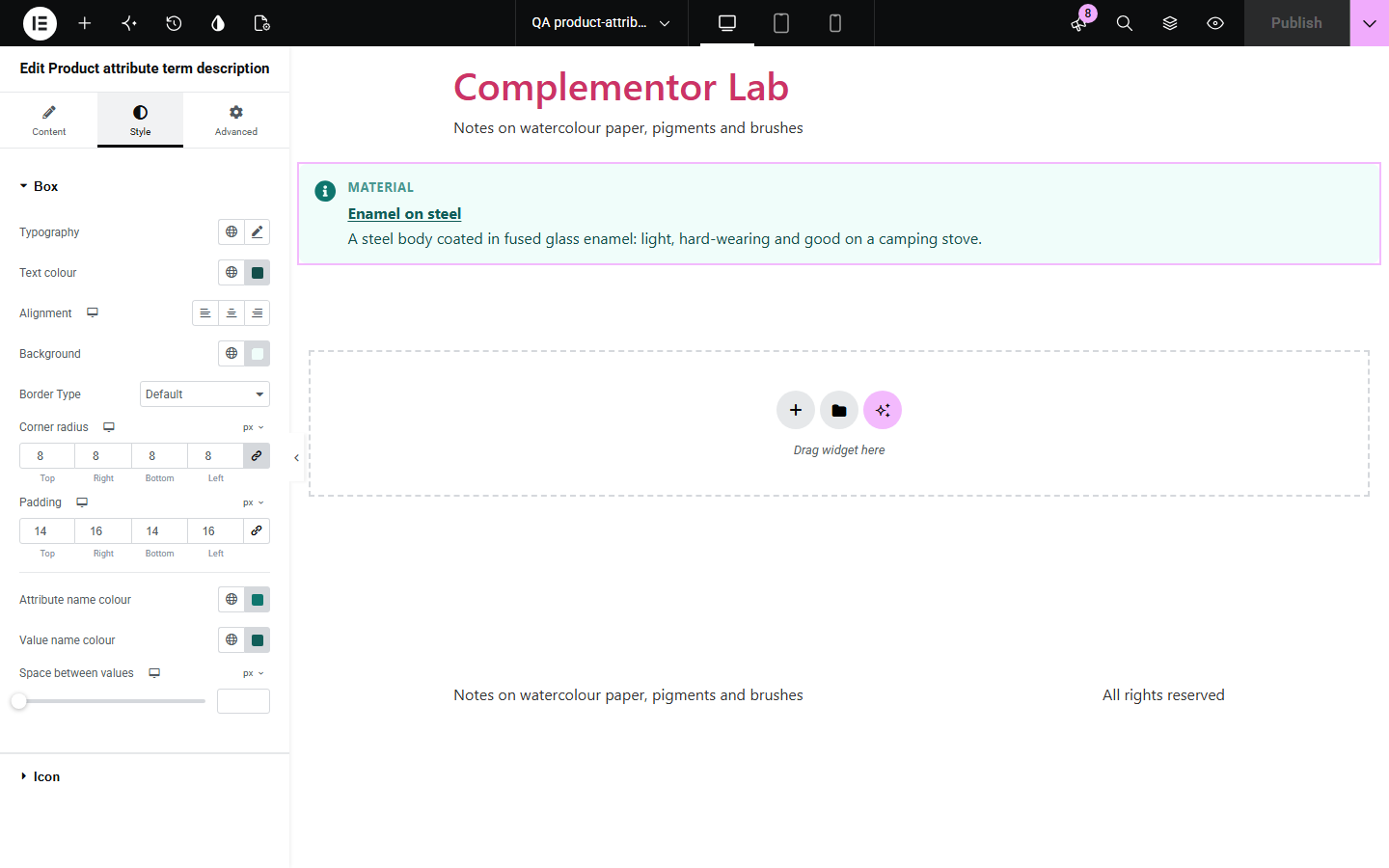
WooCommerce lets you write a description for every attribute value, such as what “Stoneware” or “Merino wool” means, but never shows it on the product page. Shoppers see a bare word in the specification table and have to guess. Product attribute term description puts those descriptions next to the product, for every value it has in the attribute you choose, and can link each value to its archive.
Explain stoneware, oak or merino.
Describe a glaze or a coating.
Say what a grade means.
Start with Complementor installed and your license connected. Enable this module in the WordPress library, then configure it in Elementor.
Install Complementor, connect your license and enable Product attribute term description in the Complementor library.
Write a description for each value under Products > Attributes > Configure terms.
Add the widget to the single product template, or choose a product.
Choose the attribute, such as Material.
Style the box, names and icon.
Configure the settings available for this module to suit the page you are building.
Any global attribute.
Every value or one value.
Archive links.
Names shown or hidden.
Empty values left out.
No script.
Compare the existing Elementor workflow with this Complementor module before choosing your setup.
The same text pasted many times.
Shoppers leave the product.
Complementor uses classic Elementor APIs. Atomic-native controls are not implemented. Check your theme, cache and integrations on a staging site before release.
Check these settings if the published page behaves differently from the editor.
The product has no value in that attribute, or the values have no description. The editor says which.
Only global attributes from Products > Attributes have term descriptions.
Tick “Enable archives?” for that attribute.
Products > Attributes > Configure terms, then edit each value.
No, though a single product template needs a theme builder; it also works with a chosen product.
Yes. Variations use their parent product's attribute values.
Yes. Enter its term ID.
No. It only reads the descriptions.
No. The list is made on the server.
This module is included with all 1007 current Complementor solutions. Choose your production website allowance; every plan includes the same modules.
Renews at $29 USD each year.
Renews at $49 USD each year.
Renews at $99 USD each year.
Applicable taxes extra. Annual subscriptions renew automatically unless canceled in your customer account. Elementor Pro is required for Exclude current post. Read the terms and 14-day technical-issue refund policy.