Gift sets and kits
Show what is inside a tasting set or starter kit in the description, with links to each product.
 I Build Elementor.
List the products inside a WooCommerce grouped product as a read-only directory of links and prices, in their stored order.
These are the actual published outputs of the widget for a sample grouped product with four stored children, one of them a draft: the default directory, a styled version with icons and dividers, prices below centred names, names only, and a message for a group with nothing public to list.
Content › Source uses the current product or a selected published grouped product. Behaviour turns prices on or off and chooses whether an empty group hides the widget or shows a message. Display sets the heading and its tag, puts the price beside or below each name, and adds an optional icon. The Style tab covers alignment, row spacing, name-to-price gap, row dividers, heading typography and colour, link typography and Normal, Hover and Focus states, price typography and colour, and icon colour, size and gap.
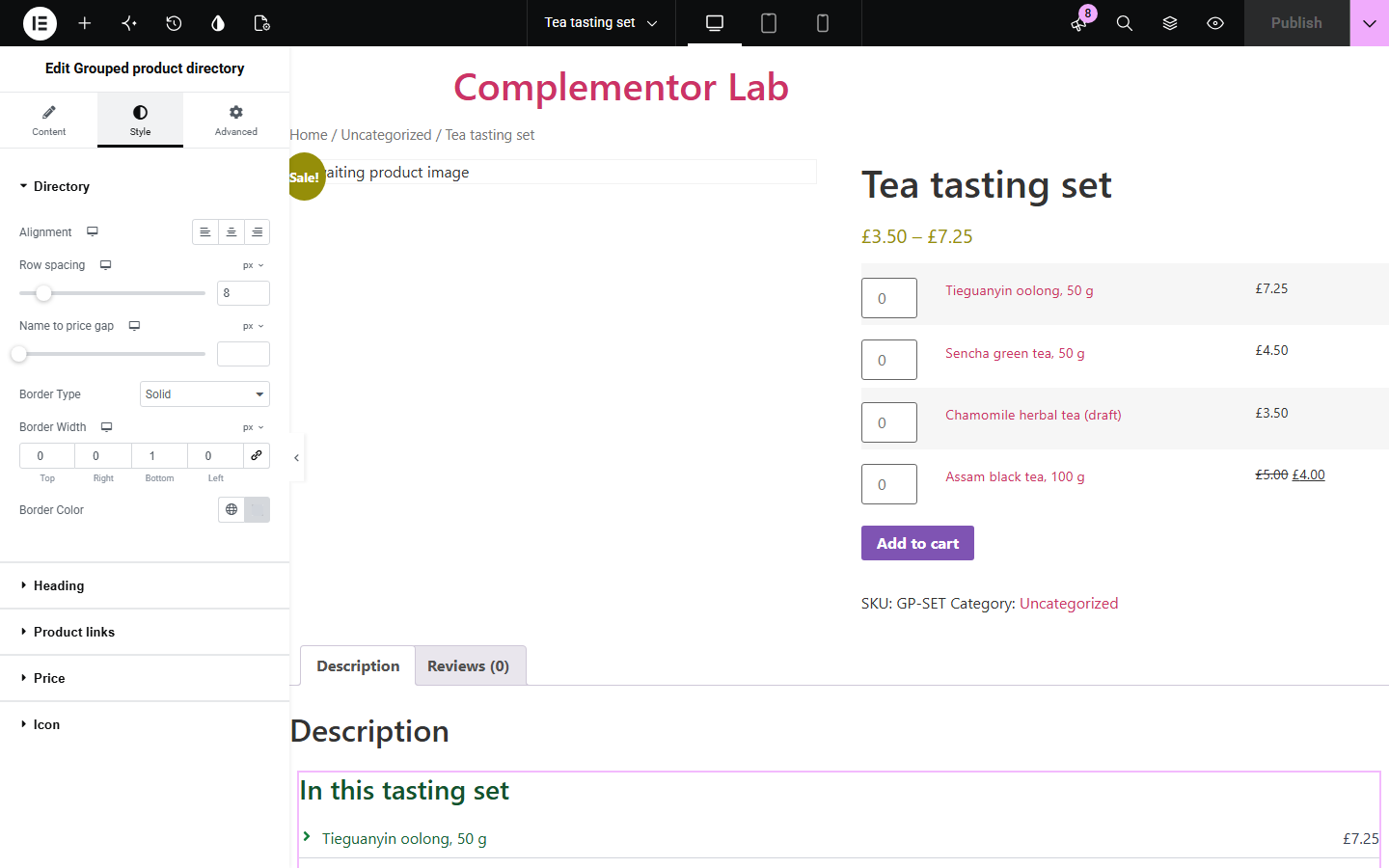
A WooCommerce grouped product bundles related products, but the only place its contents appear is the add-to-cart form with quantity boxes. Grouped product directory lists the same children as clean links with their current prices, so you can show what a set contains in a sidebar, description or landing page without a second purchase form.
Show what is inside a tasting set or starter kit in the description, with links to each product.
Point the widget at a grouped product to list a curated range anywhere on your site.
Give shoppers quick links to each item in the group beside the main purchase form.
Start with Complementor installed and your license connected. Enable this module in the WordPress library, then configure it in Elementor.
Install Complementor and WooCommerce, connect your license and enable Grouped product directory in the Complementor library.
Create a Grouped product in WooCommerce and add its products under Linked Products › Grouped products, in the order you want them listed.
Add the widget to a single product template or grouped product page, or choose Selected grouped product in Content › Source to use it anywhere.
Set the heading, row layout, price display and what to show when nothing can be listed.
Style the list, publish, and check that draft or private children are not listed.
Configure the settings available for this module to suit the page you are building.
Source: the current product, or a selected published grouped product from a picker.
Show price using WooCommerce's own price display, including sale prices and the shop tax setting.
Empty groups: hide the widget or show your own message.
Heading text and tag (H2 to H6, p or div), or no visible heading.
Row layout with the price beside or below the name, and an optional icon before each name.
Style: alignment, row spacing, name-to-price gap, row dividers, heading, link Normal/Hover/Focus, price and icon styling.
Compare the existing Elementor workflow with this Complementor module before choosing your setup.
WooCommerce's own form lists the children with quantity boxes and an Add to cart button. Use it to buy; use this widget for a read-only list you can place and style anywhere.
Elementor Pro's Products widget shows product cards from a query. It is built for grids; this widget gives a compact list of exactly the products stored in one group, in their saved order.
Complementor uses classic Elementor APIs. Atomic-native controls are not implemented. Check your theme, cache and integrations on a staging site before release.
Check these settings if the published page behaves differently from the editor.
Only published products without a password are listed, even for administrators. Drafts, private and password-protected children are skipped, as are nested grouped products.
The source must be a published grouped product. On another product type, or with no published children and When no listed products set to Hide, the widget outputs nothing; the editor explains which case applies.
The list follows the order of products in Linked Products › Grouped products. Reorder them there.
Prices are read when the page is generated. If you use page caching, clear the cache after changing prices or when a scheduled sale starts or ends.
No. It is a read-only list of links and prices. Keep WooCommerce's grouped product form for purchasing.
No. It works with Elementor and WooCommerce; Elementor Pro lets you place it in single product templates.
Yes. Each price comes from WooCommerce's own price display, so sale prices show the original price struck through.
No. A variable product in the group is listed once with its price range; its variations are not expanded.
Yes. Choose Selected grouped product in Content › Source and pick any published grouped product.
This module is included with all 1007 current Complementor solutions. Choose your production website allowance; every plan includes the same modules.
Renews at $29 USD each year.
Renews at $49 USD each year.
Renews at $99 USD each year.
Applicable taxes extra. Annual subscriptions renew automatically unless canceled in your customer account. Elementor Pro is required for Exclude current post. Read the terms and 14-day technical-issue refund policy.